Guide
Embed the site finder
Let your users search for a facility without leaving your product.
The site finder lets your users look up a healthcare facility without leaving your product. Unlike the auth-check UI, it is interactive: a user can enter a facility’s details, review the closest matches, create a site when nothing matches, and start AI research on a site.
1. Get an embed token
POST /v0/site-finder/embed-token, with your API key, returns an
EmbedTokenResponse { token }.
Send parentOrigin to allow only your own site to frame the iframe:
{ "parentOrigin": "https://app.example.com" }
The origin is your page’s https://host[:port], with no path, query or
wildcard, and must be one Hermes Health has approved for you; any other returns
400.
Leaving out
parentOriginis deprecated. The token still works, and any site can frame the iframe, but a later release will requireparentOriginand refuse the request without it.
Everything a user does inside the embed is recorded, billed and rate-limited as the user who created the token. Create tokens from a service account if you want a clean audit trail.
2. Add the iframe
Point an iframe at /ui/site-finder/embed?token=<token>:
<iframe
  src="https://api.hermeshealth.ai/ui/site-finder/embed?token=YOUR_TOKEN"
  width="100%"
  height="900"
  style="border: 0;"
  title="Site finder"></iframe>
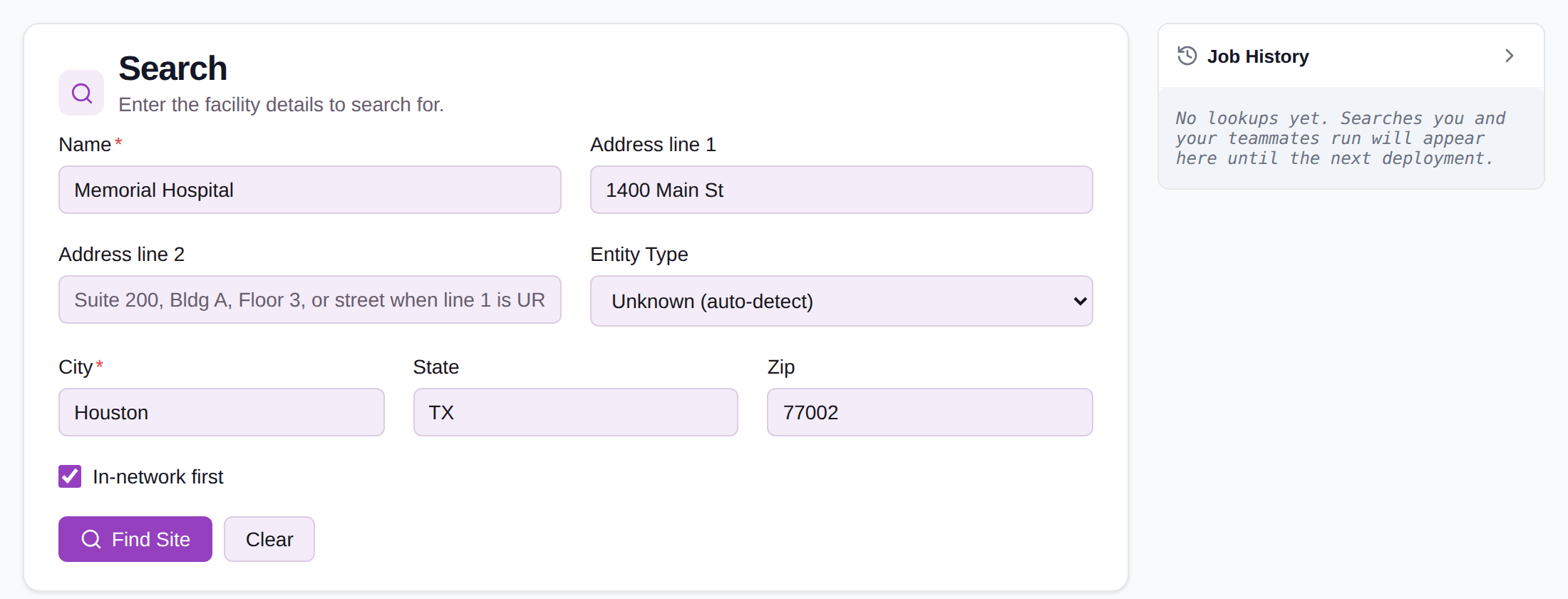
The iframe needs only the token, not a session, so the token is safe to hand
to the user’s browser. Only the parentOrigin you sent can frame it.
To pre-fill the search, add any of these query parameters to the iframe URL:
name, addressLine1, addressLine2, city, state, zip and
isFacility.
Refresh the token
Tokens expire one hour after they are created, and every action in the embed
checks the token again, so a search after expiry fails with 401. Create a new
token each time you render the page that holds the iframe, rather than caching
one.
Deleting the user who created a token, or removing their site-finder permission, invalidates their tokens immediately.
Next steps
- Request records from a facility: use a site your users found.
- Embed the auth-check UI: show authorization analysis alongside it.