Guide
Embed clinical data
Show a patient's visits, diagnoses and results as a drop-in UI.
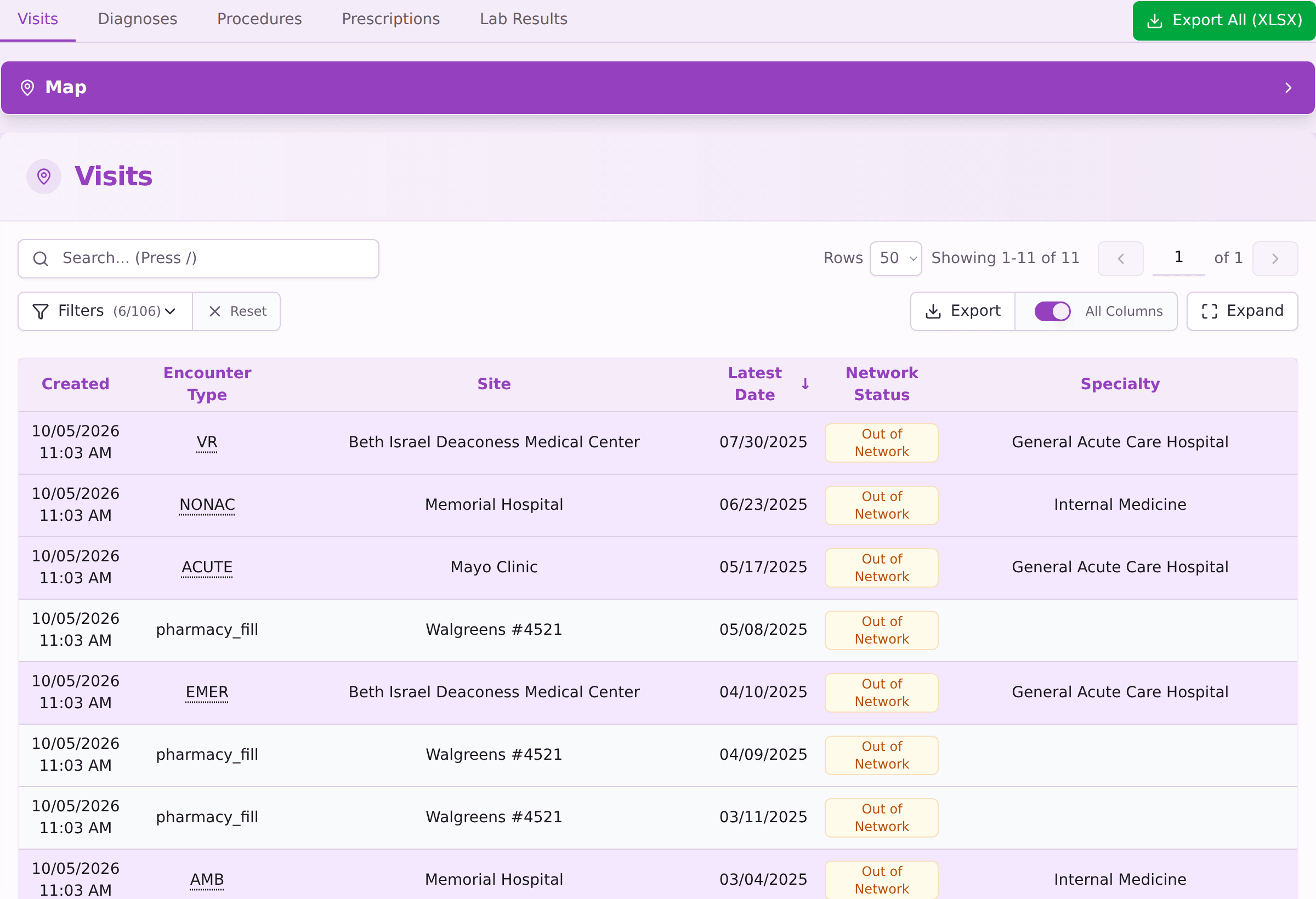
The clinical-data UI shows one patient’s visits, procedures, diagnoses, prescription fills and lab results as an iframe in your own product. Use it for any screen that shows clinical data to your users.
The iframe keeps up as the tables gain columns, so you never track schema changes yourself, and your API key never reaches the user’s browser.
1. Get an embed token
POST /v0/companies/{companyId}/projects/{projectId}/patients/{patientId}/clinical-data-embed-token,
with your API key, returns an EmbedTokenResponse { token }.
Send parentOrigin to allow only your own site to frame the iframe:
{ "parentOrigin": "https://app.example.com" }
The origin is your page’s https://host[:port], with no path, query or
wildcard, and must be one Hermes Health has approved for you; any other returns
400.
Leaving out
parentOriginis deprecated. The token still works, and any site can frame the iframe and receive its messages, but a later release will requireparentOriginand refuse the request without it.
A token shows one patient and nothing else. Reads through it are recorded as the user who created it.
2. Add the iframe
<iframe
  src="https://api.hermeshealth.ai/ui/clinical-data/embed?token=YOUR_TOKEN"
  style="border:0;width:100%;height:100%"
  title="Clinical Data"></iframe>
The iframe needs only the token, not a session, so the token is safe to hand
to the user’s browser. Only the parentOrigin you sent can frame it.
You can add these query parameters to the iframe URL:
| Parameter | Effect |
|---|---|
tab | The tab to open first: visits (the default), procedures, diagnoses, prescription-fills or lab-results. |
panel | Saved browse state, to restore filters, sorting and page. See the next step. |
map | expanded (the default) or collapsed, for the facility map. |
3. Keep the user’s place (optional)
The iframe can’t change your page’s URL, so whenever the user filters, sorts or pages, it sends your page a message instead:
{ "type": "hermes:clinical-data", "entity": "...", "tab": "...", "panel": "..." }
Save the panel value, for example in your own URL, and pass it back as the
panel parameter to reopen the iframe in the same view.
Refresh the token
Tokens expire one hour after they are created. Every request from the iframe also checks that the user who created the token can still see the patient, so removing their access invalidates their tokens immediately. Create a new token each time you render the page that holds the iframe, rather than caching one.
Next steps
- Get clinical history for a patient: start the retrieval that fills these tables.
- Query large tables: query the same data from your server.