# Get started
> Where to start, by what you want to do.
Find, read and retrieve a patient's medical records with the Hermes Health API.
### Before you start
Every task works on a patient inside a project. Set both up first, in a
sandbox project while you build. Before either, make sure your account is in
your company and you have an API key. Creating a project then starts with
finding your company ID.
- [Set up your account](/guides/set-up-your-account.md)
- [Create a project](/guides/create-a-project.md)
- [Add a patient](/guides/add-a-patient.md)
### Tasks
**Site Sonar**
- [Find where a patient was treated](/guides/find-where-treated.md)
**Patient Histories**
- [Get clinical history for a patient](/guides/get-clinical-history.md)
**Record requests**
- [Request records from a facility](/guides/request-records.md)
### Platform
**Webhooks**
- [Receive webhook events](/guides/receive-webhook-events.md)
- [Handle webhook retries and failures](/guides/webhook-retries.md)
- [Manage webhook endpoints](/guides/manage-webhook-endpoints.md)
**Iframes**
- [Embed the auth-check UI](/guides/embed-auth-check.md)
- [Embed the site finder](/guides/embed-site-finder.md)
- [Embed clinical data](/guides/embed-clinical-data.md)
**Data and checks**
- [Query large tables](/guides/query-large-tables.md)
- [Check an authorization with the API](/guides/check-an-authorization.md)
---
# Set up your account
> Sign up so you land in your company, and get your first API key.
Every Hermes Health account belongs to a **company**. Your company owns your
projects, patients, record requests and invoices, and everyone on your team
who signs in to that company sees the same data. Before you make an API call,
make sure your account landed in the right company.
### Sign up with your work email
Create your account at [`/register`](/register). The email address you sign up
with decides which company you join:
- **Your company has registered your email domain with Hermes Health.** You join
your company as soon as you finish signing up, with the role your company
chose for new members. If your company registered `acme.com`, signing up as
`jane@acme.com` puts you in Acme's company.
- **Your email domain isn't registered with any company.** You get a
**Community** account instead.
Sign up with your work email, even if you usually use a personal address for
tools like this. Hermes Health never registers a public email domain such as
`gmail.com`, `outlook.com` or `icloud.com` to a company, because anyone can
create an address there. A personal address **always** creates a Community
account.
### Community accounts
A Community account is a self-serve workspace of your own. It isn't part of any
customer company, and nobody else can see it. It includes the self-serve tools,
such as looking up facilities, and your own API keys and settings.
A Community account **can't** create projects, add patients or request records:
those routes return `403 Forbidden`. If every project or patient call you make
returns `403`, a Community account is the most likely reason.
To move into your company, contact your Hermes Health representative or
[support@hermeshealth.com](mailto:support@hermeshealth.com). Tell them the email
you signed up with and the company you belong to, and Hermes Health moves your
account and sets your role. You keep the same sign-in, and your API keys keep
working, because keys belong to you rather than to the company.
### Inviting teammates
Anyone on your team with permission to invite users can send an invitation from
the web app. The invitation is an email with a link to sign up, and **it doesn't
choose a company for the person you invite**: they join a company the same way
you did, by the email domain they sign up with. Invite teammates at their work
address. Someone invited at a personal address gets a Community account of
their own, not a seat in your company.
### Check where you landed
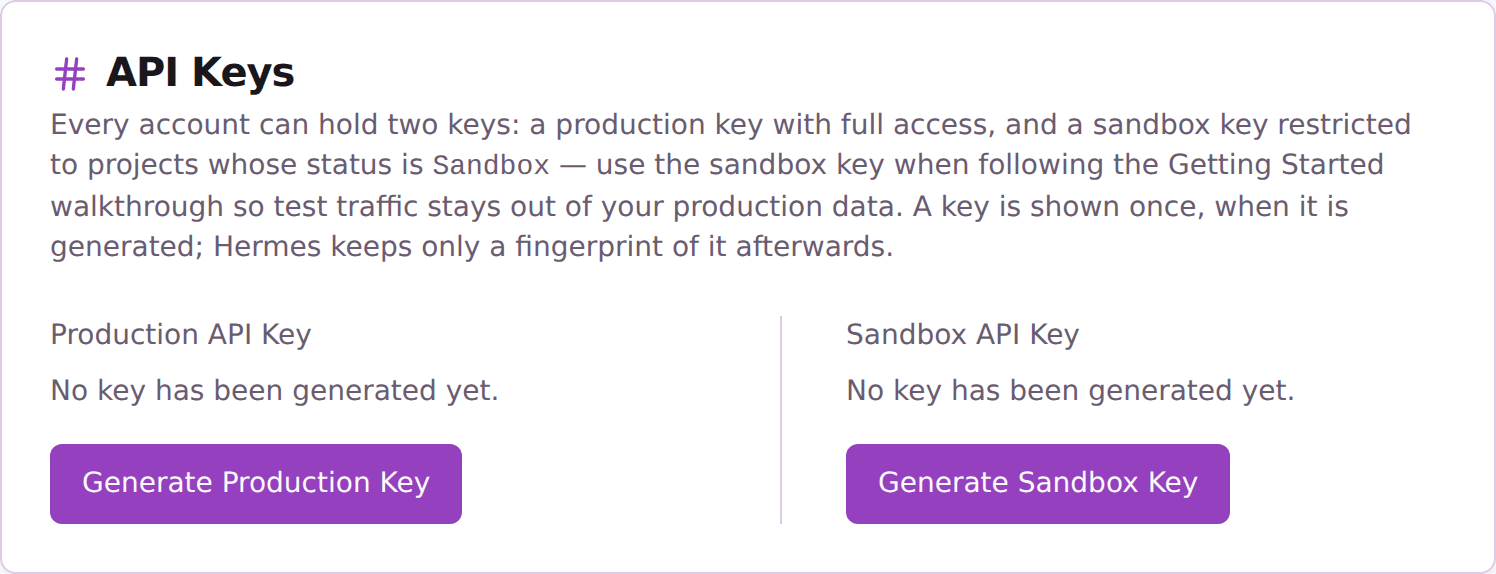
A new account starts with no API keys. Open [API Settings](/settings/api) and
generate one. The key is shown **only once**, when you generate it, so copy it
into your secret store straight away. If you lose it, generate a new one; the
old key stops working.
Then confirm your company and permissions before you build anything:
```bash title="Confirm your account" group="user-profile"
curl https://api.hermeshealth.ai/v0/user-profile \
-H "Authorization: Bearer YOUR_API_KEY"
```
```python group="user-profile"
import requests
response = requests.get(
"https://api.hermeshealth.ai/v0/user-profile",
headers={"Authorization": "Bearer YOUR_API_KEY"},
)
response.raise_for_status()
print(response.json())
```
```typescript group="user-profile"
const response = await fetch("https://api.hermeshealth.ai/v0/user-profile", {
method: "GET",
headers: {
Authorization: "Bearer YOUR_API_KEY",
},
});
if (!response.ok) throw new Error(`Request failed: ${response.status}`);
const data = await response.json();
```
The response carries `companyId`, `companyName` and `permissions`, the list of
what your account is allowed to do. Pass `companyId` on every
`/v0/companies/{companyId}/...` route. If `companyName` isn't your company, or
`permissions` is missing `CreateProjects` and `CreatePatients`, contact Hermes
Health before going further: everything you create belongs to the company your
account is in when you create it.
---
# Create a project
> The container for a piece of work, sandbox or live.
A project is the container for a piece of work. Patients belong to it, and
every record request under it inherits its purpose and its record types.
### 1. Find your company ID
Every route starts with `/v0/companies/{companyId}`. Get yours, and see what
your account may do, from your own profile with `GET /v0/user-profile`:
```bash title="Find your company ID" group="user-profile"
curl https://api.hermeshealth.ai/v0/user-profile \
-H "Authorization: Bearer YOUR_API_KEY"
```
```python group="user-profile"
import requests
response = requests.get(
"https://api.hermeshealth.ai/v0/user-profile",
headers={"Authorization": "Bearer YOUR_API_KEY"},
)
response.raise_for_status()
print(response.json())
```
```typescript group="user-profile"
const response = await fetch("https://api.hermeshealth.ai/v0/user-profile", {
method: "GET",
headers: {
Authorization: "Bearer YOUR_API_KEY",
},
});
if (!response.ok) throw new Error(`Request failed: ${response.status}`);
const data = await response.json();
```
The response's `companyId` is the value to use. `permissions` lists what your
API key may do.
### 2. Create the project
Create it with `POST /v0/companies/{companyId}/projects`:
```bash title="Create the project" group="create-project"
curl https://api.hermeshealth.ai/v0/companies/COMPANY_ID/projects \
-X POST \
-H "Authorization: Bearer YOUR_API_KEY" \
-H "Content-Type: application/json" \
-d '{
"name": "Life underwriting 2026",
"medicalInformationRequested": [
"Progress notes",
"Lab results"
],
"purpose": "InsuranceLife"
}'
```
```python group="create-project"
import requests
response = requests.post(
"https://api.hermeshealth.ai/v0/companies/COMPANY_ID/projects",
headers={"Authorization": "Bearer YOUR_API_KEY"},
json={
"name": "Life underwriting 2026",
"medicalInformationRequested": [
"Progress notes",
"Lab results",
],
"purpose": "InsuranceLife",
},
)
response.raise_for_status()
print(response.json())
```
```typescript group="create-project"
const response = await fetch("https://api.hermeshealth.ai/v0/companies/COMPANY_ID/projects", {
method: "POST",
headers: {
Authorization: "Bearer YOUR_API_KEY",
"Content-Type": "application/json",
},
body: JSON.stringify({
"name": "Life underwriting 2026",
"medicalInformationRequested": [
"Progress notes",
"Lab results"
],
"purpose": "InsuranceLife"
}),
});
if (!response.ok) throw new Error(`Request failed: ${response.status}`);
const data = await response.json();
```
`name` and `medicalInformationRequested` are always required, and `purpose`
is required unless your company has a default purpose. The response carries
the new project's ID, which you pass on every route below it.
To find a project's ID later, list your company's projects with
`GET /v0/companies/{companyId}/projects`.
### The two fields that decide what the project does
`purpose` states why you are requesting records. It belongs to the project,
not to each patient. Facilities use it to route each request to the right
department, and it decides whether a patient needs an uploaded authorization
before any search runs.
| Purpose | Values |
| --- | --- |
| Treatment, payment or operations (no authorization needed) | `CoveredTreatment`, `CoveredPayment`, `CoveredOperations` |
| Individual access | `IndividualAccess` |
| Insurance | `InsuranceLife`, `InsuranceOther` |
| Legal | `LegalDefense`, `LegalPlaintiff`, `LegalMedicalMalpractice` |
| Research | `ResearchClinicalTrials`, `ResearchPatientRegistries` |
> [!NOTE]
> Your company is enabled for some of these purposes, not all of them. A
> purpose it isn't enabled for is rejected with `400`. Ask your Hermes Health
> contact which purposes are enabled, or to enable another.
`medicalInformationRequested` is the list of record types sent to the facility
on every request in this project.
### Sandbox or live
Add `isSandbox` to create a sandbox project:
```json title="Sandbox project body" operation="POST /v0/companies/{companyId}/projects"
{
"name": "Integration sandbox",
"medicalInformationRequested": ["Progress notes"],
"purpose": "LegalPlaintiff",
"isSandbox": true
}
```
Use a purpose your company is enabled for. Sandbox projects follow the same
purpose rules as live ones.
Sandbox projects complete searches and record requests on their own against
sample data, and never contact a real facility. Omit `isSandbox` and the
project is `Live`.
Your sandbox API key works only on sandbox projects, and live projects reject
it, so sandbox traffic cannot touch production data even by mistake. It is
answered by the endpoints that keep it to sandbox projects (patients, record
requests, projects, fees, clinical data, stats, voice calls, and their
browses), by those that read only your own account (your profile, terms,
roles, company and its available purposes, and rotating the sandbox key
itself), and by the shared catalogs (sites, diagnosis and procedure codes).
The rest, such as the company record and settings writes, billing, company
files and minting an API key, refuse it with `403`.
Site finder and the standalone auth check answer it with fixed sample results,
and never search, analyze, store or bill anything.
> [!WARNING]
> A project's status is fixed when you create it. To go to production, create
> a live project, since you cannot convert a sandbox one, and switch to your
> production API key. The calls themselves do not change.
### Next steps
- [Add a patient](/guides/add-a-patient.md) to the project.
- [Find where a patient was treated](/guides/find-where-treated.md),
[Get clinical history for a patient](/guides/get-clinical-history.md) or
[Request records from a facility](/guides/request-records.md), once
the patient is in.
---
# Add a patient
> Register someone whose records you want.
A patient belongs to a project, and the flags on the create body decide what
Hermes goes and looks for:
```json title="Patient body" operation="POST /v0/companies/{companyId}/projects/{projectId}/patients"
{
"firstName": "Jane",
"lastNames": ["Doe"],
"dateOfBirth": "1990-04-12",
"sex": "female",
"zipCodes": ["94110"],
"siteSonar": true
}
```
`siteSonar` finds the facilities where the patient has been seen.
`patientHistories` also retrieves their diagnoses and treatments. Set either,
both or neither; with neither, the patient is registered and nothing is
searched.
### Upload the HIPAA authorization
No patient route accepts the authorization document in its body. Upload it
separately:
1. Read `authorization.uploadUrl` from a patient response. It is a
short-lived upload URL, so there is no extra call to request one. It is
present only when your key may edit patients; a key that may only view
them gets `null`.
2. `PUT` the PDF to that URL as raw bytes, with no `Authorization` header.
> [!WARNING]
> Send the URL exactly as issued. Its signature is in the query string, so
> changing any part of it returns `403`.
Hermes reviews every new authorization. It sits at
`authorizationStatus: NeedsApproval` until approved, and no search runs before
then. Editing a patient field that could fix the current status sends the
authorization back for review.
Some projects need no uploaded document:
- Projects whose `purpose` is `CoveredOperations`, `CoveredPayment` or
`CoveredTreatment`.
- Projects using `authorizationMethod: ial2Tokens`, which must first be enabled
for your company.
### Wait for the search
Searches run in the background. To learn when one finishes, poll the patient
and read `searchStatus`, or subscribe a webhook to the request-flag columns.
Then read the results through the browse routes under **Clinical data**:
visits, diagnoses, procedures, prescription fills and lab results.
### Next steps
- [Find where a patient was treated](/guides/find-where-treated.md): read
the visits a Site Sonar search found.
- [Get clinical history for a patient](/guides/get-clinical-history.md):
read the diagnoses, procedures and results.
- [Receive webhook events](/guides/receive-webhook-events.md): be told when a search
finishes instead of polling.
---
# Find where a patient was treated
> Run Site Sonar, read the visits, and fix a search that finds nothing.
Site Sonar searches claims data to find the facilities a patient has been seen
at, and returns them as visits. Use it when you do not already know where to
ask for records.
### Turn on the search
Set `siteSonar` on the patient body you send to
`POST /v0/companies/{companyId}/projects/{projectId}/patients`:
```bash title="Create the patient with the search on" group="create-patient"
curl https://api.hermeshealth.ai/v0/companies/COMPANY_ID/projects/PROJECT_ID/patients \
-X POST \
-H "Authorization: Bearer YOUR_API_KEY" \
-H "Content-Type: application/json" \
-d '{
"firstName": "Jane",
"lastNames": [
"Doe"
],
"dateOfBirth": "1990-04-12",
"sex": "female",
"zipCodes": [
"94110",
"02139"
],
"siteSonar": true
}'
```
```python group="create-patient"
import requests
response = requests.post(
"https://api.hermeshealth.ai/v0/companies/COMPANY_ID/projects/PROJECT_ID/patients",
headers={"Authorization": "Bearer YOUR_API_KEY"},
json={
"firstName": "Jane",
"lastNames": [
"Doe",
],
"dateOfBirth": "1990-04-12",
"sex": "female",
"zipCodes": [
"94110",
"02139",
],
"siteSonar": True,
},
)
response.raise_for_status()
print(response.json())
```
```typescript group="create-patient"
const response = await fetch("https://api.hermeshealth.ai/v0/companies/COMPANY_ID/projects/PROJECT_ID/patients", {
method: "POST",
headers: {
Authorization: "Bearer YOUR_API_KEY",
"Content-Type": "application/json",
},
body: JSON.stringify({
"firstName": "Jane",
"lastNames": [
"Doe"
],
"dateOfBirth": "1990-04-12",
"sex": "female",
"zipCodes": [
"94110",
"02139"
],
"siteSonar": true
}),
});
if (!response.ok) throw new Error(`Request failed: ${response.status}`);
const data = await response.json();
```
Omitting the flag means off. Two related flags can be set independently on the
same body: `patientHistories` retrieves clinical detail from the same claims —
see [Get clinical history for a patient](/guides/get-clinical-history.md) —
and `ccdaSearch` runs C-CDA Search across connected EHR networks.
### Start a search on a patient you already created
Send the flag to
`PATCH /v0/companies/{companyId}/projects/{projectId}/patients/{patientId}/search-level`:
```bash title="Start a search" group="search-level"
curl https://api.hermeshealth.ai/v0/companies/COMPANY_ID/projects/PROJECT_ID/patients/PATIENT_ID/search-level \
-X PATCH \
-H "Authorization: Bearer YOUR_API_KEY" \
-H "Content-Type: application/json" \
-d '{
"siteSonar": true
}'
```
```python group="search-level"
import requests
response = requests.patch(
"https://api.hermeshealth.ai/v0/companies/COMPANY_ID/projects/PROJECT_ID/patients/PATIENT_ID/search-level",
headers={"Authorization": "Bearer YOUR_API_KEY"},
json={
"siteSonar": True,
},
)
response.raise_for_status()
print(response.json())
```
```typescript group="search-level"
const response = await fetch("https://api.hermeshealth.ai/v0/companies/COMPANY_ID/projects/PROJECT_ID/patients/PATIENT_ID/search-level", {
method: "PATCH",
headers: {
Authorization: "Bearer YOUR_API_KEY",
"Content-Type": "application/json",
},
body: JSON.stringify({
"siteSonar": true
}),
});
if (!response.ok) throw new Error(`Request failed: ${response.status}`);
const data = await response.json();
```
This takes the same flags with patch semantics, and the difference matters: an
omitted flag here **keeps its current value**, where an omitted flag on create
means off. Sending `{ "siteSonar": true }` will not turn `patientHistories`
off.
### Get the identity right
The search matches on who the patient was at the time of care, so two fields do
most of the work.
`lastNames` is every last name the patient has used, current one first, then
maiden and prior married names. A hyphenated name is one entry with the hyphen
typed in (`Smith-Jones`), never two.
`zipCodes` is where the patient lived **at the time of each visit**, not where
they live now. Claims carry the address of the time, so a current ZIP finds
current-address care and misses the rest. Pass every ZIP you know of, oldest
included.
Optional details on the patient body, such as `socialSecurityNumber`, help the
search match more claims. Send them when you have them.
> [!NOTE]
> If the project's `purpose` requires an authorization, no search runs until
> one is uploaded and approved. See [Add a patient](/guides/add-a-patient.md).
### Know when it finished
Poll the patient with
`GET /v0/companies/{companyId}/projects/{projectId}/patients/{patientId}`. The
response wraps the patient in a `patient` object, so read
`patient.searchStatus`, and the request flags as `patient.siteSonar` and so on:
```bash title="Poll the patient" group="poll-patient"
curl https://api.hermeshealth.ai/v0/companies/COMPANY_ID/projects/PROJECT_ID/patients/PATIENT_ID \
-H "Authorization: Bearer YOUR_API_KEY"
```
```python group="poll-patient"
import requests
response = requests.get(
"https://api.hermeshealth.ai/v0/companies/COMPANY_ID/projects/PROJECT_ID/patients/PATIENT_ID",
headers={"Authorization": "Bearer YOUR_API_KEY"},
)
response.raise_for_status()
print(response.json()["patient"]["searchStatus"])
```
```typescript group="poll-patient"
const response = await fetch("https://api.hermeshealth.ai/v0/companies/COMPANY_ID/projects/PROJECT_ID/patients/PATIENT_ID", {
method: "GET",
headers: {
Authorization: "Bearer YOUR_API_KEY",
},
});
if (!response.ok) throw new Error(`Request failed: ${response.status}`);
const data = await response.json();
console.log(data.patient.searchStatus);
```
| `searchStatus` | Meaning |
| --- | --- |
| `Inactive` | No search has been requested. |
| `Processing` | A search is running. |
| `Completed` | A search finished and found something. |
| `NoHit` | A search finished and found nothing. |
Or subscribe a webhook to `patient` / `columnChanged` on `siteSonar`,
`patientHistories` and `ccdaSearch`. Each flag changes from `true` to `false`
when its run finishes, and that change is the signal. See
[Receive webhook events](/guides/receive-webhook-events.md).
> [!WARNING]
> Don't subscribe to `searchStatus` alone. A repeat run that ends in the same
> status changes nothing, so it sends nothing.
In a sandbox project, a search finishes on its own in about 30 seconds.
### Read the visits
Query them with `POST /v0/visits/browse`:
```bash title="Read the visits" group="browse-visits"
curl https://api.hermeshealth.ai/v0/visits/browse \
-X POST \
-H "Authorization: Bearer YOUR_API_KEY" \
-H "Content-Type: application/json" \
-d '{
"where": {
"patient": {
"id": [
{
"equals": ""
}
]
},
"project": {
"id": [
{
"equals": ""
}
]
}
},
"orderBy": [
{
"visit": {
"earliestServiceDate": "asc"
}
}
]
}'
```
```python group="browse-visits"
import requests
response = requests.post(
"https://api.hermeshealth.ai/v0/visits/browse",
headers={"Authorization": "Bearer YOUR_API_KEY"},
json={
"where": {
"patient": {
"id": [
{
"equals": "",
},
],
},
"project": {
"id": [
{
"equals": "",
},
],
},
},
"orderBy": [
{
"visit": {
"earliestServiceDate": "asc",
},
},
],
},
)
response.raise_for_status()
print(response.json()["table"])
```
```typescript group="browse-visits"
const response = await fetch("https://api.hermeshealth.ai/v0/visits/browse", {
method: "POST",
headers: {
Authorization: "Bearer YOUR_API_KEY",
"Content-Type": "application/json",
},
body: JSON.stringify({
"where": {
"patient": {
"id": [
{
"equals": ""
}
]
},
"project": {
"id": [
{
"equals": ""
}
]
}
},
"orderBy": [
{
"visit": {
"earliestServiceDate": "asc"
}
}
]
}),
});
if (!response.ok) throw new Error(`Request failed: ${response.status}`);
const data = await response.json();
console.log(data.table);
```
Rows carry `visit`, `patient`, `site`, `payor`, `company` and `project`. The
full query syntax is in [Query large tables](/guides/query-large-tables.md).
Take `site.id` from the visits you care about. It identifies the facility
when you request records, which is the reason to search at all: Hermes already
knows that site's address, NPI and submission preferences, so a request built
from it needs nothing else.
> [!WARNING]
> Filter through the joined entity, not an ID column on the root: `site.id`,
> not `visit.siteId`. An unknown key is accepted and ignored, so the wrong one
> returns `200` with the wrong rows rather than an error.
### When a search finds nothing
`NoHit` means the search ran and matched nothing. That is an answer, not a
failure, and re-running the same patient unchanged returns it again. Fix the
inputs, then request a new search with `PATCH .../search-level`.
Almost always it is one of the two identity problems above: the ZIPs are
current rather than historical, or a maiden name is missing.
### When the flag never clears
A run that finishes clears its flag from `true` to `false`. A run that
**fails** does not: the flag stays `true`, the run is retried quietly, and no
completion edge fires until an attempt succeeds.
So a patient sitting at `siteSonar: true` for far longer than a search normally
takes has not necessarily stalled — it may be on a later attempt. This is also
why a webhook on the flags can stay silent for a while.
If the project requires an authorization and none is uploaded, the flag is set
and the search never starts. Check `authorizationStatus` before assuming the
search itself is at fault.
Sandbox will not reproduce any of this: it auto-completes against sample data
whatever names and ZIPs you send, so it proves your integration works but says
nothing about whether your patient identity is good enough to match real
claims.
### Next steps
- [Request records from a facility](/guides/request-records.md): ask a
site you found for the patient's documents.
- [Get clinical history for a patient](/guides/get-clinical-history.md):
read what happened at those visits.
---
# Get clinical history for a patient
> Retrieve diagnoses, procedures, fills and labs, then query them.
Patient Histories retrieves a patient's diagnoses, procedures, prescription
fills and lab results from their claims.
It is independent of Site Sonar. Site Sonar tells you *where* a patient was
seen; Patient Histories tells you *what happened* there. Turn on either, both
or neither.
### Turn on retrieval
Set `patientHistories` on the patient body you send to
`POST /v0/companies/{companyId}/projects/{projectId}/patients`:
```bash title="Create the patient with retrieval on" group="create-patient"
curl https://api.hermeshealth.ai/v0/companies/COMPANY_ID/projects/PROJECT_ID/patients \
-X POST \
-H "Authorization: Bearer YOUR_API_KEY" \
-H "Content-Type: application/json" \
-d '{
"firstName": "Jane",
"lastNames": [
"Doe"
],
"dateOfBirth": "1990-04-12",
"sex": "female",
"zipCodes": [
"94110",
"02139"
],
"patientHistories": true
}'
```
```python group="create-patient"
import requests
response = requests.post(
"https://api.hermeshealth.ai/v0/companies/COMPANY_ID/projects/PROJECT_ID/patients",
headers={"Authorization": "Bearer YOUR_API_KEY"},
json={
"firstName": "Jane",
"lastNames": [
"Doe",
],
"dateOfBirth": "1990-04-12",
"sex": "female",
"zipCodes": [
"94110",
"02139",
],
"patientHistories": True,
},
)
response.raise_for_status()
print(response.json())
```
```typescript group="create-patient"
const response = await fetch("https://api.hermeshealth.ai/v0/companies/COMPANY_ID/projects/PROJECT_ID/patients", {
method: "POST",
headers: {
Authorization: "Bearer YOUR_API_KEY",
"Content-Type": "application/json",
},
body: JSON.stringify({
"firstName": "Jane",
"lastNames": [
"Doe"
],
"dateOfBirth": "1990-04-12",
"sex": "female",
"zipCodes": [
"94110",
"02139"
],
"patientHistories": true
}),
});
if (!response.ok) throw new Error(`Request failed: ${response.status}`);
const data = await response.json();
```
Omitting the flag means off.
### Turn it on for a patient you already created
Send the flag to
`PATCH /v0/companies/{companyId}/projects/{projectId}/patients/{patientId}/search-level`:
```bash title="Turn on retrieval" group="search-level"
curl https://api.hermeshealth.ai/v0/companies/COMPANY_ID/projects/PROJECT_ID/patients/PATIENT_ID/search-level \
-X PATCH \
-H "Authorization: Bearer YOUR_API_KEY" \
-H "Content-Type: application/json" \
-d '{
"patientHistories": true
}'
```
```python group="search-level"
import requests
response = requests.patch(
"https://api.hermeshealth.ai/v0/companies/COMPANY_ID/projects/PROJECT_ID/patients/PATIENT_ID/search-level",
headers={"Authorization": "Bearer YOUR_API_KEY"},
json={
"patientHistories": True,
},
)
response.raise_for_status()
print(response.json())
```
```typescript group="search-level"
const response = await fetch("https://api.hermeshealth.ai/v0/companies/COMPANY_ID/projects/PROJECT_ID/patients/PATIENT_ID/search-level", {
method: "PATCH",
headers: {
Authorization: "Bearer YOUR_API_KEY",
"Content-Type": "application/json",
},
body: JSON.stringify({
"patientHistories": true
}),
});
if (!response.ok) throw new Error(`Request failed: ${response.status}`);
const data = await response.json();
```
Patch semantics: an omitted flag keeps its current value, where an omitted flag
on create means off. This will not turn `siteSonar` off.
### Get the identity right
Both products match claims against who the patient was at the time of care,
so the same two fields matter. `lastNames` needs maiden and prior names, and
`zipCodes` needs the ZIPs where the patient lived when treated, not now. A thin
result has the same causes, covered in
[Find where a patient was treated](/guides/find-where-treated.md).
> [!NOTE]
> If the project's `purpose` requires an authorization, retrieval does not run
> until one is uploaded and approved.
### Know when it finished
The `patientHistories` flag changes from `true` to `false` when the run
finishes. Poll the patient and read `patient.patientHistories` from the
response (the flag sits inside its `patient` object), or subscribe a webhook to
`patient` / `columnChanged` on that column. See
[Receive webhook events](/guides/receive-webhook-events.md).
A run that fails does not clear the flag; it is retried quietly, so a patient
can sit at `patientHistories: true` for longer than one run normally takes.
### Read the data
Five tables carry what the retrieval found. All take the same query syntax —
see [Query large tables](/guides/query-large-tables.md).
| Route | Holds |
| --- | --- |
| `POST /v0/diagnoses/browse` | Diagnoses recorded against a visit |
| `POST /v0/procedures/browse` | Procedures performed |
| `POST /v0/prescription-fills/browse` | Prescriptions filled |
| `POST /v0/lab-accessions/browse` | Lab orders |
| `POST /v0/lab-results/browse` | Results against those orders |
### Scope to one patient
Every one of them takes the same filter:
```json title="Patient and project filter" operation="POST /v0/diagnoses/browse"
{
"where": {
"patient": { "id": [{ "equals": "" }] },
"project": { "id": [{ "equals": "" }] }
}
}
```
> [!WARNING]
> Filter through the joined entity, not an ID column on the root: `patient.id`,
> not `diagnosis.patientId`. An unknown key is accepted and ignored, so the
> wrong one returns `200` with rows you did not ask for.
### Export it
Send `Accept: text/csv` and omit `take` to stream every matching row as CSV.
That is the intended path for a bulk extract; `aggregate` and `total` are
dropped from CSV output.
### Show it to your own users
Embed the read-only UI rather than rendering browse rows yourself — see
[Embed clinical data](/guides/embed-clinical-data.md). These schemas change as claims
coverage expands, and the iframe absorbs that. The browse routes are the right
tool for server-to-server querying and exports.
### Next steps
- [Query large tables](/guides/query-large-tables.md): filter, sort and aggregate these
tables.
- [Embed clinical data](/guides/embed-clinical-data.md): show the results to your users
without building the UI.
---
# Request records from a facility
> Create a request, follow it to completion, and download what came back.
A record request asks one facility for one patient's records, bounded by a
range of service dates. A search *discovers* data; a request *retrieves
documents*. A patient usually needs several requests, one for each place they
were treated.
### Create the request
Create it with
`POST /v0/companies/{companyId}/projects/{projectId}/patients/{patientId}/record-requests`:
```bash title="Create the request" group="create-request"
curl https://api.hermeshealth.ai/v0/companies/COMPANY_ID/projects/PROJECT_ID/patients/PATIENT_ID/record-requests \
-X POST \
-H "Authorization: Bearer YOUR_API_KEY" \
-H "Content-Type: application/json" \
-d '{
"siteId": "",
"medicalRecord": true,
"billing": false,
"imaging": false,
"ccda": false,
"startDateOfService": "2024-01-15",
"endDateOfService": "2024-02-20"
}'
```
```python group="create-request"
import requests
response = requests.post(
"https://api.hermeshealth.ai/v0/companies/COMPANY_ID/projects/PROJECT_ID/patients/PATIENT_ID/record-requests",
headers={"Authorization": "Bearer YOUR_API_KEY"},
json={
"siteId": "",
"medicalRecord": True,
"billing": False,
"imaging": False,
"ccda": False,
"startDateOfService": "2024-01-15",
"endDateOfService": "2024-02-20",
},
)
response.raise_for_status()
print(response.json()["requests"])
```
```typescript group="create-request"
const response = await fetch("https://api.hermeshealth.ai/v0/companies/COMPANY_ID/projects/PROJECT_ID/patients/PATIENT_ID/record-requests", {
method: "POST",
headers: {
Authorization: "Bearer YOUR_API_KEY",
"Content-Type": "application/json",
},
body: JSON.stringify({
"siteId": "",
"medicalRecord": true,
"billing": false,
"imaging": false,
"ccda": false,
"startDateOfService": "2024-01-15",
"endDateOfService": "2024-02-20"
}),
});
if (!response.ok) throw new Error(`Request failed: ${response.status}`);
const data = await response.json();
console.log(data.requests);
```
`medicalRecord`, `billing`, `imaging` and both service dates are required.
`ccda` is optional and defaults to `false`. A C-CDA request needs a `siteId`
whose facility has a live electronic health record connection that accepts
requests for the project; a visit row's `ccda.actionable` says whether its
facility qualifies, and any other site is refused with a `400`. On a sandbox
project every facility qualifies, and the request completes on its own with a
sample C-CDA package.
The response is `RecordRequestMany { requests: [...] }`, with one entry per
flag you turned on: each record type goes to the facility as its own request.
Keep every `request.id`.
### Identify the facility
Two ways.
**By `siteId`** (preferred), taken from a visit row after a search. See
[Find where a patient was treated](/guides/find-where-treated.md). Hermes
already knows that site's address, NPI and submission preferences. The site
must be a facility: a visit with an individual practitioner has a `site` whose
`providerType` is `Practitioner`, and its `site.id` is refused with a `400`.
Identify that visit's facility by name and address instead.
On a live project Hermes re-checks the site before the request can be sent,
so the request comes back with `siteId` null and the site's name and address
in its `submittedSite*` fields. Within about a minute Hermes links the site its
matching finds, which can be a different one, such as an in-network site at
the same address; a note on the request then names both. When matching finds
no confident match, the site you passed is linked. The link leaves the
request's status unchanged and sends no `recordRequest` webhook event, so poll
the request until `siteId` is set before acting on it. C-CDA requests and
sandbox projects skip the re-check and keep the site you passed from the start.
**By name and address**, when you already know where to ask and have no site
ID. Pass `siteName`, `siteAddressLine1`, `siteCity`, `siteState` and `siteZip`
(plus optional `siteAddressLine2`), and Hermes resolves the facility.
### Send it
To send a request to its facility yourself, generate its provider packet (the
cover letter, request and authorization the facility receives), then send it:
```bash title="Generate the provider packet" group="generate-packet"
curl https://api.hermeshealth.ai/v0/companies/COMPANY_ID/projects/PROJECT_ID/patients/PATIENT_ID/record-requests/RECORD_REQUEST_ID/provider-packet \
-X POST \
-H "Authorization: Bearer YOUR_API_KEY"
```
```python group="generate-packet"
import requests
response = requests.post(
"https://api.hermeshealth.ai/v0/companies/COMPANY_ID/projects/PROJECT_ID/patients/PATIENT_ID/record-requests/RECORD_REQUEST_ID/provider-packet",
headers={"Authorization": "Bearer YOUR_API_KEY"},
)
response.raise_for_status()
```
```typescript group="generate-packet"
const response = await fetch("https://api.hermeshealth.ai/v0/companies/COMPANY_ID/projects/PROJECT_ID/patients/PATIENT_ID/record-requests/RECORD_REQUEST_ID/provider-packet", {
method: "POST",
headers: {
Authorization: "Bearer YOUR_API_KEY",
},
});
if (!response.ok) throw new Error(`Request failed: ${response.status}`);
```
```bash title="Send the request" group="send-request"
curl https://api.hermeshealth.ai/v0/companies/COMPANY_ID/projects/PROJECT_ID/patients/PATIENT_ID/record-requests/RECORD_REQUEST_ID/send \
-X POST \
-H "Authorization: Bearer YOUR_API_KEY" \
-H "Content-Type: application/json" \
-d '{
"requestMethod": "Fax"
}'
```
```python group="send-request"
import requests
response = requests.post(
"https://api.hermeshealth.ai/v0/companies/COMPANY_ID/projects/PROJECT_ID/patients/PATIENT_ID/record-requests/RECORD_REQUEST_ID/send",
headers={"Authorization": "Bearer YOUR_API_KEY"},
json={
"requestMethod": "Fax",
},
)
response.raise_for_status()
print(response.json()["method"])
```
```typescript group="send-request"
const response = await fetch("https://api.hermeshealth.ai/v0/companies/COMPANY_ID/projects/PROJECT_ID/patients/PATIENT_ID/record-requests/RECORD_REQUEST_ID/send", {
method: "POST",
headers: {
Authorization: "Bearer YOUR_API_KEY",
"Content-Type": "application/json",
},
body: JSON.stringify({
"requestMethod": "Fax"
}),
});
if (!response.ok) throw new Error(`Request failed: ${response.status}`);
const data = await response.json();
console.log(data.method);
```
The packet needs the request's dates of service and, unless the project's
purpose is covered by the patient's general authorization, an authorization
that names the site. Sending without a packet answers `409`.
Leave out the body to send by the method the site's records department
takes. `requestMethod` may be `Fax`, `Email` or `Mail`; the fax number, inbox
and postal address always come from the department. Any other method answers
`403`. A letter carries a check for the department's records fee, charged to
you as a site fee when sent from a live project; send `quote=true` first to see
it. Fax and email charge nothing.
Each call sends again. A request in a closed project cannot be sent (`409`).
Your company may send 60 requests in any hour, 20 of them by mail, and generate
120 provider packets; past that the call answers `429` with a `Retry-After`
header giving the seconds to wait. A send that fails at the delivery service
still counts.
Sending and generating the packet need the `SendRecordRequests` permission,
which company administrators hold; another user's key answers `403`.
### Track it
Poll each request with
`GET /v0/companies/{companyId}/projects/{projectId}/patients/{patientId}/record-requests/{recordRequestId}`:
```bash title="Poll a record request" group="poll-request"
curl https://api.hermeshealth.ai/v0/companies/COMPANY_ID/projects/PROJECT_ID/patients/PATIENT_ID/record-requests/RECORD_REQUEST_ID \
-H "Authorization: Bearer YOUR_API_KEY"
```
```python group="poll-request"
import requests
response = requests.get(
"https://api.hermeshealth.ai/v0/companies/COMPANY_ID/projects/PROJECT_ID/patients/PATIENT_ID/record-requests/RECORD_REQUEST_ID",
headers={"Authorization": "Bearer YOUR_API_KEY"},
)
response.raise_for_status()
print(response.json()["request"]["status"])
```
```typescript group="poll-request"
const response = await fetch("https://api.hermeshealth.ai/v0/companies/COMPANY_ID/projects/PROJECT_ID/patients/PATIENT_ID/record-requests/RECORD_REQUEST_ID", {
method: "GET",
headers: {
Authorization: "Bearer YOUR_API_KEY",
},
});
if (!response.ok) throw new Error(`Request failed: ${response.status}`);
const data = await response.json();
console.log(data.request.status);
```
`request.status` is one of twenty-two values rolling up into six categories, which
is the useful way to read them.
| Category | Statuses | Meaning |
| --- | --- | --- |
| Pending | `Pending`, `InfoConfirmed`, `SiteConfirmed`, `MailOnly`, `Resubmitted` | Not yet with the facility. |
| Processing | `RequestSent`, `RequestConfirmed`, `NeedToReviewResults` | With the facility, waiting on them, or records arrived and are being reviewed. |
| Needs resolution | `AuthDenied`, `PaymentPending`, `NeedSiteSpecificAuth` | Blocked on an action. |
| Completed | `Completed`, `Partial` | Records came back. |
| Records not found | `PatientNotFound`, `ServiceDatesNotFound`, `SiteClosed`, `FacilityRefusal`, `NoRecordFound` | Finished with nothing. |
| Cancelled | `Canceled`, `Void`, `ChaseStopped`, `DuplicateRequest`, `WrongSiteName` | Stopped. |
Twelve are terminal: `Completed`, `Partial`, `Canceled`, `Void`, `ChaseStopped`,
`DuplicateRequest`, `WrongSiteName`, `PatientNotFound`, `ServiceDatesNotFound`,
`SiteClosed`, `FacilityRefusal`, `NoRecordFound`.
> [!WARNING]
> Test the category, not one value. `Partial` is terminal and carries real
> deliverables, so code waiting for exactly `Completed` waits forever on a
> request whose documents already arrived. And `AuthDenied` is *not* terminal:
> the request moves again once the authorization is fixed.
### Be told instead of polling
Subscribe a webhook to `recordRequest` / `columnChanged` on `status`. Hermes
posts on every transition and `data.status` carries the new value.
The payload holds only your subscribed columns, not the full request. When the
status reaches the Completed category, `GET` the path in the payload's
`resource` field to read the deliverables. See
[Receive webhook events](/guides/receive-webhook-events.md).
### Download the deliverables
Once the status is `Completed` or `Partial`, the `deliverables` array on that
same GET is populated. There is no separate fetch: the polling response is the
download manifest.
Each entry carries a download `url`. It is valid for about an hour, so
download from it rather than storing it.
> [!NOTE]
> Send no `Authorization` header to a deliverable `url`. The URL is already
> signed, and an extra header makes the download fail.
Two fields hold documents, and they are different things:
- `deliverables` (plural) lists every raw document that came back.
- `deliverable` (singular) is the one combined chart Hermes generates, once it
has published one, downloaded as `EHR_Charts_Combined.pdf`. It is not the
first entry of the array.
The listing presents the request the way the web app does, not the way S3
stores it. Three rules follow from that:
| Field | What it is | Address a file with it? |
|---|---|---|
| `fileName` | Unique across the request; a repeat name reads as `CCDA_80154372 (2).xml` | Yes: `GET`/`HEAD`/`DELETE .../deliverables/{fileName}` |
| `folder` | The display folder, `/`-joined, omitted at the top level | No. It is for display and grouping only. |
| `key` | The real S3 key | No, though it is unchanged: nothing here moves a stored file. |
Renaming is the one exception. `PATCH .../deliverables/{path}` takes the
stored path, which is the part of `key` after `/deliverables/` and may have
several segments, because it moves the file rather than reading it.
### When a send fails
When a send fails depends on the channel and the project:
- **In production**, a fax that is not delivered and a letter that is canceled
fail after the call returns. An email the facility's mail server refuses and
a release-of-information request the service rejects fail during the call,
which answers an error.
- **In a sandbox project**, every channel's reserved failing value is accepted
by the call and fails afterwards, as listed under "In a sandbox project"
below.
Either way the request's `lastDeliveryFailure` names the `channel`, a stable
`code` (`faxFailed`, `faxCanceled`, `emailRejected`, `mailCanceled` or
`roiRejected`), a readable `message` and `failedAt`, and
`recordRequest.deliveryFailed` is sent to your webhooks. A later send that is
accepted sets `lastDeliveryFailure` back to null.
A call that fails without a refusal from the channel records no failure: a
login the mail server refused, or a release-of-information service that did
not answer. The call answers an error, and the service may still have received
the request, so check before sending it again.
A failed send is not a status. The request keeps its `status`, and Hermes does
not send it again: send it again, through the same channel or another, or
change the request, as you decide.
### When a request fails
Three are blocked rather than finished, and can move again:
- `AuthDenied`: the facility rejected the authorization on file. Usually a
missing signature, an expired date, or a form that does not name the
facility. Fix it and the request proceeds.
- `NeedSiteSpecificAuth`: this facility wants its own authorization form.
- `PaymentPending`: the facility charges for records and has not been paid.
Five are terminal and produce nothing:
- `PatientNotFound`: no record of this patient there, or the identity you sent
does not match theirs.
- `ServiceDatesNotFound`: they have the patient but nothing in your date
range. Widen it and raise a new request.
- `SiteClosed`: the facility has shut down. Records may sit with a successor
organisation, which is a different site and a new request.
- `FacilityRefusal`: they declined to release.
- `NoRecordFound`: the request reached the right place and came back empty.
Five are stopped:
- `WrongSiteName`: the facility named is not the one holding the records.
Raise a new request against the right site, using a `siteId` if you have one.
- `DuplicateRequest`: an identical request already exists. Find the original.
- `Canceled`: cancelled.
- `Void`: voided, and will not be worked.
- `ChaseStopped`: the chase for the records was stopped, and the request will
not be worked further.
`Partial` is not a failure. It is terminal, in the Completed category, and the
facility sent some of what was asked for. Those deliverables are all you will
get from that request; chase the gap with a new one.
### Watch many at once
`POST /v0/record-requests/browse` takes the same query syntax as the clinical
tables (see [Query large tables](/guides/query-large-tables.md)), so one call finds
everything sitting in Needs resolution across a project. That is the set worth
a human's attention, since the terminal ones will not change whatever you do.
### In a sandbox project
Requests auto-complete shortly after creation with a stub deliverable, so the
whole path (create, poll, read the array, download a file) can be
proven before a real facility is contacted.
Sending a sandbox request answers as a live send does and records the
submission, but nothing reaches a facility, vendor or electronic health record:
every channel is simulated. A few seconds apart, the submission's
`deliveryStatus` moves through the statuses the real channel reports (a fax
`sending` then `delivered`; a letter `ready`, `printing`,
`processed_for_delivery` then `completed`; an ROI task `submitted`,
`in-progress` then `completed`), the request moves as a live send moves it
(a delivered fax to `RequestSent`), and the request then completes, sending the
same `recordRequest` webhook events a live request does. A sent request
completes when its send's simulation ends rather than shortly after creation.
To exercise your failure handling, send to one of these reserved values. Each
fails only on a sandbox project; on a live project it is an ordinary value. A
send to one is accepted like any other: it answers `200` with the same body and
records its submission. Once the channel's simulated delay has passed, the
submission's `deliveryStatus` reads the channel's failure status, as the real
channel reports a failure. The request's `lastDeliveryFailure` is set and
`recordRequest.deliveryFailed` is sent, exactly as for a real failure. The
request is never completed, and no other webhook beyond the ones the send
itself caused is sent.
| Channel | Reserved value | What happens |
|---|---|---|
| Fax | the department fax number `+12025550199` | The send is accepted, then its `deliveryStatus` reads `failed`, and the request stays where it was |
| Email | the department email `undeliverable@sandbox.invalid` | The send is accepted and its submission's `requestMethodId` is the recipient address, as for any email, then its `deliveryStatus` reads `failure`, and the request stays where the send left it |
| Mail | the department address line `0 Undeliverable Way` | The letter is accepted and stays `ready`, then its `deliveryStatus` reads `cancelled`, and the request stays where the send left it |
| ROI | a patient last name of `Sandbox-Refused` | The task is accepted and moves through `submitted` and `in-progress`, then its `deliveryStatus` reads `rejected` with no records returned, and the request stays where the send left it |
### Next steps
- [Receive webhook events](/guides/receive-webhook-events.md): be told about every status
change instead of polling.
- [Query large tables](/guides/query-large-tables.md): the query syntax behind
`POST /v0/record-requests/browse`.
---
# Receive webhook events
> Be told when a record changes instead of polling for it.
Webhooks notify your server when something happens, so you don't have to poll.
You create an **endpoint** in the Hermes Health web app: a URL plus the named
**events** it receives and the **scope** they cover. There is no API for
managing endpoints yet.
### Create an endpoint
1. Sign in to Hermes Health and open **Settings** → **Webhooks**. The tab is
shown to anyone with the `ManageWebhooks` permission.
2. Select **Add webhook**.
3. Enter your receiver's **URL**. It must be publicly resolvable; private and
loopback addresses are rejected.
4. Choose the **environment**, `production` or `sandbox`. An endpoint receives
events only from projects in its own environment.
5. Pick the **events** (next section): tick a whole group, or single events.
6. Choose the **scope**: which projects the endpoint covers.
7. Choose the **payload**: **Full record** (the default) sends the record each
event is about; **ID only** sends no record, for a receiver that reads it
from the API. You can change it later from the endpoint's card. See
[Read the payload](/guides/receive-webhook-events.md#read-the-payload).
8. Optionally, add up to 20 **custom headers** sent on every delivery, such as
an `Authorization` header your receiver checks.
9. Copy the endpoint's **signing secret**. You need it to verify deliveries.
> [!NOTE]
> Creating a webhook endpoint requires the `ManageWebhooks` permission, because
> a webhook can send PHI to an external URL. You cannot override the
> `Content-Type`, `Host` or `X-Webhook-*` headers.
Point a sandbox endpoint at a test receiver while you build. Sandbox projects
complete searches and requests on their own, so they exercise the whole flow.
### Choose events
Events are named `group.event`. Ticking a group subscribes to every event it
has when you save.
| Group | Covers |
| --- | --- |
| `recordRequest` | A record request is created, changes status, or reaches its follow-up date. |
| `siteSonar` | Site Sonar facility discovery starts or finishes for a patient. |
| `patientHistories` | Patient Histories clinical-history retrieval starts or finishes for a patient. |
| `ccdaSearch` | C-CDA Search starts or finishes for a patient. |
| `patient` | A patient is created, their profile changes, or their overall search status changes. |
| `authorization` | A patient's authorization is reviewed or needs attention. |
| `clinicalData` | A run adds clinical data the patient did not already have. Webhook endpoints only. |
| `note` | A note is added or edited. |
| `aiResearch` | An AI research run started by anyone in your company finishes. |
| `fee` | A site fee is charged on a record request created by you, or for a webhook, by anyone in your company. Needs the `ViewFees` permission. |
The events:
| Event | Fires when |
| --- | --- |
| `recordRequest.created` | A record request is created. |
| `recordRequest.statusChanged` | A record request moves to any new status. |
| `recordRequest.processing` | A record request is sent to the facility and is awaiting records. |
| `recordRequest.needsResolution` | A record request is blocked on your action, such as a denied authorization, a pending payment or a site-specific authorization. |
| `recordRequest.authorizationNeedsResolution` | A record request needs a new patient authorization: the facility denied the one sent (`AuthDenied`) or requires one naming it (`NeedSiteSpecificAuth`). Sent on every move into either status, including from one to the other; a pending payment does not send it. |
| `recordRequest.completed` | Records were received, fully or partially. |
| `recordRequest.recordsNotFound` | The facility could not provide records. |
| `recordRequest.canceled` | A record request is canceled, voided or marked a duplicate. |
| `recordRequest.followUpDue` | A record request's follow-up date has arrived. Sent at most once a day while the date is due, and needs the `ConfigureFollowUpNotifications` permission. |
| `recordRequest.deliveryFailed` | A send of a record request to its facility failed: a fax that was not delivered, an email the facility's address refused, a letter that was canceled, or a release-of-information request that was not accepted. Sent once per failed send. The request keeps its status, and Hermes does not retry the send. See [Delivery failures](#delivery-failures). |
| `siteSonar.started` | Site Sonar starts for a patient. |
| `siteSonar.completed` | Site Sonar finishes for a patient, on every run, whatever the result. |
| `patientHistories.started` | Patient Histories starts for a patient. |
| `patientHistories.completed` | Patient Histories finishes for a patient, on every run, whatever the result. |
| `ccdaSearch.started` | C-CDA Search starts for a patient. |
| `ccdaSearch.completed` | C-CDA Search finishes for a patient, on every run, whatever the result. |
| `patient.created` | A patient is created. |
| `patient.updated` | A patient's name, date of birth, sex, contact details or ZIP codes change. |
| `patient.searchStatusChanged` | A patient's overall `searchStatus` changes. |
| `authorization.statusChanged` | A patient's authorization status changes. |
| `authorization.approved` | A patient's authorization is approved. |
| `authorization.needsAttention` | A patient's authorization moves to any status other than approved. |
| `authorization.needsResolution` | A patient's authorization needs your action: it moves to a status that is neither `NeedsApproval` nor `Approved`, such as `MissingSignature`, while Site Sonar or Patient Histories is requested for the patient. Sent on every such move, including from one of these statuses to another. |
| `clinicalData.added` | A run adds clinical data a patient did not already have, with counts of what is new by type. |
| `note.created` | A note is added to a patient or a record request. An endpoint belonging to the note's author is not sent their own note. |
| `note.updated` | A note's text is edited. |
| `aiResearch.completed` | An AI research run you started finishes. |
| `fee.siteFeeCreated` | A site fee is charged on a record request you created, with its amount. Sent only to the request creator's own endpoints or their company's webhooks, and only while the endpoint's owner holds `ViewFees`; a site fee charged on no record request, or a fee changed to a site fee later, is not sent. |
A status change sends `recordRequest.statusChanged` and, when the request
moves into a new category, the category event too: a request that moves from
`RequestSent` to `Completed` sends both `recordRequest.statusChanged` and
`recordRequest.completed`. A move onto an authorization problem also sends
`recordRequest.authorizationNeedsResolution`, even when the request was already
waiting on a different resolution. A patient's authorization moving to a
status that needs your action sends `authorization.needsResolution` beside
`authorization.needsAttention`, as long as Site Sonar or Patient Histories is
requested for the patient; a move to `NeedsApproval`, such as a new document
arriving for review, sends only `authorization.needsAttention`. It is sent on a
move only: a patient created already `AwaitingAuthorization`, or one whose
status already needs your action when a search is newly requested, is not
sent it. Changing who created or owns
a record (`userId` or `ownerUserId`) sends no event on its own.
#### Delivery failures
`recordRequest.deliveryFailed` is sent once for every send that fails, on any
channel, in sandbox and production alike. Its `data` holds the `request`, as
for every record request event, and `deliveryFailure`, the failed send:
| Field | What it is |
| --- | --- |
| `channel` | `fax`, `email`, `mail` or `roi` (a release-of-information service). |
| `code` | Why it failed, a stable value to branch on: `faxFailed`, `faxCanceled`, `emailRejected`, `mailCanceled` or `roiRejected`. |
| `message` | A readable sentence for display. Do not parse it. |
| `failedAt` | When Hermes learned the send failed. |
The same failure is the request's `lastDeliveryFailure` until a later send is
accepted, which sets it back to null. A failed send does not change the
request's `status` and sends no `recordRequest.statusChanged`, and Hermes does
not send it again: send the request again, or change it, as you decide.
To learn that a search finished, subscribe to its `.completed` event. It is
sent once per run, whether or not the run found anything; a patient created
with a search already requested also sends that search's `.started`.
### Choose the scope
| Setting | Values |
| --- | --- |
| Projects | Every project in your account, including new ones (the default), or only the projects you pick. |
| Records | Every record in your company. A webhook endpoint belongs to your company, so it cannot be limited to the records one person follows; an email notification can ("Records I follow": the records they created or are assigned, followed automatically, and any they followed by hand). |
Picked projects must all be sandbox or all production; the endpoint takes their
environment. A webhook endpoint belongs to your company rather than to the
person who created it, and it only ever receives the records and fields a
company administrator can see.
### Read the payload
Every delivery is a `POST` with this JSON body:
```json title="Delivery envelope"
{
"id": "550e8400-e29b-41d4-a716-446655440000",
"timestamp": "2026-06-24T12:34:56Z",
"version": "events",
"eventType": "recordRequest.completed",
"resource": "companies/1/projects/p_123/patients/pat_456/record-requests/req_789",
"changed": ["status"],
"previous": { "status": "RequestSent" },
"data": {
"request": { "id": "req_789", "status": "Completed", "patientId": "pat_456" }
}
}
```
| Field | What it is |
| --- | --- |
| `id` | The delivery ID. Retries reuse it, so deduplicate on it. |
| `timestamp` | When the event happened, not when this attempt was sent. |
| `version` | Always `events`. |
| `eventType` | The event, such as `recordRequest.completed`. |
| `resource` | The record's path. For `clinicalData.added` it is your company; for `aiResearch.completed`, the site; for `fee.siteFeeCreated`, the fee. |
| `changed` | The fields of the record in `data` that changed. Empty for events that are not changes, such as `.created`. |
| `previous` | What each `changed` field held before, keyed the same way. Empty when `changed` is. |
| `data` | The record, under the key its GET endpoint uses: |
| Group | `data` |
| --- | --- |
| `recordRequest` | `request`, as `GET .../record-requests/{recordRequestId}` returns it; `recordRequest.deliveryFailed` adds `deliveryFailure` |
| `siteSonar` | `patient`, as `GET .../patients/{patientId}` returns it |
| `patientHistories` | `patient` |
| `ccdaSearch` | `patient` |
| `patient` | `patient` |
| `authorization` | `patient` |
| `note` | `note` |
| `clinicalData` | `patients`: each patient, its project, the run, and counts of what is new by type |
| `aiResearch` | `siteId`, `siteName`, `url` |
| `fee` | `feeId`, `amount` (US dollars, as a decimal string), `projectId`, `patientId`, `requestId`, `createdAt` |
The record has the fields its GET returns, except those the GET builds on
request: download and upload links, deliverable listings, authorization check
results, partner delivery status, notes and embed tokens. `GET` the `resource`
path for those.
`data` is the record when the event was processed, so it can already show
changes made moments later. Changes close together can arrive as one event,
such as two quick status moves as one `recordRequest.statusChanged`, and events
from different groups can arrive out of order.
#### ID only
With **ID only**, `data` and `previous` are always empty objects, including on
`clinicalData.added`, `aiResearch.completed` and `fee.siteFeeCreated`; every
other field is sent as usual. Use it to keep patient data out of your receiver
and read the record from `resource` instead.
### Verify a delivery
Each delivery carries three headers:
| Header | Meaning |
| --- | --- |
| `X-Webhook-Id` | The delivery `id`. |
| `X-Webhook-Timestamp` | Unix seconds when this attempt was signed. |
| `X-Webhook-Signature` | One or more hex-encoded HMAC-SHA256 signatures, comma-separated. |
To verify one:
1. Reject the request if `X-Webhook-Timestamp` is older than your freshness
window, for example five minutes. This stops a captured request being
replayed.
2. Compute the hex-encoded HMAC-SHA256 of `{X-Webhook-Timestamp}.{raw_body}`,
using the exact bytes you received as `raw_body`.
3. Accept the request if your value matches any signature in
`X-Webhook-Signature`. Compare in constant time.
> [!WARNING]
> Key the HMAC with the signing secret's 16 raw UUID bytes, not its string
> form. Hashing the string produces a signature that never matches.
Both samples below take the signing secret as you copied it, the two headers,
and the raw request body, before any JSON parsing.
```python title="Verify a delivery" group="verify"
import hashlib
import hmac
import time
import uuid
FRESHNESS_SECONDS = 300
def verify(secret: str, timestamp: str, signatures: str, raw_body: bytes) -> bool:
if abs(time.time() - int(timestamp)) > FRESHNESS_SECONDS:
return False
key = uuid.UUID(secret).bytes
expected = hmac.new(key, f"{timestamp}.".encode() + raw_body, hashlib.sha256).hexdigest()
return any(
hmac.compare_digest(expected, candidate.strip())
for candidate in signatures.split(",")
)
```
```typescript group="verify"
import { createHmac, timingSafeEqual } from "node:crypto";
const FRESHNESS_SECONDS = 300;
export function verify(
secret: string,
timestamp: string,
signatures: string,
rawBody: Buffer,
): boolean {
if (Math.abs(Date.now() / 1000 - Number(timestamp)) > FRESHNESS_SECONDS) {
return false;
}
const key = Buffer.from(secret.replace(/-/g, ""), "hex");
const expected = createHmac("sha256", key)
.update(`${timestamp}.`)
.update(rawBody)
.digest();
return signatures.split(",").some((candidate) => {
const received = Buffer.from(candidate.trim(), "hex");
return received.length === expected.length && timingSafeEqual(received, expected);
});
}
```
During a secret rotation the header carries two signatures. Accepting any
match is what keeps deliveries flowing; see
[Manage webhook endpoints](/guides/manage-webhook-endpoints.md).
### Respond
Return any `2xx` within 10 seconds. Anything else, including a timeout, counts
as a failure and the delivery is retried. See
[Handle webhook retries and failures](/guides/webhook-retries.md).
### Send a test
**Send test** on the Webhooks page sends one sample payload per group you
subscribe to, shaped like the real event, to your URL and shows the result. A
test is sent once, never retried, and never counts toward auto-disable.
### Classic endpoints (deprecated)
**Classic** endpoints use column subscriptions instead of named events. They
keep receiving exactly the deliveries they always did until **January 31,
2027**. You can still create a Classic endpoint until then, but it is not
recommended: create a named-events endpoint instead. Each Classic endpoint on
the Webhooks page shows an **Upgrade to Events** button that previews how its
subscriptions map to named events, which of its columns are still in a payload,
and which you would now read with a `GET`, before you confirm. The URL, secret
and headers carry over.
> [!WARNING]
> Classic ends on January 31, 2027. On that date every Classic endpoint,
> webhooks and email notifications alike, is moved to named events
> automatically, with the **Full record** payload, even where the move loses
> something. From then on your receiver gets the named-event format described
> in [Move a Classic endpoint to named events](/guides/receive-webhook-events.md#move-a-classic-endpoint-to-named-events):
> `eventType` is the event's name, the record is nested in `data`, the body
> carries `"version": "events"`, and any column that maps to no event stops
> triggering a delivery. An endpoint that cannot be moved is stopped. Upgrade
> before then to choose the events yourself, and make sure your receiver accepts
> the named-event format first.
A Classic subscription names four things:
| Part | Values |
| --- | --- |
| Entity | `recordRequest`, `patient` or `note` |
| Trigger | `rowCreated` (the entity was created), `columnChanged` (a subscribed column changed) or `followUpDue` (a record request's follow-up date is due; record requests only) |
| Scope | `companyWide` (every matching record in your company). `tracked` (only the records you follow: ones you created or are assigned, and ones you followed by hand) is for email notifications and is rejected on a webhook endpoint. |
| Columns | camelCase column keys, such as `status` or `searchStatus`, or `userId` and `ownerUserId` for who created and is assigned the record |
A Classic delivery's `eventType` is `.`, such as
`recordRequest.columnChanged`, its `data` holds only the subscribed columns,
and its body has no `version` or `previous` field. Otherwise it is the envelope
above, signed and retried the same way. The exception is the Classic
`clinicalDataAdded` and `aiResearchCompleted` deliveries: their body has only
`eventType` and `data`, they carry no `X-Webhook-Timestamp`, no `X-Webhook-Id`
and none of the endpoint's custom headers, their `X-Webhook-Signature` is the HMAC-SHA256 of the raw body alone, and they
are sent once with no retry.
> [!WARNING]
> On a Classic endpoint, do not subscribe to `searchStatus` alone to learn
> that a search finished. A repeat run that ends in the same `searchStatus`
> changes nothing and sends nothing; watch the `siteSonar`,
> `patientHistories` and `ccdaSearch` request flags instead, or upgrade and use
> the `.completed` events.
### Move a Classic endpoint to named events
Upgrading switches an endpoint's deliveries from the Classic format to named
events in one step. Upgrading is permanent: an upgraded endpoint cannot go back
to Classic.
What your receiver sees change:
| | Classic | Named events |
| --- | --- | --- |
| `eventType` | `.`, such as `recordRequest.columnChanged` | The event's name, such as `recordRequest.completed` |
| `data` | The columns you picked | The record, under `request`, `patient` or `note` |
| `changed` | Subscribed columns that changed | Fields of the record that changed |
| `previous` | Absent | The changed fields' prior values |
| `version` | Absent | `events` |
| Scope | Set on each subscription | Set once on the endpoint |
The URL, signing secret and custom headers stay the same. So do the signature
scheme, `X-Webhook-Id` and retries for every Classic subscription except the
`clinicalDataAdded` and `aiResearchCompleted` events: Classic signs those over
the raw body alone, sends them with no `X-Webhook-Timestamp`, no `X-Webhook-Id`
and none of the endpoint's custom headers, and sends them once. After the
upgrade, `clinicalData.added` and `aiResearch.completed` are signed over
`{X-Webhook-Timestamp}.{raw_body}`, carry `X-Webhook-Id` and the endpoint's
custom headers, and are retried like every other event, so a receiver that verifies them the
Classic way rejects them. Verify them as in [Verify a delivery](/guides/receive-webhook-events.md#verify-a-delivery)
before you upgrade.
How Classic subscriptions map to events:
| Classic subscription | Named event |
| --- | --- |
| `recordRequest` created | `recordRequest.created` |
| `recordRequest` `status` changed | `recordRequest.statusChanged` (add the category events, such as `recordRequest.completed`, if you only care about outcomes) |
| `recordRequest` follow-up due | `recordRequest.followUpDue` |
| `patient` created | `patient.created` |
| `patient` `siteSonar`, `patientHistories` or `ccdaSearch` changed | That capability's `.started` and `.completed` |
| `patient` `searchStatus` changed | `patient.searchStatusChanged` |
| `patient` `authorizationStatus` changed | `authorization.statusChanged` |
| `patient` profile columns (name, date of birth, sex, contact details, ZIP codes) changed | `patient.updated` |
| `note` created | `note.created` |
| `note` `content` changed | `note.updated` |
| *Clinical data added* or *AI research completed* from the Entity dropdown's Events group | `clinicalData.added` or `aiResearch.completed` |
Any other column stops triggering a delivery. The upgrade preview says, for
each one, whether it is still a field of the record in `data` or whether you
now read it with a `GET` on the `resource` path, as you do a deliverable's
link.
To upgrade without dropping a delivery:
1. **Update your receiver to accept both formats.** Branch on `version`: a body
with `"version": "events"` is a named event, and a body without it is
Classic. If the endpoint carries `clinicalDataAdded` or
`aiResearchCompleted`, verify named events with the timestamped signature.
Deploy that first.
2. **Open the preview.** On the Webhooks page, select **Upgrade to Events**
on the Classic endpoint. The preview lists each subscription, the events it
becomes, and what happens to each column. The events are pre-ticked, and you
can add or remove any before you confirm.
3. **Check the scope.** Named events use one scope for the whole endpoint. If
your subscriptions had different scopes, the upgrade takes the broadest one
and the preview says so. Narrow it there, or split the work across two
endpoints.
4. **Confirm.** The next change sends named events. Select **Send test** to see
a sample of each subscribed group's payload.
5. **Remove the Classic branch** from your receiver once named events are
arriving.
To run both side by side instead, create a new endpoint with named events at a
second URL, move your integration across, then delete the Classic endpoint.
### Next steps
- [Handle webhook retries and failures](/guides/webhook-retries.md):
what happens when your receiver is down, and what webhooks don't guarantee.
- [Manage webhook endpoints](/guides/manage-webhook-endpoints.md): rotate the secret, and
change an endpoint's events.
- [Request records from a facility](/guides/request-records.md): the
status changes most integrations subscribe to.
---
# Handle webhook retries and failures
> What happens when a delivery fails, and how to stay correct anyway.
Treat a webhook as a prompt to re-read, not as a ledger. Most changes produce
a delivery within seconds, but a few never do, and some arrive twice. This page
covers what happens when delivery fails, and how to build a receiver that is
correct anyway.
### How failed deliveries are retried
A delivery that does not get a `2xx` within 10 seconds is retried 30 seconds,
2 minutes, 10 minutes, 1 hour and 6 hours after the first attempt: six attempts
over about eight hours. A delivery that has not succeeded after 24 hours is
abandoned.
### When an endpoint is disabled
After five failed deliveries in a row, Hermes disables the endpoint and emails
everyone in your company who can manage webhooks, or, for an endpoint that
belongs to one person, that person. Fix your receiver, then re-enable the
endpoint under **Settings** → **Webhooks**. Re-enabling also resets the failure count.
### Handle duplicates
The same change can reach you more than once, for example when your receiver
processed an attempt but timed out before responding. Deduplicate on the
delivery `id`, which stays the same across retries, and make your handler
safe to run twice.
### Reconcile on a schedule
A few changes produce no delivery at all, so a receiver that relies only on
webhooks will eventually miss one.
- A change made while Hermes is restarting, for example during a deploy, may
not produce a delivery. Nothing is retried, because nothing was sent.
- A search or retrieval run that **fails** does not clear its request flag.
The flag stays `true` and the run is retried quietly, so no completion event
arrives until a later attempt succeeds. A patient can therefore sit with a
flag set for much longer than one run normally takes.
Re-read the records you care about periodically, for example once a day, and
treat webhooks as the fast path on top.
### Debug a receiver
**Settings** → **Webhooks** → **Delivery log** lists every delivery attempt: its status
(`pending`, `succeeded`, `failed` or `abandoned`), the attempt count, and the
last HTTP status your receiver returned.
### Next steps
- [Receive webhook events](/guides/receive-webhook-events.md): create an endpoint and
verify deliveries.
- [Manage webhook endpoints](/guides/manage-webhook-endpoints.md): rotate the signing
secret without missing a delivery.
---
# Manage webhook endpoints
> Rotate the signing secret and opt in to other events.
Once an endpoint is receiving deliveries, the work is mostly upkeep: rotating
its secret, changing which events it receives, and moving older endpoints onto
named events.
### Who can change an endpoint
A webhook endpoint belongs to your company, not to the person who created it,
so it keeps delivering when that person leaves. Anyone in your company with
the `ManageWebhooks` permission can edit it, delete it or rotate its secret.
What it delivers is limited to what a company administrator can see. Email
notifications still belong to the person they email, and only that person can
change one. They live on a separate page, **Settings** → **Notifications**;
webhooks are under **Settings** → **Webhooks**.
Everyone with the `ManageNotifications` permission starts with one email
notification, **My notifications**, on the records they follow. It carries
`recordRequest.authorizationNeedsResolution`, `recordRequest.completed`,
`authorization.needsResolution` and `note.created`, plus `aiResearch.completed`
for anyone who can run AI research. It is an ordinary notification: its owner
can change its events, turn it off or delete it.
### Rotate the signing secret
1. Under **Settings** → **Webhooks**, regenerate the endpoint's secret.
2. For the next 24 hours, every delivery is signed with both the new and the
old secret, and `X-Webhook-Signature` lists both.
3. Switch your receiver to the new secret at any point in that window.
Because your receiver accepts a match against any listed signature, no delivery
is rejected during the switch.
### Change an endpoint's events
Open **Edit events and scope** on the endpoint, tick or untick events or whole
groups, adjust the scope, and save. The change applies to the next event.
Two events come from a run rather than from a record changing:
**Clinical data added** (`clinicalData.added`) tells you a run found something
new. `siteSonar.completed` and `patientHistories.completed` tell you a run
finished, which happens whether or not the patient's record grew. This event
carries counts of what is new, by type, and a run that found nothing sends
nothing. Webhook endpoints only. A run reports a batch of patients; each
endpoint is sent only the patients its scope covers.
**AI research completed** (`aiResearch.completed`) tells you an AI research run
started by anyone in your company has finished. The endpoint's project scope
does not apply, since a researched site belongs to no project. An email
notification receives it only for the runs its own person started.
> [!NOTE]
> A patient enrolled in more than one product gets one `clinicalData.added` per
> product, and each delivery's `source` says which. Each count covers only that
> product's run, so take the larger figure rather than adding them up.
Both are delivered like every other named event: signed with a timestamp,
carrying `X-Webhook-Id` and `version: "events"`, and retried until your
receiver acknowledges them.
### Upgrade a Classic endpoint
A **Classic** endpoint subscribes to columns instead of named events, and is
shown with a deprecation banner. You can still create one, from the **Create a
Classic webhook instead** link in the create dialog, until **January 31,
2027**, but named events are recommended. On that date every Classic endpoint,
webhooks and email notifications alike, is moved to named events
automatically, with the **Full record** payload, even where the move loses
something: the payload format changes and some columns stop triggering a
delivery. An endpoint that cannot be moved is stopped. Upgrading first lets you
choose the events and control the change.
Anyone who can change the endpoint can upgrade it. Select **Upgrade to Events**
to see, for each of its subscriptions, the events it becomes, which of its
columns are still in a payload without triggering anything, and which are in
no payload at all. Classic subscriptions could each have their own scope; the
upgrade uses the broadest of them, and the preview says so. A webhook always
upgrades to every record, since it cannot follow tracked records. Confirm, and the
endpoint switches to named events in one step, keeping its URL, secret and
headers.
On a Classic endpoint, the two run events above are picked from the **Events**
group at the end of the subscription builder's **Entity** dropdown, as
`clinicalDataAdded` and `aiResearchCompleted`. Those are delivered differently:
- The body has only `eventType` and `data`: no `id`, `timestamp`, `resource`,
`changed` or `version`.
- They are sent once, with no retry, and never disable the endpoint.
- They carry no `X-Webhook-Timestamp`, no `X-Webhook-Id` and none of the
endpoint's custom headers, and their `X-Webhook-Signature` is the
HMAC-SHA256 of the raw body alone, not of `{timestamp}.{body}`. After an
upgrade they are signed like every other named event and carry the
endpoint's custom headers, so update your verification before you upgrade.
### Next steps
- [Receive webhook events](/guides/receive-webhook-events.md): the events, the payload
and verification.
- [Handle webhook retries and failures](/guides/webhook-retries.md):
retries, auto-disable and reconciliation.
---
# Check an authorization with the API
> Run the auth check on any document and read the verdicts as JSON.
The auth check reads a signed authorization and reports, item by item, whether
it will hold up: the signature, the patient's name and date of birth, the
expiry, the recipient, and more. You can run it on any document, outside any
patient or project, and read the result as JSON.
> [!TIP]
> To show the result to your own users, embed the UI instead of rendering this
> JSON: see [Embed the auth-check UI](/guides/embed-auth-check.md). The JSON
> schema changes as coverage grows, and the iframe absorbs that.
### 1. Request an upload URL and token
`PUT /v0/auth-check/{filename}`, with the patient the document should be for.
This body is what produces the `embedToken` you need in step 3:
```bash title="Request an upload URL and token" group="upload-url"
curl https://api.hermeshealth.ai/v0/auth-check/jane-doe-authorization.pdf \
-X PUT \
-H "Authorization: Bearer YOUR_API_KEY" \
-H "Content-Type: application/json" \
-d '{
"firstName": "Jane",
"lastName": "Doe",
"dateOfBirth": "1990-04-12",
"referenceId": "MRN-00042",
"projectId": "proj_example123",
"intendedFor": "patient"
}'
```
```python group="upload-url"
import requests
response = requests.put(
"https://api.hermeshealth.ai/v0/auth-check/jane-doe-authorization.pdf",
headers={"Authorization": "Bearer YOUR_API_KEY"},
json={
"firstName": "Jane",
"lastName": "Doe",
"dateOfBirth": "1990-04-12",
"referenceId": "MRN-00042",
"projectId": "proj_example123",
"intendedFor": "patient",
},
)
response.raise_for_status()
print(response.json())
```
```typescript group="upload-url"
const response = await fetch("https://api.hermeshealth.ai/v0/auth-check/jane-doe-authorization.pdf", {
method: "PUT",
headers: {
Authorization: "Bearer YOUR_API_KEY",
"Content-Type": "application/json",
},
body: JSON.stringify({
"firstName": "Jane",
"lastName": "Doe",
"dateOfBirth": "1990-04-12",
"referenceId": "MRN-00042",
"projectId": "proj_example123",
"intendedFor": "patient"
}),
});
if (!response.ok) throw new Error(`Request failed: ${response.status}`);
const data = await response.json();
```
The response carries an `uploadUrl`, any `uploadHeaders` to send with it, and
the `embedToken`:
```json title="Response (excerpt)"
{
"uploadUrl": "https://...",
"uploadHeaders": {},
"embedToken": "YOUR_TOKEN"
}
```
Keep the `embedToken`. It is required to read the result in step 3, even if you
never embed the UI and only read the JSON. It lasts one hour.
The patient details are what the check compares the document against, and they
are stored with the submission. Keys are camelCase, and `dateOfBirth` is
`YYYY-MM-DD`. A body that does not parse returns `400` naming what was wrong.
`referenceId` is optional: your own identifier for the patient, such as an
MRN, of up to 255 characters. It is shown with the submission in the
auth-checker's Submissions tab, so you can match each one back to your
patient.
`projectId` and `intendedFor` are optional too, and tell the check how the
authorization will be used, so it fails now on what would fail once you add
the patient:
| Field | Values | Effect |
| --- | --- | --- |
| `projectId` | The id of a project in your company | `purposeAlignment` checks the form's purpose against that project's purpose. Omitted, it does not run. |
| `intendedFor` | `patient` | `disclosingEntity` holds the form to a patient authorization's standard: a class of record holders such as "all medical facilities", not one named facility. Omitted, either passes. |
Both are stored with the submission, so every later read and embed judges the
document the same way. A `projectId` that names no project in your company
returns `400`.
`filename` names the document among your own uploads. Uploading again under
the same name records a new submission.
> [!NOTE]
> `filename` must be one path segment of at most 255 bytes, must not start with
> a dot, and needs a name before its extension. Anything else returns `400`.
If you don't have the patient's details yet, send no body. You get an upload
URL and `embedToken` is `null`, so you must call
`POST /v0/auth-check/{filename}/embed-token` before step 3; see
[Get a token later](/guides/check-an-authorization.md#get-a-token-later).
### 2. Upload the document
`PUT` the PDF to `uploadUrl` as raw bytes, with any `uploadHeaders` and no
`Authorization` header:
```bash title="Upload the PDF" group="upload"
curl "UPLOAD_URL" \
-X PUT \
--data-binary @jane-doe-authorization.pdf
```
```python group="upload"
import requests
with open("jane-doe-authorization.pdf", "rb") as document:
response = requests.put("UPLOAD_URL", data=document)
response.raise_for_status()
```
```typescript group="upload"
import { readFile } from "node:fs/promises";
const response = await fetch("UPLOAD_URL", {
method: "PUT",
body: await readFile("jane-doe-authorization.pdf"),
});
if (!response.ok) throw new Error(`Upload failed: ${response.status}`);
```
> [!WARNING]
> Send the URL exactly as issued. Its signature is in the query string, so
> changing any part of it returns `403`.
The check starts on its own once the upload lands.
### 3. Read the result
`GET /v0/auth-check/{filename}?token=`, with the `embedToken` from
step 1 or from [Get a token later](/guides/check-an-authorization.md#get-a-token-later):
```bash title="Read the result" group="read-result"
curl "https://api.hermeshealth.ai/v0/auth-check/jane-doe-authorization.pdf?token=YOUR_TOKEN" \
-H "Authorization: Bearer YOUR_API_KEY"
```
```python group="read-result"
import requests
response = requests.get(
"https://api.hermeshealth.ai/v0/auth-check/jane-doe-authorization.pdf?token=YOUR_TOKEN",
headers={"Authorization": "Bearer YOUR_API_KEY"},
)
response.raise_for_status()
print(response.json())
```
```typescript group="read-result"
const response = await fetch("https://api.hermeshealth.ai/v0/auth-check/jane-doe-authorization.pdf?token=YOUR_TOKEN", {
method: "GET",
headers: {
Authorization: "Bearer YOUR_API_KEY",
},
});
if (!response.ok) throw new Error(`Request failed: ${response.status}`);
const data = await response.json();
```
> [!WARNING]
> `token` is required. Without it the call returns `400`; with an expired or
> altered token, or one created for a different `filename`, it returns `401`.
> Each error message says which, so neither is a problem with your API key.
While the check is running, `verdicts` is `null`. A check can take a minute
or more, so poll every few seconds until `verdicts` is filled in.
> [!WARNING]
> Poll on `verdicts`, not `extraction`. `extraction` can appear, with empty
> data, before the check has finished.
```json title="Response (excerpt)"
{
"verdicts": {
"signature": { "status": "Passed", "message": "Signed and dated by the patient.", "basis": "legal" },
"patientDateOfBirth": { "status": "Failed", "message": "Date of birth does not match.", "basis": "legal" },
"dateOfExpiration": { "status": "Warning", "message": "Expires in 12 days.", "basis": "requestCoverage" },
"datesOfService": { "status": "Passed", "message": "Form does not ask for dates of service", "basis": "requestCoverage" }
},
"verdictCounts": { "passed": 15, "failed": 1, "warning": 2 },
"downloadUrl": "https://..."
}
```
| Field | What it is |
| --- | --- |
| `verdicts` | One entry per check. Each has a `status` (`Passed`, `Warning` or `Failed`), a `message` saying what was found, and a `basis` naming the kind of requirement (`legal`, `requestCoverage`, `providerAcceptance` or `operational`). |
| `verdictCounts` | How many checks passed, failed or warned. |
| `extraction` | The fields read off the document. Its schema changes as coverage grows. |
| `downloadUrl` | A short-lived link to the uploaded document. |
> [!NOTE]
> A `null` verdict means that check did not run, not that it passed.
> A standalone check has no record request behind it, so `datesOfService`
> judges the form on its own: it fails only when the form asks for dates of
> service and they are left blank.
### Get a token later
If you uploaded without the patient's details, this step is required before
you can read the result. It is also how you replace an expired token. Create
one with `POST /v0/auth-check/{filename}/embed-token`, sending the same body:
`firstName`, `lastName`, `dateOfBirth` and, optionally, `referenceId`,
`projectId` and `intendedFor`. The
response's `token` is used exactly like `embedToken`. Tokens last one hour.
Sending different details for the same `filename` corrects the ones stored
with the submission.
### Run the check again
Upload the document again: repeat steps 1 and 2 under the same `filename`.
That records a new submission, which is checked and billed like the first,
and the read in step 3 reports its result. Each file written to an `uploadUrl`
is checked and billed on its own, so write to an `uploadUrl` once; writing to
the same one again starts another check and is billed again.
### Delete a submission
`DELETE /v0/auth-check/{filename}`, with no body, permanently deletes the
submission: every stored version of the uploaded document, its analysis, the
patient details sent with it, and any other files uploaded under it. It
answers `204` and cannot be undone. Afterwards a read of the `filename`
answers `404` and embeds made for it stop loading.
The delete itself charges nothing. Fees already billed for the document stay on
your invoices; in place of a download link they carry `documentDeletedAt`, and
their document download answers `410`.
A submission whose check is still running cannot be deleted yet: wait until
the read in step 3 reports `verdicts`, then delete it. You can upload under the
same `filename` again afterwards, which starts a new submission.
> A submission uploaded before September 2026 also has a copy in a
> write-protected archive, where it is retained for seven years from upload.
> Deleting the submission removes everything the API and your users can reach,
> but not that archived copy.
### With a sandbox key
A sandbox API key gets the same responses with nothing behind them. The
`uploadUrl` accepts your file and discards it unread, so it is never analyzed,
stored or billed, and the read in step 3 returns a fixed sample analysis of an
authorization for the patient John Doe, whatever you uploaded. Deleting
succeeds without doing anything. Use a production key to check real
documents.
A sandbox `uploadUrl` answers `413` to a file over 50 MiB, the largest
document the analysis accepts, `408` to an upload that stalls or does not
finish before the URL expires, and `429` when your company is over its rate
limit or too many uploads are already in progress. One upload runs at a time
for each `filename`.
### When a request fails
| Status | Cause |
| --- | --- |
| `400` | The `filename` breaks the naming rules above, the body sent in step 1 does not parse or names a `projectId` outside your company, or the read in step 3 has no `token`. |
| `401` | The token is expired, altered, or was created for a different `filename`. The message says which. |
| `403` | On the upload: the upload URL was changed. |
| `404` | On a delete: nothing is stored under that `filename` for your user. |
| `409` | On a delete: the submission's check is still running. Wait for `verdicts`, then try again. |
### Next steps
- [Embed the auth-check UI](/guides/embed-auth-check.md): show the same result to
your users.
- [Add a patient](/guides/add-a-patient.md): authorizations uploaded for a patient are
checked automatically.
---
# Submit IAL2 authorization packages
> Register a patient's authorization from a signed, identity-verified acceptance.
When a partner verifies a patient's identity to NIST IAL2 and the patient
accepts a document Hermes has registered, the partner sends the signed package
recording that acceptance. Hermes verifies it, creates or updates the patient,
approves their authorization and requests Site Sonar, all in one call.
Packages are accepted in sandbox only for now: send them with a sandbox API
key, to a sandbox project whose `authorizationMethod` is `ial2Tokens`.
### Send the package
Post the package exactly as signed, as one compact JWS string:
```json title="IAL2 package body" operation="POST /v0/companies/{companyId}/projects/{projectId}/ial2-packages"
{
"package": "eyJhbGciOiJSUzUxMiJ9.eyJqdGkiOiJwa2dfZXhhbXBsZTEyMyJ9.c2lnbmF0dXJl"
}
```
The response names the patient. Every package about the same person names
the same `patientId`, so a second package updates that patient rather than
creating another. `authorizationStatus` is `Approved`, and Site Sonar has been
requested.
### Send a new package for each search
An authorization from a package does not carry over to a later search. Each
time you want Site Sonar to run again for a patient, send a new package
signed for that run.
### Handle refusals
A package that fails verification is answered with `422`. Switch on the
error's `code`, which is stable, rather than on its text:
- `unknown_template`: the document the patient accepted is not registered.
- `package_expired` or `package_not_yet_valid`: check your clock and send a
freshly signed package.
- `subject_token_reused`: the identity token already backed another package.
Each package needs its own.
A refused package is not consumed. A `503` means a signing key set could not
be read just then; send the package again.
### Retry safely
Resending the exact same package to the same project is safe, so repeat a
request whose response you never received: nothing is written twice, and the
response describes the patient that package authorized with `replayed: true`,
even once the package has expired or its document has been withdrawn.
- `409` `package_in_flight`: another copy of the package, or another package
for the same identity token or patient, is still being received. Send it
again shortly.
- `409` `package_received_elsewhere`: the package was already received by
another project. A package belongs to the first project it is sent to.
- `404` `replayed_patient_not_found`: the package was received, but its
patient has since been deleted. Send a new package to authorize them again.
### Next steps
- [Find where a patient was treated](/guides/find-where-treated.md): read
the visits the Site Sonar search finds.
---
# Embed the auth-check UI
> Render the authorization analysis in your own product.
The auth-check UI shows Hermes' analysis of an authorization document as an
iframe in your own product. Use it for any screen that shows auth-check
results to your users.
The iframe updates whenever the analysis improves, so you never track changes
to the analysis schema yourself, and your API key never reaches the user's
browser.
### 1. Get an embed token
An embed token is valid for one document for one hour. Most integrations
already have one, because it comes back on calls you make anyway.
**From a patient or record request.** `GET .../patients/{patientId}` and
`GET .../record-requests/{recordRequestId}` include an `embedToken` whenever
an authorization document is on file, and `null` until one is uploaded. Use
this when you already fetch the patient or request to render the page.
**From a standalone upload.** For a document uploaded outside any patient,
send a `StandaloneAuthCheckBody` with `PUT /v0/auth-check/{filename}`: the
patient's `firstName`, `lastName` and `dateOfBirth`, plus an optional
`referenceId`. The response carries both the `uploadUrl` and the
`embedToken`, so the iframe is ready as soon as the upload finishes.
`referenceId` is your own identifier for the patient, such as an MRN, of up to
255 characters. It is not part of the token: it is stored with the submission
and shown in the auth-checker's Submissions tab, so you can match each
submission back to your patient.
`projectId` and `intendedFor` are optional and stored with the submission.
`projectId` names a project in your company whose purpose the purpose
alignment check runs against; an id outside your company is rejected with
`400`. `intendedFor` takes one value, `patient`, which holds the disclosing
entity to a patient authorization's standard; omitted, either kind passes.
See [Check an authorization with the API](/guides/check-an-authorization.md) for both.
**From an explicit request.** `POST /v0/auth-check/{filename}/embed-token`
with the same body returns a fresh token. Use it when you uploaded before you
had the patient's details, or to replace an expired token on a page that stays
open.
All three calls need your API key. The token itself is safe to hand to the
user's browser: it cannot be altered, and a tampered or expired one returns
`401`.
### 2. Add the iframe
Point an iframe at `/ui/auth-check/embed?token=`:
```html title="Embed iframe"
```
The iframe needs only the token, not a session, so it works inside any site.
While the analysis is still running, the iframe shows the document beside a
progress indicator and reloads itself until the result is ready. You don't need
to poll.
### 3. Show a badge in tables and lists
Where the full checklist doesn't fit, such as a row in a table, use
`/ui/auth-check/embed/badge?token=`. It shows a compact passed, warning
or failed summary, the same one Hermes uses in its own patient table:
```html title="Badge iframe"
```
One token works for both. Render the badge on each row, and open the full
iframe with the same token when the user clicks through.
### Refresh an expired token
Tokens expire one hour after they are created. Patient and record-request
responses include a fresh one every time, so re-fetching on page load is
usually enough. For a page that stays open longer, call
`POST /v0/auth-check/{filename}/embed-token` again.
### With a sandbox key
A token created with a sandbox API key shows a fixed sample analysis, of an
authorization for the patient John Doe, in both the iframe and the badge,
whatever was uploaded.
### Read the analysis as JSON
To work with the verdicts in your own code instead, see
[Check an authorization with the API](/guides/check-an-authorization.md).
### Next steps
- [Embed the site finder](/guides/embed-site-finder.md): let users find a facility
inside your product.
- [Embed clinical data](/guides/embed-clinical-data.md): show a patient's visits and
results.
---
# Embed the site finder
> Let your users search for a facility without leaving your product.
The site finder lets your users look up a healthcare facility without leaving
your product. Unlike the auth-check UI, it is interactive: a user can enter a
facility's details, review the closest matches, create a site when nothing
matches, and start AI research on a site.
### 1. Get an embed token
`POST /v0/site-finder/embed-token`, with your API key, returns an
`EmbedTokenResponse { token }`.
Send `parentOrigin` to allow only your own site to frame the iframe:
```json title="Token request body" operation="POST /v0/site-finder/embed-token"
{ "parentOrigin": "https://app.example.com" }
```
The origin is your page's `https://host[:port]`, with no path, query or
wildcard, and must be one Hermes Health has approved for you; any other returns
`400`.
> [!WARNING]
> Leaving out `parentOrigin` is deprecated. The token still works, and any site
> can frame the iframe, but a later release will require `parentOrigin` and
> refuse the request without it.
> [!NOTE]
> Everything a user does inside the embed is recorded, billed and rate-limited
> as the user who created the token. Create tokens from a service account if
> you want a clean audit trail. For the same reason, a sandbox API key cannot
> create a token: the request returns `403`. With a sandbox key,
> `POST /v0/site-finder` returns jobs that always match the sample site ACME
> Hospital, and no search is run or billed.
### 2. Add the iframe
Point an iframe at `/ui/site-finder/embed?token=`:
```html title="Embed iframe"
```
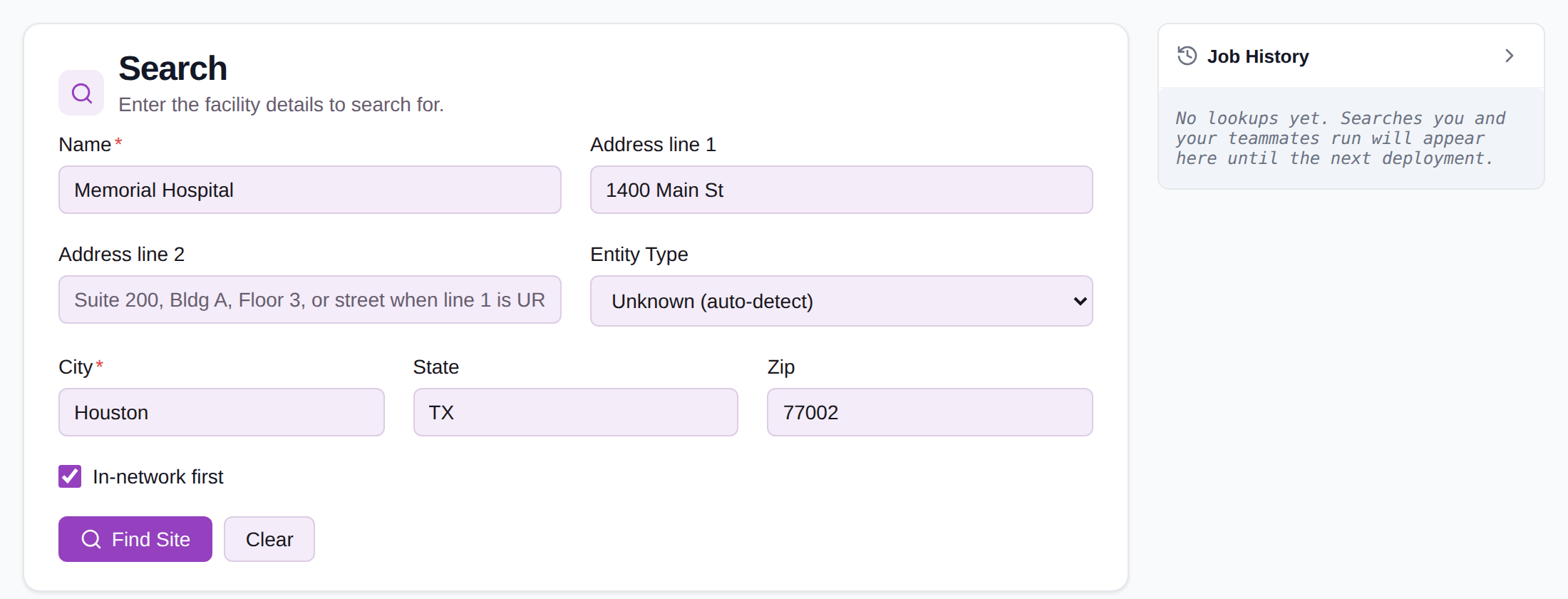
The iframe needs only the token, not a session, so the token is safe to hand
to the user's browser. Only the `parentOrigin` you sent can frame it.
To pre-fill the search, add any of these query parameters to the iframe URL:
`name`, `addressLine1`, `addressLine2`, `city`, `state`, `zip` and
`isFacility`.
### Refresh the token
Tokens expire one hour after they are created, and every action in the embed
checks the token again, so a search after expiry fails with `401`. Create a new
token each time you render the page that holds the iframe, rather than caching
one.
Deleting the user who created a token, or removing their site-finder
permission, invalidates their tokens immediately.
### Next steps
- [Request records from a facility](/guides/request-records.md): use a
site your users found.
- [Embed the auth-check UI](/guides/embed-auth-check.md): show authorization
analysis alongside it.
---
# Embed clinical data
> Show a patient's visits, diagnoses and results as a drop-in UI.
The clinical-data UI shows one patient's visits, procedures, diagnoses,
prescription fills and lab results as an iframe in your own product. Use it
for any screen that shows clinical data to your users.
The iframe keeps up as the tables gain columns, so you never track schema
changes yourself, and your API key never reaches the user's browser.
### 1. Get an embed token
`POST /v0/companies/{companyId}/projects/{projectId}/patients/{patientId}/clinical-data-embed-token`,
with your API key, returns an `EmbedTokenResponse { token }`.
Send `parentOrigin` to allow only your own site to frame the iframe:
```json title="Token request body" operation="POST /v0/companies/{companyId}/projects/{projectId}/patients/{patientId}/clinical-data-embed-token"
{ "parentOrigin": "https://app.example.com" }
```
The origin is your page's `https://host[:port]`, with no path, query or
wildcard, and must be one Hermes Health has approved for you; any other returns
`400`.
> [!WARNING]
> Leaving out `parentOrigin` is deprecated. The token still works, and any site
> can frame the iframe and receive its messages, but a later release will
> require `parentOrigin` and refuse the request without it.
A token shows one patient and nothing else. Reads through it are recorded as
the user who created it.
### 2. Add the iframe
```html title="Embed iframe"
```
The iframe needs only the token, not a session, so the token is safe to hand
to the user's browser. Only the `parentOrigin` you sent can frame it.
You can add these query parameters to the iframe URL:
| Parameter | Effect |
| --- | --- |
| `tab` | The tab to open first: `visits` (the default), `procedures`, `diagnoses`, `prescription-fills` or `lab-results`. |
| `panel` | Saved browse state, to restore filters, sorting and page. See the next step. |
| `map` | `expanded` (the default) or `collapsed`, for the facility map. |
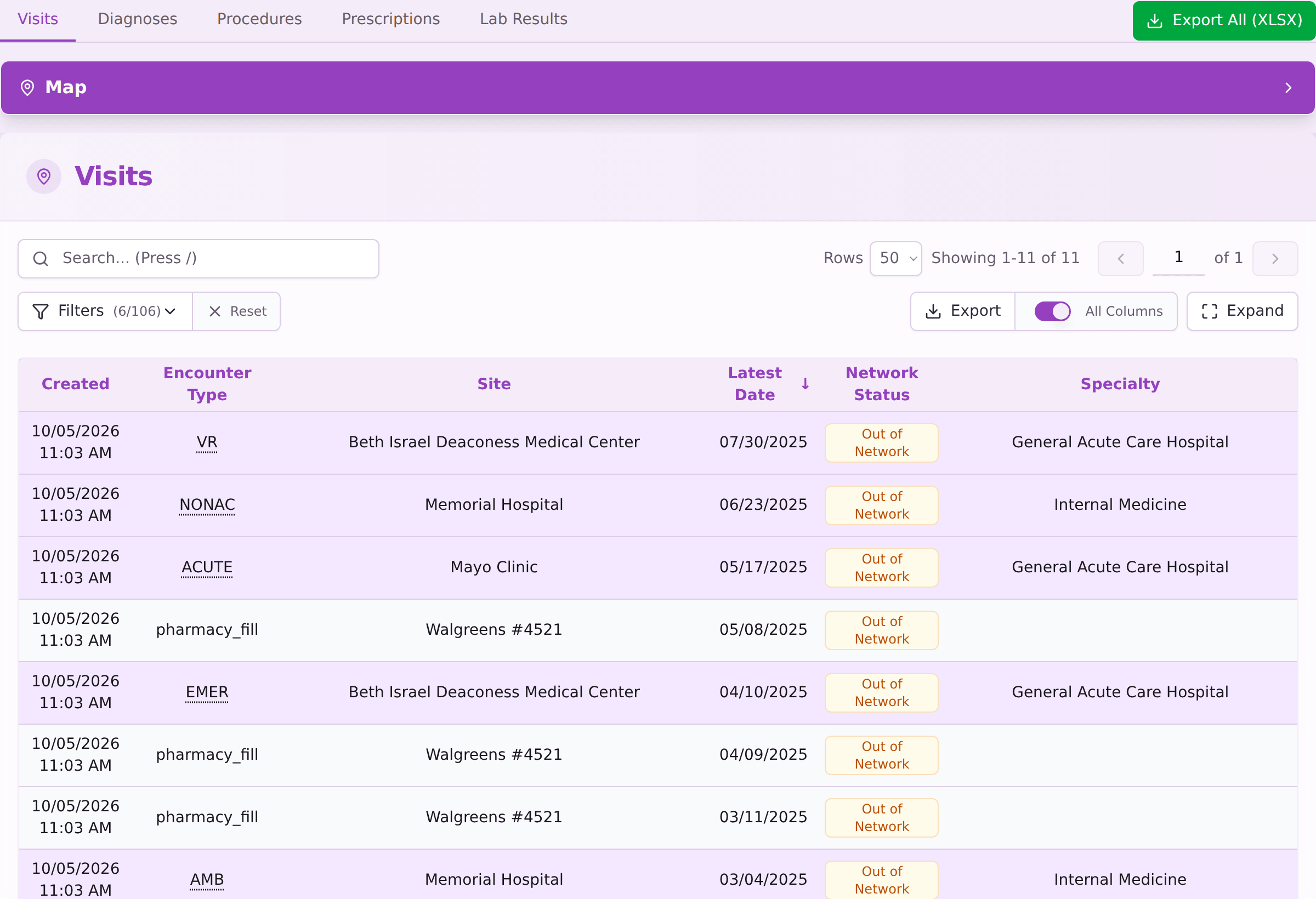
### 3. Keep the user's place (optional)
The iframe can't change your page's URL, so whenever the user filters, sorts or
pages, it sends your page a message instead:
```json title="postMessage payload"
{ "type": "hermes:clinical-data", "entity": "...", "tab": "...", "panel": "..." }
```
Save the `panel` value, for example in your own URL, and pass it back as the
`panel` parameter to reopen the iframe in the same view.
### Refresh the token
Tokens expire one hour after they are created. Every request from the iframe
also checks that the user who created the token can still see the patient, so
removing their access invalidates their tokens immediately. Create a new token
each time you render the page that holds the iframe, rather than caching one.
### Next steps
- [Get clinical history for a patient](/guides/get-clinical-history.md):
start the retrieval that fills these tables.
- [Query large tables](/guides/query-large-tables.md): query the same data from your
server.
---
# Query large tables
> One typed query syntax across every large tabular resource.
Every large table in the API, from visits to record requests, is queried
the same way: `POST` a JSON body to its `/browse` route to choose columns,
filter, sort, aggregate, search and page, and get back
`{ table, aggregate, total }`.
```json title="Request shape"
{
"select": { },
"where": { },
"orderBy": [ ],
"aggregate": { },
"search": "...",
"take": 100,
"skip": 0
}
```
Every field is optional. An empty body returns every row you can see, with
every column, in the route's default order.
Each route has a **root entity**, the key its own columns sit under, plus
the entities joined to it. Use these keys in every part of the request:
| Route | Root key | Joined entities |
| --- | --- | --- |
| `/v0/patients/browse` | `patient` | `company`, `project`, `user`, `authCheck` |
| `/v0/record-requests/browse` | `request` | `company`, `project`, `patient`, `site`, `owner`, `user`, `authCheck` |
| `/v0/visits/browse` | `visit` | `company`, `project`, `patient`, `site`, `payor`, `attendingProvider`, `renderingProvider`, `operatingProvider` |
| `/v0/diagnoses/browse` | `diagnosis` | `company`, `project`, `patient`, `visit`, `labAccession`, `diagnosisCode`, `diagnosisCategory` |
| `/v0/procedures/browse` | `procedure` | `company`, `project`, `patient`, `visit`, `procedureCode`, `attendingProvider`, `renderingProvider`, `operatingProvider` |
| `/v0/prescription-fills/browse` | `prescriptionFill` | `drug`, `company`, `project`, `patient`, `visit`, `site`, `prescriber` |
| `/v0/lab-accessions/browse` | `labAccession` | `company`, `project`, `patient`, `orderingPhysicianSite` |
| `/v0/lab-results/browse` | `labResult` | `company`, `project`, `patient`, `labAccession` |
| `/v0/diagnosis-codes/browse` | `diagnosisCode` | none |
| `/v0/diagnosis-categories/browse` | `diagnosisCategory` | none |
| `/v0/procedure-codes/browse` | `procedureCode` | none |
> [!NOTE]
> The record-requests root key is `request`, not `recordRequest`.
> [!TIP]
> To show clinical data to your own users, embed the read-only UI instead of
> rendering these rows yourself: see [Embed clinical data](/guides/embed-clinical-data.md).
> The browse routes are for server-to-server queries and exports.
### Understand the row shape
Each row is keyed by entity: the root key and its joined entities, from the
table above. A visit row, for example, holds a `visit` object beside
`patient`, `site`, `payor` and the rest. Every part of the request (`select`,
`where`, `orderBy` and `aggregate`) uses the same keys.
### Choose columns
`select` maps each entity to the columns you want:
```json title="Selecting columns" operation="POST /v0/visits/browse"
{
"select": {
"visit": { "ref": true, "earliestServiceDate": true },
"patient": { "firstName": true, "lastName": true }
}
}
```
Inside an entity's block, only the columns set to `true` are returned. Leave
an entity out to get all its columns, or leave out `select` to get every
column. Unselected columns are missing from the response, not `null`.
### Filter rows
`where` maps each entity's columns to a list of filters. Every filter must
match: across columns, across entities, and within one column's list.
```json title="Filtering rows" operation="POST /v0/visits/browse"
{
"where": {
"visit": {
"earliestServiceDate": [
{ "gte": "2025-01-01" },
{ "lt": "2026-01-01" }
]
},
"patient": {
"lastName": [ { "startsWith": "Smi" } ]
},
"site": {
"state": [ { "in": ["CA", "NY", "TX"] } ],
"systemName": [ "isNotNull" ]
}
}
}
```
A filter is one of:
| Filter | Form | Columns |
| --- | --- | --- |
| Text | `equals`, `notEquals`, `contains`, `startsWith`, `endsWith` | Text |
| Comparison | `equals`, `notEquals`, `gt`, `gte`, `lt`, `lte` | Numbers and dates |
| Boolean | `equals`, `notEquals` | Booleans |
| List | `in` or `notIn`, with an array of values | Any |
| Null check | `"isNull"` or `"isNotNull"` | Any nullable column |
An operator that doesn't fit the column, such as `contains` on a number,
returns `400`.
> [!WARNING]
> Filter related records through their entity: `patient.id`, not
> `visit.patientId`. A **column** name the route doesn't recognise, inside
> `where` or `select`, is ignored rather than rejected, so a misspelled filter
> returns `200` with unfiltered rows. An unknown **entity** or top-level key is
> rejected with `400`, and the error names it.
### Sort rows
`orderBy` is a list. The first entry is the main sort and each later one
breaks ties:
```json title="Sorting rows" operation="POST /v0/visits/browse"
{
"orderBy": [
{ "visit": { "earliestServiceDate": "desc" } },
{ "patient": { "lastName": "asc" } }
]
}
```
Each entry names one entity and one column, with `"asc"` or `"desc"`. Hermes
adds a final tiebreak on the row's ID, so paging is stable even when your sort
has ties.
### Aggregate rows
`aggregate` computes totals over every row that matches `where` and `search`.
Paging does not affect it. Every entity supports `count`; entities with numeric
columns also support `sum`, `avg`, `min` and `max`, keyed by column. Those four
take numeric columns only, never a date:
```json title="Aggregating rows" operation="POST /v0/visits/browse"
{
"aggregate": {
"visit": { "count": true }
}
}
```
The results come back in `aggregate`, in the same shape.
### Search
`search` matches a case-insensitive substring against every text column of
every joined entity, and combines with `where`. Use it for a single search
box, and `where` for precise queries.
### Page through results
`take` and `skip` count matching rows. The response's `total` is the number of
matching rows before paging, so you can show "page 2 of 9" without a second
call. Leave out `take` to get every matching row.
### Read the response
```json title="Response envelope"
{
"table": [ ],
"aggregate": { },
"total": 4217
}
```
| Field | What it is |
| --- | --- |
| `table` | This page of rows, shaped like your `select`. |
| `aggregate` | Your aggregates, shaped like your `aggregate`. Missing if you asked for none. |
| `total` | Rows matching `where` and `search`, before `take` and `skip`. |
### Export to CSV
Send `Accept: text/csv` to get the selected columns as CSV instead of JSON.
Leave out `take` to export every matching row. CSV has no `aggregate` or
`total`.
### Find the columns a route accepts
Each route's request and response types are in the
[API reference](/api-docs), named after the entity: `VisitBrowseRequest` and
`VisitBrowseResponse`, for example, with `VisitBrowseFilter`,
`VisitBrowseSort` and `VisitBrowseSelect` for each part. They are the full
list of the entities, columns and operators the route accepts.
### Next steps
- [Get clinical history for a patient](/guides/get-clinical-history.md):
the clinical tables these routes read.
- [Request records from a facility](/guides/request-records.md): watch
many requests at once with `/v0/record-requests/browse`.
---
# Hermes Health API
> Medical records retrieval platform API.
## Base URL
Every endpoint in this reference is relative to:
```http title="Base URL"
https://api.hermeshealth.ai
```
There is no separate sandbox host. Sandbox and production traffic use the same
base URL and are separated by which API key you send — see Authentication.
## Authentication
Send your API key as a bearer token on every request:
```http title="Request header"
Authorization: Bearer
```
The Hermes Health API uses API keys to authenticate requests. You generate and
rotate your API keys on the [User Settings page](/settings/api). A key is shown
once, when it is generated: Hermes stores only a fingerprint of it, so copy it
into your secret store at that moment. If you lose a key, regenerate it; the
previous key stops working as soon as the new one is issued.
Keys are issued per user, and there are two of them:
- the **Sandbox API Key**, scoped to projects whose status is `Sandbox`.
Sandbox traffic can never read or mutate production data. It is answered
by the endpoints that keep it to sandbox projects (patients, record
requests, projects, fees, clinical data, stats, voice calls, and their
browses), by those that read only your own account (your profile, terms,
roles, company and its available purposes, and rotating the sandbox key
itself), and by the shared catalogs (sites, diagnosis and procedure
codes). Every other endpoint refuses it with `403`, such as the company
record and settings writes, billing, company files and minting an API key. Site finder and the standalone auth check answer it
with fixed sample results instead: every
site-finder job matches the synthetic site ACME Hospital, every auth check
reads a sample analysis for the patient John Doe, and files uploaded with
it are discarded unread, so nothing is searched, analyzed or billed.
- the **production API Key**, for live projects.
A key is rejected outside its own scope, so the key you send is what decides
whether you are working against real data or not. Requests with no credentials
are rate-limited far more aggressively than authenticated ones — see Errors.
## Idempotency
Idempotency allows you to retry a request without accidentally performing the
same operation twice.
The Hermes Health API supports idempotency on `PUT` requests, which take an
object ID in the URL. Create a patient with `PUT .../patients/{patientId}`, and
if an error occurs partway through, you can resubmit the same request without
creating the patient twice.
Objects created with `POST` have their IDs generated by the API, so `POST` is
not idempotent.
```bash title="Idempotent: PUT with your own ID"
curl https://api.hermeshealth.ai/v0/companies/1/projects/proj_abc123/patients/pat_456 \
-X PUT \
-H "Authorization: Bearer YOUR_API_KEY" \
-H "Content-Type: application/json" \
-d '{ "firstName": "Jane", "lastNames": ["Doe"], "dateOfBirth": "1990-04-12" }'
```
```bash title="Not idempotent: POST, the API assigns the ID"
curl https://api.hermeshealth.ai/v0/companies/1/projects/proj_abc123/patients \
-X POST \
-H "Authorization: Bearer YOUR_API_KEY" \
-H "Content-Type: application/json" \
-d '{ "firstName": "Jane", "lastNames": ["Doe"], "dateOfBirth": "1990-04-12" }'
```
## Versioning
The Hermes Health API is still on version 0 and is unversioned beyond the
`/v0` path prefix, because of the rate at which it is still changing.
A semantic versioning scheme, a changelog, and a deprecation notice system are
coming. Until they land, treat any field you did not ask for as optional and
ignore fields you do not recognise.
## Errors
Every error returns the same JSON body, whatever the status code:
```json title="Error body"
{
"error": "Patient not found",
"errorId": "01J8Z3QK7M2N4P6R8T0V2X4Y6A"
}
```
- **`error`** is always present: a human-readable sentence. Show it to
your operators; do not parse it. Wording changes without notice.
- **`code`** is optional and currently set on one condition only
(`"code": "roleNotAssigned"` — a signed-in user whose account has no role
yet).
Treat its absence as normal and branch on the status code instead.
- **`errorId`** is a correlation reference. It is present on errors that
pass through central classification — which is every `5xx` and most
`4xx` raised from domain logic — and absent on validation rejected at
the route edge. **Quote it when you contact support**: it is the only
way to find the matching server log line.
### Status codes
| Code | Meaning | Retry? |
| --- | --- | --- |
| `400` | The request is malformed or a field failed a business rule. | No — fix the request. |
| `401` | Missing or invalid credentials. | No — check the `Authorization` header. |
| `403` | Authenticated, but not permitted this company, project, or capability. | No — see below. |
| `404` | No such resource, **or** one your key cannot see. | No. |
| `422` | The body parsed as JSON but a field failed validation. | No — the message names the field. |
| `429` | Rate limited. | Yes — after `Retry-After`. |
| `500` | Server fault on our side. | Yes, with backoff. |
| `502` | An upstream partner (EHR, ROI vendor, Clerk) failed or returned an unusable response. | Yes, with backoff. |
| `503` | Maintenance, the service is shedding load, or site edits are paused while reference data refreshes. | Yes, with backoff, or after `Retry-After` when it is sent. |
| `504` | A query exceeded its time budget. | Yes — narrow the query first. |
A `500` body is always the literal string `Internal server error
(ref: )`, and a rejected payload names the *field* that failed but
not the value it contained. `404` is returned for a resource outside your
key's scope rather than `403`, so that an error never confirms that a resource
you cannot see exists.
### Rate limits
Two independent limits, both per rolling minute:
- **Uncredentialed requests are limited per client IP** — 30 requests per
minute by default.
- **Credentialed requests are limited per company** — 600 requests per
minute by default. Sending an `Authorization` header moves you off the
IP limit and onto this one; it does not exempt you from limiting.
Exceeding either returns `429` with a **`Retry-After`** header in whole
seconds (minimum `1`). Honour it rather than retrying immediately. Both
ceilings are configurable per deployment, so read `Retry-After` rather than
hard-coding either number.
---
# Changelog
> Every customer-visible change to the API and its reference, newest first.
## 2026-11-24: Standalone auth checks accept `projectId` and `intendedFor`
- **New optional fields `projectId` and `intendedFor`** on the body of
`PUT /v0/auth-check/{filename}` and
`POST /v0/auth-check/{filename}/embed-token`.
- **`projectId`** names a project in your company. `purposeAlignment` then
checks the form's purpose against that project's purpose; without it, the
check does not run. An id that names no project in your company returns
`400`.
- **`intendedFor`** takes one value, `patient`. `disclosingEntity` then holds
the form to a patient authorization's standard: a class of record holders
such as "all medical facilities", not one named facility. Without it, either
passes, as before.
- Both are stored with the submission, so `GET /v0/auth-check/{filename}`, the
embeds and the Submissions tab all judge the document by them. Minting a
token again for the same patient without them keeps the stored values.
## 2026-11-23: Fees carry an `incurredAt` date beside `createdAt`
- **New field `incurredAt` on every fee**, in `GET /v0/fees/{fee_id}` and the
fees browse: when the work the fee was charged for happened. It equals `createdAt` unless the fee was recorded after the fact,
when it is earlier. Fees recorded before this change carry their `createdAt`.
Hermes can correct a fee's `incurredAt` to any day up to the one it was
recorded on; its `createdAt` never changes.
- **`createdAt` now means when the fee was recorded.** Invoices bill a fee by
this date, so a fee recorded late is billed on the next invoice. To chart
spend over time, use `incurredAt`.
- The fee trends in the dashboard and the fees browse's new **Incurred** column
read `incurredAt`.
## 2026-11-21: EHR Search is now C-CDA Search in every name the API exposes
- **The patient request flag `ehrSearch` is now `ccdaSearch`.** The same rename
applies to the related patient fields (`ehrSearchAvailable`,
`ehrSearchBlockedReason`), the patient browse and export columns, the bulk
upload CSV column `ehr_search` (now `ccda_search`) and the company flag
`ehrSearchEnabled` (now `ccdaSearchEnabled`). Responses, webhook payloads and
browse rows carry only the new names.
- **The old request names keep working, and are deprecated.** A request body
that sends `ehrSearch` on a patient create, replace or update, on the
single-field patient `PATCH`, or on `PATCH .../search-level`, a patient CSV
upload with an `ehr_search` column, and a notification endpoint that names
`ehrSearch.started` or `ehrSearch.completed`, are accepted as before. The
response carries a `Deprecation: true` header and a `Warning: 299` header
naming the old name and the one to use. Move to the new names; the old ones
will be removed.
- **The webhook events `ehrSearch.started` and `ehrSearch.completed` are now
`ccdaSearch.started` and `ccdaSearch.completed`**, and the event group
`ehrSearch` is now `ccdaSearch`. Endpoints already subscribed to the old names
keep receiving the events, delivered under the new names.
- **Admin routes under `/admin/veradigm/` that named `ehr-search` now name
`ccda-search`**: `frozen-ccda-search`, `rearm-ccda-search`,
`resubmit-ccda-search` and `resubmittable-ccda-search`.
## 2026-11-19: An embed's parentOrigin can be an origin your company has approved
- **`parentOrigin` on every embed-token mint now also accepts your company's
own approved origins.** Besides the origins approved for every customer, a
company can approve its own list of sites allowed to frame its embeds. An
origin on your list approves only tokens minted for your company.
- **Removing an origin from your list stops it framing at once.** Tokens
already minted for it are refused on their next use, as they already are
when an origin leaves the general list.
## 2026-11-19: A site's addressHash has its own schema, and a site with no street line has none
- **`addressHash` on a site is described by a shared `AddressHash` schema.**
Wherever a browse response carries a site (`POST /v0/record-requests/browse`,
`POST /v0/fees/browse`, `POST /v0/prescription-fills/browse`,
`POST /v0/lab-accessions/browse`, `POST /v0/lab-results/browse` and
`POST /v0/diagnoses/browse`), `addressHash` now refers to that schema: a
64-bit integer, or null.
- **An edited site's `addressHash` follows its current address.** It is
re-taken from the address the edit wrote. On the next deploy, a site whose
stored hash was taken before its latest address edit gets the hash of its
current address instead.
- **An address edit that cannot be placed on the map clears `addressHash`.**
- **A site whose address has no street line no longer gets an `addressHash`.**
It is null instead of a value shared by every site in the same town.
- **An `addressHash` filter operand of `0` is refused.** No site has a hash
of `0`. Filter with `isNull` to find sites without one, where you filtered
on `0` before.
- **`addressHash` no longer offers `sum`, `avg`, `min` or `max` aggregates.**
A hash is an identifier, not a measure. Filtering, sorting and `count` are
unchanged.
## 2026-11-18: EHR Search rebranded to C-CDA Search
- **EHR Search is now called C-CDA Search across the product, error messages and documentation.** All request, response and webhook field and event names (`ehrSearch`, `ehrSearchEnabled`, `ehrSearchAvailable`, `ehrSearchBlockedReason`, `latestEhrSearchSentAt`, `lastEhrRunAt`, `ehrSearch.started`, `ehrSearch.completed`) remain unchanged.
## 2026-11-18: A company's delivery records email and cc email must be email addresses
- **`deliveryRecordsEmail` and `deliveryEmailCc` are typed as email addresses.**
Wherever a company appears in a browse response, both fields now point to the
`Email` schema instead of a plain string. The values are the same strings as
before, and either is still null when not set.
- **Updating a company rejects a `deliveryRecordsEmail` that is not an email
address,** as it already did for `deliveryEmailCc`. A company that had saved
such a value reads it back as not set.
- **Browse filters on `deliveryRecordsEmail` and `deliveryEmailCc` take a whole
email address,** with `equals`, `notEquals`, `in` and `notIn` (case-insensitive).
The partial-text operators (`contains`, `startsWith`, `endsWith`) are no longer
offered on these two fields.
## 2026-11-18: Sending a record request reports a refused ROI API send as a 400
- **A send the release-of-information service refuses through its API now answers `400`**, with a message naming the service and telling you to send by fax, email or mail instead. It answered a generic `502` before. The request still records the refusal as its last delivery failure, as it did.
## 2026-11-18: Fee limits cap the site fees a record request is billed
- **Patient fee limits and project default fee limits are removed.** Patient
`POST`, `PUT` and `PATCH` no longer accept `feeLimit`, and patient responses
and patient browse rows no longer carry `feeLimit` or `limitSpend`. Project
`PATCH` no longer accepts `defaultPatientFeeLimit` or
`defaultRequestFeeLimit`, and project responses and browse rows no longer
carry them. The patient bulk CSV no longer reads a `fee_limit` column.
- **A record request's `feeLimit` now bounds only the site fees it is billed.**
These are the fees a site charges for the records, such as a records fee or
a mailed check. Fees Hermes charges for its own work, such as the request
fee, the C-CDA completion fee and searches, neither count toward the limit
nor are capped by it. A request created without `feeLimit` has no limit; an
AI agent's grant can still set one.
- **A site fee above what is left of the limit is recorded and billed at what
is left.** The fee's `amount` is what you are billed, and the new
`siteCharged` field on a fee is what the site charged. What is left is the
limit less the site fees already billed on the request, not counting
canceled ones. Changing a request's limit applies to site fees recorded
afterwards and does not re-bill the ones already recorded.
- **Nothing is refused for a fee limit any more.** Creating, replacing or
sending a request, and a record request bulk upload, no longer answer `409`
over a fee limit. A mailed send's quote shows its check at what the request
will be billed for it.
- **`confirmationWithheld` is never `patientFeeLimit` or `requestFeeLimit`.**
An AI agent's quote is no longer withheld over a fee limit, and those two
values are removed.
## 2026-11-16: Supporting documents report revocation and informational copies separately
- **Breaking: a supporting document's `isVoid` is now `isRevoked`.** Every
document under `additionalDocuments` in an auth-check analysis carries
`isRevoked` in place of `isVoid`. It is true only when the record itself is
cancelled, revoked or superseded. The faint "VOID" pattern that security paper
shows when a certified copy is scanned no longer counts. Analyses stored
before this change read their old `isVoid` value as `isRevoked`.
- **New `isInformationalCopy` on every supporting document.** True when the
document says it is for informational purposes only, an informational copy,
not valid to establish identity, or not a certified copy.
- **`documentValidity` warns on an informational copy.** The warning is all
it does: the document still proves what it shows, such as a death or a
next-of-kin name, so no other check changes.
## 2026-11-12: Deleting an auth check no longer bills its unbilled checks
- **Breaking: `DELETE /v0/auth-check/{filename}` no longer bills the
submission's completed checks before it removes them.** It used to settle any
check not yet billed; it now charges nothing. Fees billed for the document
before the delete stay on your invoices, with `documentDeletedAt` in place of
a download link, as before.
- **Each file written to an upload URL is checked, and billed, on its own.**
Write to the `uploadUrl` from `PUT /v0/auth-check/{filename}` once, and
request a new one for another document: writing to the same `uploadUrl` again
starts another check and is billed again. This is how it already behaved; the
reference now says so.
## 2026-11-12: A company's delivery fax number is set by Hermes Health
- **`PATCH /v0/companies/{companyId}` no longer accepts `deliveryFaxNumber`
from your company's users.** A request that includes it answers `403`.
Hermes Health sets the number once it is provisioned for your company.
- **A white-label company's record request faxes now go out under that
number.** A company without white-label delivery keeps faxing under Hermes
Health's number.
## 2026-11-12: New `recordRequest.deliveryFailed` event and `lastDeliveryFailure` on record requests
- **`recordRequest.deliveryFailed`** is a new named event in the
`recordRequest` group. It is sent once for every send of a record request
to its facility that fails: a fax that is not delivered, an email the
facility's address refuses, a letter that is canceled, or a
release-of-information request that is not accepted. Its `data` is the
`request` and `deliveryFailure`: `channel` (`fax`, `email`, `mail` or
`roi`), a stable `code` (`faxFailed`, `faxCanceled`, `emailRejected`,
`mailCanceled` or `roiRejected`), a readable `message` and `failedAt`.
Email notifications can subscribe to it too.
- **`lastDeliveryFailure`** on `GET .../record-requests/{recordRequestId}`
holds the latest failed send in the same shape. It is null when no send has
failed, and goes back to null once a later send is accepted.
- **When the failure lands.** In production, an email the facility's mail
server refuses and a release-of-information request the service rejects
fail during the send call, which answers an error; a fax or letter fails
after the call returns. A sandbox project's reserved failing values are
accepted by the call and fail afterwards on every channel. A call that fails
without a refusal from the channel (a mail server login refused, a service
that did not answer) records no failure.
- **A failed send is not a status.** The request keeps its `status`, no
`recordRequest.statusChanged` is sent, and Hermes does not retry the send.
- **Sandbox failing inputs send it too.** A sandbox send to a reserved failing
value now sets `lastDeliveryFailure` and sends `recordRequest.deliveryFailed`
when its simulated failure lands, exactly as a live failure does.
- **Subscribe to it by hand.** It is not part of the default **My
notifications** email.
## 2026-11-12: A record request's `siteId` must be a facility
- **A `siteId` that names an individual practitioner is now refused with `400`.**
`POST` on
`/v0/companies/{company_id}/projects/{project_id}/patients/{patient_id}/record-requests`,
`PUT` on the same path ending in `/{record_request_id}`, and `PATCH` of
`siteId` on a record request used to accept the `site.id` of a visit with a
practitioner, which names no facility to send the request to. Such a request
was created with no site. Send the facility's `siteId`, or its `siteName` and
address, instead. A `siteId` that names a facility is unaffected.
## 2026-11-12: Record requests carry their own network status, and EHRs count for C-CDA only
- **New `networkStatus` on `POST /v0/record-requests/browse`.** Each record
request now reports whether it is in the record-retrieval network for its
own request type and for the purpose of the project it belongs to (every
purpose the request's company is enabled for when that project has none):
`In`, `Mixed` (a billing request that only some of the facility's billing
departments can take in network) or `Out`. It is null for a request with no
linked site. Select it, filter on it and sort by it as `networkStatus`
under `request`.
- **An electronic health record system now puts a facility in network for
C-CDA requests only.** An EHR returns only a C-CDA, never medical, billing
or imaging records, so a department's `inNetwork` (records requests) now
reflects its release-of-information company alone, and a site's
`medicalRecordNetwork`, `billingNetwork`, `billingMixedNetwork` and
`imagingNetwork` no longer list a purpose because of an EHR. `ccdaNetwork` is
unchanged.
- **A record request's joined `site` reads its own project's purpose.**
`site.inNetwork` and the site's purpose lists on
`POST /v0/record-requests/browse` (and on a fee's `request.site`) now list
the purpose of the request's project, or every purpose the request's company
is enabled for when that project has none, instead of the purposes your
company is enabled for.
- **The same holds on `POST /v0/visits/browse`.** `site.inNetwork` and the
site's purpose lists read the purpose of the project the visit belongs to,
or every purpose the patient's company is enabled for when that project has
none. So do `orderingPhysicianSite` on `POST /v0/lab-accessions/browse` and
`site` on `POST /v0/prescription-fills/browse`, for the project the lab
accession or prescription fill belongs to.
- **Sending a medical, billing or imaging request with `requestMethod` set to
`EhrApi` or `EhrPortal` is now refused with `400`.** Those channels deliver
C-CDA requests only.
- **A company's `deliveryPriority` no longer holds the `ehrApi` or
`ehrVendor` steps.** A C-CDA request leaves through its EHR whatever the
priority says, so existing priorities read without them and
`PATCH /v0/companies/{companyId}` naming either is refused with `400`. That
route now answers a body that does not match its request schema with `400`
and a message, naming the key or value when it is one the route does not
know, where it answered a bare `422`.
## 2026-11-12: Upload links go only to callers who may write the file
- **A read returns an upload link only to a caller who may write that file.**
Elsewhere `uploadUrl` is `null` and `uploadHeaders` is empty; the download
link and the rest of the response are unchanged.
- `GET /v0/companies/{company_id}/projects/{project_id}/patients/{patient_id}`
and `GET .../patients/{patient_id}/authorization`: `authorization` and
`hipaaAuthorization` carry an upload link only for a key that may edit
patients.
- `GET .../patients/{patient_id}/record-requests/{request_id}`:
`patientAuthorization` needs a key that may edit patients,
`authorization` one that may create record requests, and `siteFee` one
that may edit record requests.
`providerPacket` was already Hermes staff only.
- `GET .../record-requests/{request_id}/deliverables/{file_name}` already
returned its upload link only to a caller who may add a document.
## 2026-11-10: AI agents can manage notification endpoints, sandbox and production apart
- **An agent may now create, change and delete a company's notification
endpoints**, email and webhook alike, through six new tools:
`POST`, `PATCH` and `DELETE` under
`/v0/companies/{company_id}/sandbox-notifications` and
`/v0/companies/{company_id}/production-notifications`. An agent creates
named-events endpoints only; the retired column subscriptions are never
offered to it.
- **Two new permissions split the environments**: `ManageSandboxEndpoints`
and `ManageProductionEndpoints`, held by the roles that hold
`ManageWebhooks`. The consent page offers each as its own tick under
Company settings. Neither implies the other: a grant that carries only the
sandbox one is refused every production endpoint, and the reverse. The
environment is the one the route's permission names, never a field of the
request, and a scope that picks projects of the other environment is refused
with 403.
- **The person's own checks still apply.** The agent acts as its grantor:
endpoint management needs the notification permission, a webhook needs the
webhook permission, and the events and scope are checked against the owner
as they are on the Settings page.
- **No tool shows a webhook's address or signing secret.** A webhook's address
is set in the request and read in Settings, and the signing secret is
revealed there.
- **`GET /v0/notifications` now also lists the company's named-events
webhooks**, so an agent can read back what it created, and answers `channel`,
`scope` and `payloadContent` for each notification. A webhook is listed only
in an environment the caller holds the endpoint permission for, so a grant
with only `ManageSandboxEndpoints` lists no production webhook, and neither
does a sandbox API key or a request confined to sandbox data. Classic
webhooks and a webhook's address and signing secret are never listed.
- **The `permissions` list of `GET /v0/user-profile` now includes
`ManageSandboxEndpoints` and `ManageProductionEndpoints`** for the roles that
hold `ManageWebhooks`: Customer Admin, Delivery, Developer and Owner.
- **An agent's create answers 429 once the company holds 100 endpoints**, and a
change that names a `url` on an email endpoint answers 400.
## 2026-11-10: An AI agent with no spending budget cannot start billed searches
- **An agent whose grant has no spending budget, or has spent all of it, is
now refused with a 403 the free writes that start searches billed with no
quote**:
- changing the purpose of a project that is not a sandbox, through
`PATCH /v0/companies/{company_id}/projects/{project_id}` or
`PUT /v0/companies/{company_id}/projects/{project_id}`;
- approving a patient's authorization outside a sandbox project through
`PATCH /v0/companies/{company_id}/projects/{project_id}/patients/{patient_id}/authorization-status`.
The error message names the spending budget, so the agent can ask the
person who connected it for one. Every other write these routes take is
unaffected, including moving a project between `live` and `closed`, which
Hermes staff and the agents they connect have always been the only ones to
do.
- **A budget is consent here, not a limit.** The searches these writes let
run are billed as they complete, and what they bill is neither quoted nor
held to what is left of the budget.
- **A grant may now be given a spending budget when it can make these
writes**, even if it holds no route that is quoted.
- **People, API keys and agents with budget left are unaffected.**
- **The project `PATCH` and `PUT` routes now document a 403 response** for
this refusal. Their other refusals answer as before.
## 2026-11-10: Clinical reads answer 503 with Retry-After while clinical data loads
- **A clinical read made while clinical data is still loading after a service
restart now answers `503`, not `500`.** The response carries a
`Retry-After` header with the seconds to wait, the code
`ClinicalDataLoading`, and a message saying the data is still loading.
Retry the same call after that many seconds. This covers the visit,
diagnosis, procedure, lab accession, lab result and prescription fill
browses, `GET /v0/diagnoses/{diagnosis_id}/procedures`,
`GET /v0/procedures/{procedure_id}/diagnoses`, and the patient and project
master exports.
- **Those browses and the master exports now document the 503 response.**
## 2026-11-10: Deleting a company now deletes its stored files
- **`DELETE /v0/companies/{companyId}` now deletes the files stored under the
company**: deliverables, clinical data, call recordings, inbound faxes and
Secure Exchange files. Before, those files stayed in storage after the
company was gone.
- **Fee invoices and receipts are kept. Authorizations and company documents
are kept for audits** and no longer appear anywhere.
- The company's patients and record requests are deleted one by one, the way
deleting a project deletes them. They already disappeared from reads.
- The call answers once the files are gone, so deleting a large company takes
longer than before. A second delete of the same company while one runs is
answered `409`. It is still not reversible.
## 2026-11-10: Deleting a company now deletes its users
- **`DELETE /v0/companies/{companyId}` now deletes the company's users.** Before,
they stayed after the company was gone, and their API keys kept working.
- **A deleted user can no longer sign in or call the API**, and every agent
grant the user made is revoked. Their API keys stop working when the call
answers.
- **The users' authorization-check uploads are deleted** with every version.
The files they merged are removed the way the company's authorizations are:
they stop appearing and are kept for audits.
- If a user's sign-in cannot be removed, the call fails with `502`. The company
is still there, so repeating the call finishes the delete.
## 2026-11-10: Fee limits on patients and record requests
- **A patient or record request can carry a fee limit.** `POST` and `PUT` on
patients accept `feeLimit`, the most in US dollars that may be spent on the
patient and its record requests together. `POST` and `PUT` on record requests
accept `feeLimit`, the most that may be spent on each request the call
creates. A limit is a positive amount to the cent, such as `"25.00"`, up to
`10000`. Patient and record request responses carry `feeLimit` when one is
set.
- **An action that would take a patient or request past its limit is refused
with `409` before any money is spent.** The message names which limit it is,
the limit, what has been charged and the most the action could add. An AI
agent's quote for such an action carries no `confirmationToken`, and its
`confirmationWithheld` is `patientFeeLimit` or `requestFeeLimit`.
- **The checks run when a request is created, when a search is turned on for a
patient, and when a request is sent by mail.** A completion fee is counted at
its highest when its request is created, and is not checked again when it is
charged. A search counts against a limit once it has run and its fee is
charged, so searches turned on in quick succession are each checked against
what has been charged so far.
- **A search that has been requested is not started when it could take its
patient past the patient's fee limit.** The search stays requested, nothing is
sent to a data source or charged, and it starts on a later pass once the limit
is raised.
- **Bulk CSV uploads accept an optional `fee_limit` column.** On the patient
upload it is the limit of each patient the row creates; on the record request
upload it is the limit of each request the row creates. Write a dollar amount
such as `25.00` or `$12.50`; a blank cell uses the project's default limit,
and a value that is not a usable amount fails its row. A patient that
already exists keeps its own limit. Either upload is refused with `409` when
the searches or requests a row creates could pass the limit it gets.
- **The New Patient and New Record Request forms have a Fee Limit field,** and
a project's default fee limits can be viewed and changed from its page by
someone with the permission to edit fee limits.
- **A limit applies when the resource is created.** Replacing an existing
patient or request with `PUT` keeps the limit it has and ignores `feeLimit`.
- **A project can set a default fee limit for new patients and for new record
requests.** `PATCH` on a project accepts `defaultPatientFeeLimit` and
`defaultRequestFeeLimit`, and project responses carry them. A default is
copied onto each patient or request at creation, so changing it later does
not change the limits already set. Changing a default needs the permission
to edit fee limits, which an AI agent never holds.
- **A fee limit can be changed afterwards with `PATCH`.** The patient and
record request `PATCH` calls accept `feeLimit`, which needs the new permission
to edit fee limits. `null` removes the limit. An AI agent never holds it.
- **An AI agent's grant can set the most it may choose for either limit.** An
agent that asks for a higher limit, or for none, gets the grant's.
- **Company-level fees are not counted against a limit.** AI research and
facility finding charge a company rather than a patient or request.
- **The patient, record request and project browse endpoints return the
limits.** Patient rows carry `feeLimit` (omitted when none) and `limitSpend`,
the non-canceled fees charged for the patient including its record requests,
which is what a patient's limit is counted against. Record request rows carry
`feeLimit`. Project rows carry `defaultPatientFeeLimit` and
`defaultRequestFeeLimit`. Each can be selected, filtered and sorted like any
other column. The Master Export's Patients and Record Requests sheets and its
data dictionary include the patient and request ones. The patients and record
requests tables have Fee Limit columns, and the patients table a Committed
Spend column, all hidden until chosen.
## 2026-11-10: A mail send can set its check amount, and a department with no fee mails a $0 letter
- **`POST .../record-requests/{recordRequestId}/send` accepts an optional
`checkAmount` for a `Mail` send.** It is the check in US dollars, from `0` to
`100` in whole cents (for example `"25.00"`). Zero mails a letter with no
check. An amount outside that range or with fractions of a cent answers `400`.
- **Without `checkAmount`, the check is the department's mail fee.** A
department with no mail fee on file no longer answers `400`; it mails a
zero-dollar letter and charges nothing.
- **A live send is charged the check amount** as a Site Fee, and `?quote=true`
with the same body quotes that amount. Fax and email are unchanged.
## 2026-11-10: Deleting a patient deletes the patient's notes
- **Deleting a patient now deletes every note filed under the patient**,
including notes on the patient's record requests.
`DELETE /v0/companies/{companyId}/projects/{projectId}/patients/{patientId}`
and deleting the patient's project both do this. Before, the notes were
kept, and a patient created again under the same id listed them at
`GET .../patients/{patientId}/notes`. That list now starts empty.
- **Notes of patients deleted before this change are removed too**, so a
patient created again under an earlier deleted patient's id no longer lists
that patient's notes.
- Notes on other patients, and a patient's notes while it exists, are
unchanged.
## 2026-11-10: Permission renames, new Owner permissions, and letter-only project file routes
- **`DeleteInboundFaxes` is now `MarkInboundFaxSpam`** in the `permissions`
list of `GET /v0/user-profile`. It lets the holder mark an unsorted inbound
fax as spam, which can be undone, and never deleted a fax. Only Hermes staff
can use it. An AI agent grant made under the old name keeps the permission.
- **The Owner role's `permissions` list now also includes `DeleteVoiceCalls`,
`ViewDepartmentEhr`, `SendEmail` and `ChargeAuthCheckFee`.**
- **The project file routes under
`/v0/companies/{companyId}/projects/{projectId}/{filename}` accept only
`request-letter` and `representation-letter`.** Any other name is answered
with `404`, and uploading one is no longer answered with `400`. The delete
route's description now correctly says the letter's stored versions are kept
for audits.
## 2026-11-10: Deleting a project now says it deletes the project's patients
- **`DELETE /v0/companies/{companyId}/projects/{projectId}` is documented as
the permanent delete it always was.** It deletes the project and every
patient in it, with each patient's record requests, clinical data and
stored files, and the project's own files. None of it can be recovered.
- **The description says how to check for patients first:** `patient.count`
on the retrieved project, or `patientCount` in the project list. An AI agent
acting for a person warns them what will be deleted and calls only once they
confirm.
- The call's behaviour is unchanged.
## 2026-11-10: Record requests carry their own authorization status
- **Every record request now has an `authorizationStatus`**, returned on
`GET .../record-requests/{request_id}`, in record request webhook `data`,
and browsable as `request.authorizationStatus`. It says where Hermes's
review of the authorization behind that one request stands, separately
from the patient's. Values are `NeedsApproval`, `Approved`,
`WrongDateOfService`, `WrongDisclosingEntity`, `MissingSignature`,
`MissingPowerOfAttorney`, `MissingProofOfGuardianship`,
`MissingRedisclosureSmt` and `OtherIssue`.
- **`WrongDateOfService` is no longer a patient authorization status.** Dates
of service belong to a record request, so the value moved there. A patient
that held it now reads `NeedsApproval`, and
`PATCH .../patients/{patient_id}/authorization-status` refuses the value.
## 2026-11-10: Sandbox projects stay sandbox projects, and closed projects are read-only
- **A sandbox project can no longer be moved to `live` or `closed`, by
anyone.** `PATCH` and `PUT` on
`/v0/companies/{company_id}/projects/{project_id}` answer `401` to a
request that changes a sandbox project's status to either, Hermes staff
included. To go live, create a new project. The `CloseSandboxProjects`
permission is removed from the `permissions` list of
`GET /v0/user-profile`; it granted nothing but closing a sandbox project.
An AI agent grant made with it keeps every other permission.
- **A closed project is read-only.** Every `POST`, `PUT`, `PATCH` and `DELETE`
under it is answered with `409`, whoever sends it: its own settings and
files, its patients, their record requests, notes and authorization status,
queued calls and bulk uploads. The one change a closed project takes is
Hermes staff setting its `status` back to `live`. Reads are unaffected, and
so are deletes of a patient, of a patient's clinical data and of a patient's
stored Social Security number, and the delete of the project itself.
- **A project id that still holds the patients of a deleted project cannot be
created again.** `PUT /v0/companies/{company_id}/projects/{project_id}`
answers `409` for every caller.
- **The project `PATCH` and `PUT` routes now document a 409 response.**
## 2026-11-09: AI agent access is chosen per kind of record, with one spending budget
- **The consent page now offers one row per kind of record** (patients,
clinical data, record requests, projects, fees and documents, company
settings, users, the shared site directory and reference lists, plus
Hermes-only rows). Each row has a Sandbox and a Production control set to no
access, Read or Write. Write includes Read and the deletes that can be
undone. Deletes that cannot be undone, and one-off powers such as viewing a
Social Security number, are ticked on their own beneath a row.
- **The "No writes" and "Allow writes" choice is gone.** A grant writes only if
some row is set to Write or a write extra is ticked, and a summary above Allow
says "This agent cannot change anything" when none is. Presets set every row
at once: read only or read and write, for sandbox, production or both.
- **Charges take one "Spending budget ($)" field.** Blank or 0 means the agent
can confirm only calls that cost nothing. A new grant sets no most for any one
call; a grant made before keeps the one it was given. A budget is refused
when nothing chosen can charge. The `403` an agent with no budget gets on a
call that costs something now says it was given no spending budget.
- **What an agent may do is unchanged for grants already made.** A grant keeps
the permissions it was consented to, and a permission later added to a row
does not reach it. Agent access in Settings now lists each grant by row.
## 2026-11-09: AI agents without an allowance can make the calls that cost nothing
- **An agent not given an allowance is now offered the routes that can
charge**, as a tool and on the API, wherever its grant holds their
permission. It answers with a quote first, as before, and can confirm only a
call that charges nothing, such as any call on a sandbox project.
- **A quote that would charge such an agent carries no `confirmationToken`**,
and its `confirmationWithheld` is `chargesNotConsented`. These routes no
longer refuse it with `403` before quoting.
## 2026-11-09: AI agents can edit patients, their authorizations and notes, and record request files
- **An agent may now edit patients as far as the person it acts for may**,
for a grant that holds the permission and lets the agent write: updating a
patient field by field (`PATCH .../patients/{patient_id}`), setting a
patient's sex and SSN, sending an authorization back for review, deleting
it, setting its status, adding and deleting patient notes, claiming the
next unowned patient, minting a record request document's upload link, and
renaming a record request's documents and delivered files.
- **`PATCH .../patients/{patient_id}` now takes `?quote=true` and
`?confirmQuote=`**, as the other patient writes do. Turning Site Sonar or
Patient Histories on requests a search that is charged once it runs; adding
a ZIP code lets a Patient Histories search already requested run, and each
last name added is searched for every search already requested, each
charged the same way. Any other field edit quotes nothing. An agent's call
is answered with the quote until it confirms one. A call made without
either switch behaves as before; a confirmation that no longer matches the
call answers `409`.
- **Breaking: customer-company users can no longer set a patient's
authorization status outside a sandbox project.** `PATCH
.../authorization-status` on a Live or Closed project now answers `403` for
anyone but Hermes staff; on a sandbox project it works as before.
- **`PATCH .../authorization-status` now asks for the patient edit
permission** before its own check, which every caller allowed to set a
status already holds. A caller without it is refused with `403` before the
status check. Setting `Approved` on a Live project charges nothing itself,
but lets the searches already requested on that patient run, each billed as
it completes.
- **`PUT .../documents/{filename}` now asks for the record request create
permission** before its own check, which every caller allowed to upload a
document already holds.
- **Adding or deleting a patient note, and marking a patient's
authorization as uploaded, now answer `404`** for a patient the caller
cannot see, before anything is written.
- **`PATCH .../authorization-info` now leaves the SSN alone when the body
omits it**; `null` clears it. An omitted `sex` leaves the sex alone too.
- **`PUT .../documents/{filename}` now answers `400`** for a file name that
is not a plain file name, before minting a link.
- **The consent page now offers** setting a sandbox authorization status and
uploading record request documents.
## 2026-11-09: Site network coverage lists only your company's project purposes
- **The `site` join's network columns now list only the project purposes your
company is enabled for**: `medicalRecordNetwork`, `billingNetwork`,
`billingMixedNetwork`, `imagingNetwork` and `ccdaNetwork`, on
`POST /v0/visits/browse`, `POST /v0/record-requests/browse`, every other
browse route that joins a site, and the project Master Export. A company with
no purpose enabled still sees every purpose. Filters and sorts on these
columns read the same narrowed lists.
- **`inNetwork` follows the same purposes.** It is `true` when the site is in
network for at least one kind of request and one of your company's purposes,
so a site in network only for purposes your company is not enabled for now
reads `false`.
- **A department's `inNetwork` follows the same purposes** on
`GET /v0/sites/{site_id}` and on Site Finder results: the department objects
carried by a site or a finder candidate read `true` only when the department
is in network for one of your company's purposes, so they agree with the
site's own `inNetwork`.
## 2026-11-09: Submit signed IAL2 authorization packages
- **New: `POST /v0/companies/{companyId}/projects/{projectId}/ial2-packages`.**
A partner that verifies patients' identities to NIST IAL2 sends the signed
package recording a patient's acceptance of a registered document. Hermes
verifies it, creates or updates the patient from the verified identity,
stores and approves their authorization, and requests Site Sonar. Accepted
only with a sandbox API key, on a sandbox project whose
`authorizationMethod` is `ial2Tokens`. A refused package is answered with
`422` and a stable `code` naming the check that failed.
- **Resending a package is safe.** The exact same package sent again to the
same project is answered with `replayed: true` for the patient it
authorized, even after it has expired or its document was withdrawn. The
same package sent to another project is refused with `409`
`package_received_elsewhere`; one arriving while another copy, or a package
for the same identity token or patient, is still being received with `409`
`package_in_flight`; and a resend whose patient has since been deleted with
`404` `replayed_patient_not_found`.
## 2026-11-09: Quotes charge the searches a patient write starts or widens
- **A Patient Histories search waiting for a ZIP code is quoted at its full
charge**, conditional and noted `missingZipCode`, instead of nothing. It
runs, and is billed, once a ZIP code is added.
- **A write that lets an already requested search run is quoted at that
search's full charge**, such as one adding the ZIP code the search was
waiting for. Before, it was quoted at nothing as `alreadyRequested`.
- **New quote note `addedLastNames`.** A write that adds last names to a
patient whose search is already requested is quoted for the added names,
which the search then runs for too.
- A write that changes nothing about when or for which names an already
requested search runs is still quoted at nothing, as `alreadyRequested`.
## 2026-11-09: Sandbox failing inputs for email, mail and ROI fail after the send is accepted
- **A sandbox send to a reserved failing value is now accepted** for email,
mail and ROI, as it already was for fax: it answers `200` with the usual
body and records its submission, instead of answering `500` or `502` with
nothing recorded. Your integration can no longer mistake the test failure
for an outage.
- **The failure arrives the way a real one does.** After the channel's usual
simulated delay, the submission's `deliveryStatus` reads the channel's
failure status: `failure` for an email to `undeliverable@sandbox.invalid`,
`cancelled` for a letter to `0 Undeliverable Way`, and `rejected` for an ROI
request for a patient named `Sandbox-Refused`. The request is not completed.
- The reserved values are unchanged, and are still ordinary values on a live
project. See the request-records guide.
## 2026-11-09: Sandbox sends walk the lifecycle of a live send
- **A sandbox send's delivery status now moves over a few seconds**, through
the statuses the real channel reports, instead of reading as delivered at
once: a fax `sending` then `delivered`, a letter `ready`, `printing`,
`processed_for_delivery` then `completed`, and an ROI task `submitted`,
`in-progress` then `completed`.
- **The request moves as a live send moves it, then completes.** A delivered
sandbox fax moves its request to `RequestSent`, an ROI task records its
returned records, and the request then completes, sending the same
`recordRequest` webhook events a live request does. A sandbox request that
has been sent completes when its send's simulation ends, not shortly after
it was created; one that is never sent still completes on its own.
- **Reserved values make a sandbox send fail**, so an integration can test its
failure handling: the fax number `+12025550199`, the email address
`undeliverable@sandbox.invalid`, the address line `0 Undeliverable Way`, and
the patient last name `Sandbox-Refused` for an ROI request. See the
request-records guide. They fail only on a sandbox project.
- **A fax returned with a sandbox request's provider packet is filed on that
request**, as on a live project, but its document is never sent for
analysis: it gets a simulated result. Packets printed before this change
are treated as live.
## 2026-11-09: Send record requests and generate their provider packets
- **`POST .../record-requests/{recordRequestId}/send` is documented and open to
holders of the new `SendRecordRequests` permission, which company
administrators hold.** It sends the request by fax, email or mail to the
site's records department, which supplies the destination; any other method
answers `403`. A letter is charged the department's fee as a site fee when
sent from a live project, and `quote=true` prices it first.
- **`POST .../record-requests/{recordRequestId}/provider-packet` is documented**
and needs the same permission. Generate the packet before sending.
- **A send without a provider packet answers `409`**, not `400`, with a message
naming the packet route. A request in a closed project answers `409`.
- **Your company may send 60 requests in any hour, 20 of them by mail, and
generate 120 provider packets.** Past that the call answers `429` with a
`Retry-After` header. A send that fails at the delivery service still
counts.
- **An AI agent you grant `SendRecordRequests` is held to the same channels,
closed-project rule and hourly limits.**
## 2026-11-09: Permanent deletes of fee files and auth checks need their own permission
- **`DELETE /v0/fees/{feeId}/document` and `DELETE /v0/fees/{feeId}/receipt`
now need `DeleteFeeDocuments`.** Every customer role holds it, so a customer
user deletes their own company's fee files as before. The read-only Viewer
role does not hold it and is answered `403`.
- **`DELETE /v0/auth-check/{filename}` now needs
`DeleteAuthCheckSubmissions`.** Every customer role holds it; the read-only
Viewer role does not and is answered `403`.
- **An AI agent grant made before this change keeps its other fee document
access, but cannot delete fee files.** Make the grant again with "Delete fee
documents" chosen before its agent deletes fee files. A grant stores the
permissions that were consented to and is deliberately not widened.
- **Renaming a Secure Exchange file now needs the delete permission**, since a
rename discards the old name's stored versions. The read-only Viewer role
does not hold it.
- Requesting an upload link, uploading and reading are unchanged.
## 2026-11-08: Sending a sandbox record request reaches no one
- **A record request on a sandbox project is never sent to a real facility.**
Sending it by fax, email, mail, an ROI vendor or an electronic health record
answers as a live send does, with a fax job id, mail id, vendor reference or
chase, and records the submission, but nothing is transmitted. Sandbox fax
job ids are negative numbers, and every other sandbox send id starts with
`sandbox-`. A reminder on a sandbox request is likewise never emailed.
- **A sandbox send's delivery status is simulated.** `deliveryStatus` on a
sandbox submission reports the send as delivered (a fax `delivered`, a letter
`completed` with no tracking number, an ROI task `completed`) without asking
the vendor.
- **Sending a sandbox C-CDA request to an electronic health record is no longer
refused.** It records a `sandbox-` chase and moves the request to Request
Sent as a live send does, then completes it with its sample C-CDA package
straight away. Sending it again once that package is delivered is refused as
already delivered. Live projects are unchanged.
## 2026-11-08: Site network coverage by request type and project purpose
- **The `site` join gains five network columns**: `medicalRecordNetwork`,
`billingNetwork`, `billingMixedNetwork`, `imagingNetwork` and `ccdaNetwork`,
on `POST /v0/visits/browse`, `POST /v0/record-requests/browse` and every
other browse route that joins a site. Each is the list of project purposes
for which that kind of request to the site is in the record-retrieval
network; `billingMixedNetwork` lists the purposes only some of the site's
billing departments cover. Select them like any other join column. Filter
them with `in` (the list holds any of the given purposes) or `notIn` (it
holds none of them, so an empty list matches); they are never null, so to
find sites out of network for a kind of request, filter its column with
`notIn` listing every purpose. Sorting by one orders sites by how many
purposes it lists.
- **`inNetwork` now means in network for at least one kind of request and
purpose.** A site whose only coverage is structured clinical summary (C-CDA)
requests now reads `true`, and an electronic health record connection that is
authorized for no project purpose no longer counts.
## 2026-11-07: New `security_auditor` value in the `Role` enum
- **`Role` gains `security_auditor`.** It can appear wherever a user's `role`
or a company's `defaultRole` is returned, including the `/browse` routes, and
can be used as a `role` or `defaultRole` filter value. It is held only by
Hermes staff, so a customer account never sees a user with it. An
integration that switches on `Role` should treat an unknown value as a
role it does not recognise rather than fail.
## 2026-11-07: Site creation refuses Hermes-internal fields from callers outside Hermes
- **`POST /v0/sites` answers `403` when a caller outside Hermes supplies one of
the Hermes-internal fields that are not part of the published request body**,
and nothing is created. Any other unknown field is still ignored, so an
integration that sends only the documented fields is unaffected.
## 2026-11-06: AI agents spend within an allowance
- **A person connecting an AI agent can let it incur charges**, up to a total
for the life of its access and, optionally, a most for any one call. An
agent not given an allowance is not offered the routes that charge.
- **A quote an agent cannot afford carries no `confirmationToken`.** The new
`confirmationWithheld` field on the fee quote says why: `chargesNotConsented`,
`perCallCap` or `spendCap`. It is null on every other quote.
- **A confirmation that would take an agent past its allowance is refused with
`403`** and the call is not made; every billable route can answer an agent
this way. A confirmed call counts at the sum of its fees' most, discounts
left out, until its fees are charged, then at what they come to.
- **`403` is now told apart from `401`** on `POST /v0/sites`,
`POST /v0/sites/{site_id}/research`, `PUT /v0/auth-check/{filename}`,
`POST` and `PUT` record requests, and the record request CSV upload and its
validation, which now document a `403` response. On the record request
routes, the CSV upload and its validation, a caller who can see a project
but may not write to it gets `403` where it got `401` before.
- **The patient CSV upload now documents `401`**, which it answered as `500`
when a credential was refused inside the call.
## 2026-11-06: AI agents can make the calls that charge, once the call is confirmed
- **An agent may now call the routes that can charge**, for a grant that holds
their permission and may incur charges: creating and replacing patients and
changing their search level; creating, replacing, bulk uploading and sending
record requests; Site Finder lookups; and creating a site and running its AI
Research. The patient CSV upload is open to agents on the API but has no MCP
tool.
- **Each such call answers an agent with a quote first.** The agent puts the
cost to the person it acts for and makes the call only with the quote's
`confirmQuote` token, within the allowance that person set. The tool's
description says what the call charges and when.
- **A sandbox-scoped grant reaches these calls only on sandbox projects**, as a
sandbox key does. The Site Finder and site routes name no project, so only a
grant holding them for production writes may call them.
- **The consent page now offers the permissions these calls check beyond
their own**: creating C-CDA requests, adding a site from a typed address,
and re-sending a request whose EHR request is still in flight.
## 2026-11-06: AI agents can administer companies, users, projects and the fee ledger
- **An agent may now administer a company as far as its grantor can**, for a
grant holding the permission: create, read, change and delete companies;
read and change a company's billing email; read its logo and favicon;
preview its provider packet cover letter; re-file its documents; read,
change and delete users and change their roles; and create, replace, change
and delete projects. Each of these writes is production only, except
replacing or deleting a project, which a sandbox-scoped grant may do on a
sandbox project.
- **An agent may move a project into `Live` and turn a company's billed
capabilities on, switch its agent access, or re-point its billing
customer**, as far as its grantor can. None of these charges at the call,
but once a project is `Live` (or a company's EHR Search is on) the hourly
search sweep runs the searches already requested on its patients and bills
each as it completes, without a quote. No company field reads or sets a
webhook address for an agent, and no agent changes the SMTP server or its
credentials.
- **An agent may keep the fee ledger**: record, correct and delete fees and
their files, set fee amounts in bulk, preview and send a company's invoice
for the fees already recorded (finalizing the invoice may charge the
customer's payment method on file), stamp an invoice's billing month, read the
monthly fee totals, and browse, record, change and end subscriptions. These
record charges Hermes staff decide and start no billed service, so they ask
for no quote.
- **An agent may list and revoke its grantor's agent grants**, through
`GET /v0/agent-grants` and `DELETE /v0/agent-grants/{grant_id}`, and list
its grantor's own email notifications through `GET /v0/notifications`.
Webhooks stay withheld from agents.
- **Some routes stay closed to agents**: the SMTP password, the API key and
sandbox API key regeneration, the branding uploads, the payment breakdown
PDF, and the Auth Check fee callback.
- **`GET /v0/companies/{company_id}` now answers only a download link for the
logo**: its `logo.uploadUrl` is always null, and a logo is replaced through
the branding upload. `GET /v0/billing/monthly-fees` answers a
`stripeCustomerId` only to Hermes staff who may see it. A fee or
subscription naming a company you cannot reach is refused with a 404, and
the logo, favicon, branding upload and cover letter routes answer 404 for a
company you do not reach.
## 2026-11-06: AI agents of Hermes staff can use the operator tools
- **An agent may now call the Hermes operator routes its grantor can**, for a
grant that holds their permission: the `/v0/scripts` maintenance scripts and
migrations and their progress, the webhook ownership move, the default
notification backfill and the Classic cutover, mass delete, the debug ping,
email sent as Hermes, the field-history browse, a
patient's search reset and claims test, provider packet generation, AI Voice
call status and recordings, and tutorials. None of them charges.
- **A read under a permission that is not read-only reaches production** for a
grant holding that permission among its production writes, so an operator
status read opens to the grant that may run the operation. The consent page
therefore offers, as a production write, every permission some agent route
asks for, not only the ones a write asks for. A grant given
`ViewRecordRequests` as a production write, for one, now reads production
record requests through that permission's reads. It is still a write the
grantor must choose to allow, and still only what the grantor holds.
- **The access-log query stays closed to agents.** It runs a caller-written
query over the whole service log, which can hold webhook URLs.
- **The killswitch and reference roster routes moved under `/v0/admin`**:
`/v0/admin/killswitch/state`, `/v0/admin/community-killswitch/state` and
`/v0/admin/reference-rosters/...`. The old `/admin/...` paths are gone.
- **New agent reads**: `GET /v0/voice-call-queue` (the AI Voice call queue),
`GET /v0/internal/voice-call-recordings/{call_id}` (one call with its
transcripts), `GET /v0/admin/platform-switches` and `GET /v0/admin/ai-research`.
- **`POST /v0/email` and `POST /v0/email/test` now need Hermes tenancy, for
people and agents alike.** They send mail as Hermes, so a user of a customer
company is refused them with 403 even when their role holds the email
permission.
- **Field-history browse never shows an agent a company's webhook URLs**, as
the per-record field history already did. `GET /v0/stream` stays closed to
agents: it never ends, so one tool call cannot read it.
## 2026-11-06: AI agents can maintain patients and their documents
- **An agent may now keep patients and their files as far as the person it
acts for may**, for a grant that holds the permission and lets the agent
write: deleting a patient, minting the link a patient signs an
authorization through, minting a read-only clinical data link, having an
authorization checked again, and uploading and deleting company and project
files. None of these charges anything.
- **An agent may read a record request's documents and files, and a
patient's Social Security number** where the person it acts for may. A
request file name must be one file on the request: a folder name or a
nested name answers `404`.
- **Two reads exist for agents alone**: a patient's detail page, and a
patient's clinical data. The clinical data treats a row the patient's
authorization does not release exactly as the person's own Patient
Histories view does.
- **Deleting a patient, or re-checking an authorization, now answers `404`**
for a patient or record request the caller cannot see, before anything is
deleted or re-run.
- **`POST .../patient-histories` now refuses a project that is not Live**, for
people as well as agents, so a sandbox project never reaches the provider.
- **The consent page now offers** the permissions these calls ask for:
sending signing links, sharing clinical data views, deleting patients,
managing company documents and viewing the Secure Exchange drop.
## 2026-11-06: AI agents can queue an AI Voice call once its quote is confirmed
- **An agent may queue an AI Voice call about a record request**
(`POST .../record-requests/{request_id}/call-site`) for a grant that holds
the permission to make voice calls and may incur charges. The call answers an
agent with a quote first, and queues only with the quote's `confirmQuote`
token.
- **`?quote=true` on the call-site route** answers the call's fee quote and
queues nothing, for any caller. A contact-collection call is quoted from the
AI Voice Collection No Success fee to the AI Voice Collection Success fee,
charged to the record request's company once the call is dialed and ends; a
confirmation call is quoted at nothing.
- **A quote line can carry the note `onlyIfCallPlaced`**: the fee is charged
only once the queued call is dialed and ends.
- **Agents still cannot hang up an AI Voice call.** Ending a call bills its
fee, and an agent could end a call a person queued, which no confirmed quote
covers.
## 2026-11-06: AI agents can read stats and analytics
- **An agent may now read the stats dashboard's figures**: record requests and
Site Sonar patients by project and status, with their weekly series, and
billable fee totals by period and fee type. A grant that holds the stats
permission reads the person's own company; one that also holds
every-company stats reads every company that person can see.
- **Two new agent-only reads return the figures two analytics pages draw**:
`GET /v0/stats/operations` for the Analytics dashboard's Overview, Records
and ROI / Map pages, under the same filters as its header, and
`GET /v0/stats/record-request-analytics` for the Record Activity analytics
tab, for Hermes staff. Neither is part of the published API reference.
- **Hermes staff agents may read the facility research audit**, which lists
where people changed or filled in what AI research found for a facility.
- These reads scan every record they count, so each one counts against an
agent's tighter budget for expensive calls.
- The consent page now offers every-company stats, operations analytics and
the facility research audit.
## 2026-11-06: AI agents can run a record request end to end
- **An agent may now follow and finish a record request** for a grant that
holds the permission: generate the provider packet, email the site a
reminder (and preview it first), add, edit and delete the request's notes,
ask questions of the delivered chart, and delete the request or the files
on it. Every one of these charges nothing.
- **An agent may read where a request stands**: its progress (status, dates,
EHR retrieval status, every send and answer, and the chart packages
returned), the activity across every request, an inbound fax, a delivered
file and the authorization. It may undo a fax's hand sort and move a fax to
or from spam.
- **Record request reads now reach production for a read-only grant.**
`ViewRecordRequests` and `ViewCompanyInboundFaxes` are read-only permissions,
so a grant made to read production can hold them. A grant made before this
change holds them for production only once it is made again.
- **Record request notes take their own permission**, `EditRecordRequestNotes`,
held by every role that views record requests. Adding, editing and deleting
a note no longer rides on `ViewRecordRequests`, and answers 404 for a
record request the caller cannot see.
- **An agent may get the link that uploads a fee's invoice or receipt, or a
Secure Exchange file**, as its grantor would.
- Patching a record request, filing a fax onto a request, and regenerating
every provider packet at once stay closed to agents: the first two can
charge a fee no quote prices yet.
## 2026-11-06: AI agents can search and edit sites and read Facility Lens lookups
- **An agent may now search the site directory** and, with the grant's
permission to edit sites, change, replace or delete a site, add, change or
remove its departments, sign off on their values, and write site notes. These
edits name no project, so only a grant holding them for production writes may
make them. None of them is charged.
- **An agent may read Facility Lens lookups**: a lookup's result, your
company's lookup history, and a batch you uploaded. These reads take a new
permission, "View facility lookups", which every role that can run a lookup
holds, so a grant that only reads production can read them.
- **A record request's facility lookup can be quoted.** Its start route takes
`?quote=true` and `?confirmQuote=` like the other charging calls, and an
agent's call answers with a quote it must confirm. Reading its result is open
to agents, and to a sandbox key on a sandbox project.
- **Replacing an unknown site answers 404 before anything else runs.**
## 2026-11-06: AI agents may write live data when their grant allows it
- **A person connecting an AI agent now chooses whether it may write.** The
consent page starts on "No writes": the agent may only read, in sandbox
projects and production alike, and every route that writes refuses it with
`403`. Choosing "Allow writes" shows the write permissions the person holds,
for sandbox projects and for production, to pick one by one. A production
write needs the same acknowledgement as a broad production read.
- **A write the grant holds for production reaches Live projects.** The agent
makes it exactly as the person who granted its access would, and the change
records the grant it was made under. A write held for sandbox use alone
still reaches sandbox projects only, and `403`s on a Live one.
- **Routes that charge keep their rules in production.** An agent's call
answers with a quote first, needs a grant allowed to incur charges, and is
held to that grant's allowance.
- Agent access in Settings shows whether each grant may write, and where.
## 2026-11-06: Confirm a quote with `confirmQuote` to make the call at the quoted price
- **Every fee quote now carries a `confirmationToken`.** Send the same call
again with the token as the new `confirmQuote` query parameter to make it at
no more than the quote's `totalHigh`. Every route that takes `quote` takes
`confirmQuote`. A token lasts 15 minutes, works only for the caller it was
quoted to and only for the same method, path, query and body, and is spent
once the call starts, so a call that then fails needs a fresh quote. An API
key's or a signed-in person's token is spent in memory, so it may be
accepted again after a server restart within its 15 minutes; an AI agent's
is spent for good.
- **A token that no longer fits the call is refused and nothing happens.**
`409` when the call changed since the quote, the token expired or was
already used, the call would now cost more than was quoted, or too many
confirmations are outstanding (try again shortly); `400` when
the token was altered or issued to another caller, when `confirmQuote` is
given more than once, or when it is sent together with `quote=true`.
- **These routes now document a `409` response**, and a write that loses a
race with a conflicting write to the same record now answers `409` where it
used to answer `500`.
- **Confirming is optional for API keys and signed-in users**: a call without
`confirmQuote` is made as before. **An AI agent must confirm**: its billable
call without a token is answered with the quote and is not made.
- See [Confirming a quote](/guides/fees-and-quotes#confirming-a-quote) for an
example.
## 2026-11-06: Ask a billable call what it will cost with `?quote=true`
- **New `quote` query parameter** on these calls:
- `POST /v0/companies/{companyId}/projects/{projectId}/patients`
- `PUT /v0/companies/{companyId}/projects/{projectId}/patients/{patientId}`
- `PATCH /v0/companies/{companyId}/projects/{projectId}/patients/{patientId}/search-level`
- `POST /v0/companies/{companyId}/projects/{projectId}/patients/{patientId}/record-requests`
- `PUT /v0/companies/{companyId}/projects/{projectId}/patients/{patientId}/record-requests/{recordRequestId}`
- `POST /v0/site-finder`
- `POST /v0/sites`
- `POST /v0/sites/{site_id}/research`
- `PUT /v0/auth-check/{filename}`
Send the same request with `?quote=true` to learn what it would cost
without making it. The body is checked as the call would check it and
errors come back as the call would return them, but nothing is created,
changed, charged or sent. A site-finder quote is refused once a daily
lookup limit is used up, as the lookup would be, without counting against
it. A `POST /v0/sites` quote does not geocode the address, so it cannot
predict a `400` for an address that cannot be placed.
- **The response to a quote is a fee quote** in place of the call's usual
body: `lines`, one per fee the call would charge, each with its `feeType`,
when it is charged (`billedWhen`: `now`, `onCompletion`, `afterSearch` or
`afterRun`), the least and most it can be (`low` and `high`), the paying
company, whether it is `conditional`, `notes` saying why it is what it is,
and for a search the amount of each possible result (`tiers`); then
`totalLow`, `totalHigh`, your prepaid `creditBalance` when your API key may
read your company's fees, and the `confirmationToken` that confirms the
quote (see the entry on `confirmQuote`).
- **A sandbox project or sandbox API key quotes every fee at zero**, with
the note `notLive`, as the call itself charges nothing there.
- **`quote=false`, or leaving `quote` out, makes the call as before**, with
the same response. Any other value, such as `quote=ture`, or `quote` given
more than once, is refused with `400` rather than read as either. Only the
value is checked: a misspelt parameter name such as `qoute=true` is ignored
like any other unknown query parameter, and the call is made.
- See [Quoting a call before you make it](/guides/fees-and-quotes#quoting-a-call-before-you-make-it)
for an example.
## 2026-11-05: AI research is charged only to the company it is run for
- **An `AiResearcher` fee is charged to one company at most: the company the
research was run for.** Before, research started by a site finder job with
`researchMode` set to `full`, or by Hermes' own upkeep of out-of-date sites,
charged the full fee to every company with an open record request at the
site, whether or not it had asked for the research.
- **Research started directly is charged to the caller's company**: through
`POST /v0/sites/{site_id}/research`, by creating a site with
`POST /v0/sites`, or with the AI Research button.
- **Research started by a site finder run is charged to the company the run
is for**, the same company its `SiteFinder` fee is charged to: the caller's
company for `POST /v0/site-finder`, and the record request's company for a
site finder run on a record request. A run in a sandbox project charges
neither fee.
- **Research Hermes runs to keep sites up to date is not charged to anyone.**
- **A patient flagging scan in a sandbox project is not charged an
`AiResearcher` fee.**
## 2026-11-05: Re-running a standalone auth check is removed
- **Breaking: you can no longer call
`POST /v0/auth-check/{filename}/retrigger`.** It answers `403` to production
and sandbox API keys alike, re-runs nothing, and is gone from the reference.
- **To check a document again, upload it again**: request an upload URL with
`PUT /v0/auth-check/{filename}` under the same `filename`, upload the
document, and read the result as before. That records a new submission,
which is checked and billed as a new auth check.
- Re-running the check on a patient's or a record request's authorization is
unchanged.
## 2026-11-05: Sandbox API keys no longer receive a company's production columns
- **A sandbox API key no longer receives the company columns that carry
production data**, in any browse that joins the company (its `company.*`
columns). The columns are left out of every row: the key is absent, not
`null`. They are:
- the fee prices: `feeOcr`, `feeSiteFinder`, `feeAuthCheck`,
`feeRecordRequest`, `feeInNetworkRequest`, `feeSiteSonarHit`,
`feeSiteSonarNoHit`, `feePatientHistoryHit`, `feePatientHistoryNoHit`,
`feePatientHistoriesPlus`, `feeClinicalDataBundleDiscount`, `feeChat` and
`feeAiResearcher`;
- the production webhook URLs: `requestStatusWebhook`, `visitsWebhook`,
`patientNoteWebhook`, `requestNoteWebhook` and
`authorizationStatusWebhook`;
- `lastWrite`, `userCount`, `userLastLogin`, `visitCount` and
`patientActiveCount`;
- `feeUninvoicedAmount`, `feeTotalNonCanceledAmount`, `feeLastInvoiceDate`,
`creditBalance` and `billingEmail`.
- **A filter or sort a sandbox key sends on one of these columns is ignored**,
so it neither narrows nor orders the rows.
- **Free-text `search` no longer matches on these columns**, nor on the
company's delivery profile columns (`deliveryFormalName` through
`deliveryEmailSignature`), whatever the key. Filter on the column instead.
- **An AI agent connected over MCP no longer receives any of the company's
webhook URLs**, sandbox (`sandboxRequestStatusWebhook` and the other
`sandbox*Webhook` columns) or production, whatever its grant reads.
- Apart from the search change above, production API keys and signed-in
sessions are unchanged, and a sandbox key still receives the sandbox webhook
URLs. Every webhook URL column now needs the company-view permission every
person's role holds, so an AI agent or a service credential without it gets
none.
## 2026-11-05: A `siteId` passed on a new record request is re-checked before it is linked
- **Creating a record request with a `siteId` on a live project no longer
links that site at once.** `POST` and `PUT` on `/record-requests` return
the request with `siteId` null and the site's name and address in the
`submittedSite*` fields, and the `recordRequest.created` webhook carries
`siteId` null too. Hermes then matches the submitted facility and links a
site, usually within a minute.
- **The link sends no `recordRequest` webhook event.** It does not change the
request's status, so no named event fires for it. Poll
`GET .../record-requests/{recordRequestId}` until `siteId` is set before
acting on it.
- **The linked site can differ from the one passed**, for example an
in-network site at the same address. A note on the request then names the
submitted site and the linked one, and a `note.created` webhook announces
it. When matching finds no confident match, the site you passed is linked.
- **Until a site is linked the request cannot be sent.**
- **Unchanged:** C-CDA requests, and requests in sandbox projects, are still
linked to the `siteId` passed when they are created.
- **New note field `authoredBySystem`** is true on a note Hermes filed itself,
such as the one recording a site replacement. `userEmail` is empty on it.
## 2026-11-04: New `recordRequest.authorizationNeedsResolution` event, and `note.created` skips the note's author
- **`recordRequest.authorizationNeedsResolution`** is a new named event in the
`recordRequest` group. It is sent when a record request moves into
`AuthDenied` or `NeedSiteSpecificAuth`, the two statuses that wait on a new
patient authorization, including a move from one to the other. A move into
`PaymentPending` does not send it. It is sent alongside
`recordRequest.statusChanged`, and alongside `recordRequest.needsResolution`
when the request was not already waiting on a resolution. Its body is the
same as every other `recordRequest` event's.
- **`note.created` is no longer sent to the note's author.** An endpoint
belonging to the person who wrote a note is not sent `note.created` for that
note. Endpoints belonging to your company, and every other event, are
unchanged.
## 2026-11-04: Companies report whether MCP is enabled
- **New `company.mcpEnabled` field.** Every browse endpoint that can select or
filter on the company now accepts and returns `mcpEnabled`, a boolean saying
whether the company's users may connect AI agents over MCP. It is `false`
until Hermes staff turn it on.
## 2026-11-04: File objects no longer report who uploaded them
- **Breaking: `uploadedBy` is removed from file objects.** Responses that
return a file's download or upload URLs, and every file in a file listing,
no longer carry it, and the `DeliverableUploadedBy` schema is gone from the
reference. Its values were internal delivery details that grew with each new
integration and were not meant to be relied on.
## 2026-11-04: Signature type for IAL2 identity-verified signatures
- **`signatureType` gains `Ial2Attested`.** `authorizationExecution.signatureType`
in an auth-check's extracted data can now read `Ial2Attested`: the patient
signed electronically with an identity verified to NIST IAL2, as attested by
a signed authorization package rather than read off the page. Document
extraction never produces it. A client that switches over every signature
type should accept the new value and treat it as an electronic signature.
## 2026-11-04: List your company's projects
- **`GET /v0/companies/{companyId}/projects`** is new. It returns every
project of the company that your API key can see, newest first, each with
its `id`, name, status and purpose and counts of its patients, record
requests and visits. Use a project's `id` as the `projectId` of the
project-scoped routes, rather than reading it off a browse row.
- **A sandbox API key sees only the company's `Sandbox` projects**, as it does
when it reads a single project.
## 2026-11-04: Named events are open to every customer, and Classic ends on January 31, 2027
- **Named events are the recommended way to create an endpoint.** Anyone with
the `ManageWebhooks` permission can create a named-events webhook under
**Settings** → **Webhooks**, and anyone with `ManageNotifications` a
named-events email notification under **Settings** → **Notifications**.
They can also change an endpoint's events, scope and payload from its card.
- **You can still create a Classic endpoint until January 31, 2027, but it is
not recommended.** The create dialog offers it as a secondary option, with a
warning about the cutover. Existing Classic endpoints keep delivering, and
you can still edit them, until then.
- **Upgrade to Events is offered on every Classic endpoint.** The upgrade
keeps the endpoint's URL, signing secret and custom headers. The **Receive
webhook events** guide walks through it.
- **On January 31, 2027 every Classic endpoint is moved to named events
automatically.** This covers webhooks and email notifications alike. Each is
moved with the **Full record** payload, even where the move loses something,
so make sure your receiver accepts the named-event format: `eventType` is the
event's name rather than `.`, the record is nested in `data`
under `request`, `patient` or `note`, the body carries `"version": "events"`,
and any column that maps to no event stops triggering a delivery. An
endpoint that cannot be moved is stopped. Upgrade before then to choose the
events yourself and control the change.
- **The Webhooks entry of October 6, 2026 said no new Classic endpoint could be
created.** That is superseded: Classic can be created until the cutover.
- **Classic `clinicalDataAdded` and `aiResearchCompleted` deliveries are
signed differently from named events.** Their signature covers the raw body
alone, with no `X-Webhook-Timestamp`, no `X-Webhook-Id` and none of the
endpoint's custom headers. After an upgrade, or the automatic move,
`clinicalData.added` and `aiResearch.completed` are signed over
`{timestamp}.{body}` like every other named event and carry the endpoint's
custom headers, so a receiver that verified them the Classic way must switch
to the named-event check.
## 2026-11-04: New `authorization.needsResolution` event
- **`authorization.needsResolution`** is a new named event in the
`authorization` group. It is sent when a patient's authorization moves to a
status that needs your action, meaning any status other than `NeedsApproval`
and `Approved`, such as `MissingSignature` or `WrongPatientName`, while Site
Sonar or Patient Histories is requested for the patient. A move from one of
these statuses to another sends it again. It is sent on a move only: a
patient created already `AwaitingAuthorization`, or one whose status already
needs your action when Site Sonar or Patient Histories is newly requested, is
not sent it. It is sent alongside
`authorization.statusChanged` and `authorization.needsAttention`, and its
body is the same as every other `authorization` event's.
- **`authorization.needsAttention` is unchanged.** It is still sent on every
move away from `Approved`, including a move to `NeedsApproval` when a new
document arrives for review. Subscribe to `authorization.needsResolution`
instead to hear only about the authorizations waiting on you.
## 2026-11-04: Download a record-request browse's files as one ZIP, and three file columns
- **`POST /v0/record-requests/browse` can answer with a ZIP.** Send
`Accept: application/zip` and the route downloads the files of every record
request your filters and search match, ignoring pagination. It answers
`303 See Other` to a short-lived link that downloads the archive, exactly as
the `documents.zip` routes do; preparing a large archive can take up to a
minute. JSON and CSV answers are unchanged.
- **The selected columns decide which files are included.**
`request.deliverableCount` adds each request's returned files,
`request.documentCount` its Other Documents, and `request.siteFeeUrl` the fee
document the site sent. Omitting `select`, or the `request` block within it,
selects every request column and so includes all three. A `request` block
that names none of them answers `400`, and `404` means nothing matched holds a
file of the selected kinds.
- **One ZIP has a size limit.** A match past the number of record requests,
files or bytes one ZIP may hold answers `413`, with a message naming the
limits; narrow the filters and download in parts. `503` means downloads are
busy; retry shortly.
- **The archive merges with earlier downloads.** Every archive lays its files
out one folder per project, then patient, then record request, and the file
is always named `record-requests-files.zip`. Extract a new download into the
folder an earlier one was extracted into and replace existing files, and the
folder is updated in place instead of filling with duplicate copies.
- **Three new record-request columns** are filterable and sortable in the
browse: `request.documentCount`, the number of files in a request's Other
Documents; `request.latestDeliverableAt`, when its newest returned file was
added or replaced; and `request.latestDocumentAt`, the same for its Other
Documents. Filter on `request.latestDeliverableAt` to find the requests that
received files since a date. `request.deliverableCount` now counts only
files, never empty folders.
## 2026-11-04: Sandbox C-CDA requests complete with sample data
- **Sandbox projects now simulate C-CDA requests.** On a sandbox project,
every visit with a facility returns `ccda.actionable: true` and offers
`actions.createCcdaRequest`, and a record request with `ccda: true` is
accepted at any selected facility, including alongside other request
types. Requests on live projects are unchanged.
- **A sandbox C-CDA request completes with a sample C-CDA package.** About 30
seconds after it is created, it records its chase, receives a sample chart
package and moves to `Completed`, sending the same webhooks a live request
does. Its `deliverables` are the package's C-CDA documents and metadata,
a PDF rendering of each C-CDA document, and the combined chart in
`deliverable`, filed in the same folders as a live delivery, and the
patient's clinical data is updated from it. The sample documents describe a
test patient, not the sandbox patient. Other sandbox request types still
complete with the sample PDF, which no longer replaces files already stored
on a request. No fee is charged.
- **Sending a sandbox C-CDA request to an electronic health record is
refused** with a 400; the request completes on its own.
## 2026-11-04: New `fee` event group with `fee.siteFeeCreated`
- **`fee.siteFeeCreated`** is a new named event in a new `fee` group. It is
sent when a site fee is charged on a record request, whatever charged it,
and only to the person who created that request: their own email
notification, or a webhook endpoint of the company they belong to. Its
`data` is `feeId`, `amount` (US dollars, as a decimal string), `projectId`,
`patientId`, `requestId` and `createdAt`, and its `resource` is the fee.
The email states the amount and links to the record request.
- **It needs the `ViewFees` permission**, both to subscribe to it and to be
sent it. A site fee charged on no record request is sent to nobody, and a
fee changed to a site fee after it was charged is not sent.
- **Subscribe to it by hand.** It is not part of the default **My
notifications** email. Tick `fee.siteFeeCreated` on your own notification
under **Settings** → **Notifications**, or on a webhook endpoint under
**Settings** → **Webhooks**, to receive it.
## 2026-11-03: AI voice contact-collection fee types
- **New `feeType` values `AiVoiceCollectionSuccess` and
`AiVoiceCollectionNoSuccess`** on `POST /v0/fees/browse` and
`GET /v0/fees/{fee_id}`. A completed automated voice call that collected
where to send a record request is charged one `AiVoiceCollectionSuccess`
fee; a completed call that did not, including one that reached voicemail
or a disconnected number, is charged one `AiVoiceCollectionNoSuccess` fee.
Confirmation calls are not charged. A request called more than once carries
one fee per completed call.
- **New optional fee browse field `callId`** on `POST /v0/fees/browse`: for
an AI voice fee, the voice call that was charged. Null for every other fee.
- **New optional company fields `feeAiVoiceCollectionSuccess` and
`feeAiVoiceCollectionNoSuccess`** wherever a browse route selects or
filters on the company: the per-call prices, in US dollars, behind those
rows.
## 2026-11-02: Document ZIP downloads answer with a download link
- **The three `documents.zip` routes now answer `303 See Other`.** Downloading
a project's, a patient's or a record request's documents as a ZIP
(`GET .../documents.zip`) used to stream the archive in the response body.
The route now builds the archive first and redirects to a short-lived link
that downloads it. The archive's contents and folder layout are unchanged,
and the file still saves under the project's name.
- **Clients must follow the redirect.** Browsers and most HTTP clients do so by
default. A client that does not will receive the `303` with the link in its
`Location` header, which it can fetch directly. The link expires after a few
minutes, so fetch it promptly and request a fresh one if it has lapsed; it
carries its own authorization, so do not send your API key to it.
- **The response can take up to a minute** for a large project while the
archive is prepared. A failure to prepare it now answers `502` instead of a
truncated archive, and the request can be retried.
## 2026-11-02: Auth checks judge sensitive information in one verdict
- **Breaking: the `sensitiveInformation` object in `verdicts` is replaced by
a single `sensitiveInformationRequests` verdict.** The six per-category
verdicts and `unaddressedSensitiveInformation` are gone. The new verdict
warns, on the legal basis, when the form requests a category without the
patient's specific authorization, and otherwise warns, on the
request-coverage basis, when the form does not address a category. It
passes when the patient authorized every category, and its message names
the categories behind a warning. Each category's own status is still in the
extraction's `sensitiveInformationRequests`. `verdictCounts` now counts
sensitive information once. A HITECH patient-access request still carries
no sensitive-information verdict. This applies everywhere auth-check
verdicts are returned.
## 2026-10-31: Clinical rows a patient's authorization withholds
- **Diagnoses, procedures, prescription fills and lab results gain an optional
`withheld` field.** It is present only when the patient's authorization does
not release the sensitive category the record falls in, and it names that
category: `mentalHealthInformation`, `hivAidsInformation`,
`geneticTestingInformation`, `reproductiveHealthInformation` or
`sexuallyTransmittedDiseaseInformation`.
- **API responses, webhooks and exports do not return withheld rows.** They are
left out as before, so the field is never present in those payloads today;
it documents the shape the platform's own review pages show, where a withheld
row appears with its clinical fields blank so a reviewer can see which
authorization update would release it.
- **Visits are unchanged.** A visit whose every diagnosis and procedure is
withheld is still left out of visit responses, and a visit's
`diagnosisCount` and `procedureCount` still count only the rows the API
returns.
## 2026-10-30: New `ChaseStopped` record request status
- **`request.status` has a new value, `ChaseStopped`.** The chase for the
records was stopped and the request will not be worked further. It is
terminal, produces no deliverables, and rolls up into the Cancelled category
alongside `Canceled`, `Void`, `DuplicateRequest` and `WrongSiteName`, so a
`recordRequest.canceled` webhook fires when a request moves to it from
another category.
- Code that tests the status category rather than one value needs no change.
Code that switches on every status value should handle the new one.
## 2026-10-30: Customer admins can add a document to a record request
- **A customer admin can add a file on a record request their company owns.**
`PUT .../record-requests/{recordRequestId}/documents/{filename}` mints an
upload URL for an other document, and
`GET .../record-requests/{recordRequestId}/deliverables/{filename}` mints one
for a new deliverable when that file is not stored yet. Upload the bytes to
the returned `uploadUrl`. The call itself does not write the file.
- Other roles at a customer company still cannot add a document. Renaming and
deleting a file are unchanged.
## 2026-10-30: Sandbox API keys reach only sandbox-scoped endpoints
- **A sandbox API key is refused with `403` on any endpoint that cannot keep
it to sandbox projects.** These include `GET /v0/companies/{companyId}`,
`PATCH /v0/companies/{companyId}`, the billing email
(`GET` and `PATCH /v0/companies/{companyId}/billing-email`), the company
files and documents under `/v0/companies/{companyId}/documents`,
`GET /v0/billing/monthly-fees` and `POST /v0/api-key`, which mints a
production key.
- **Endpoints that keep a sandbox key to sandbox projects still answer it**:
patients, record requests, projects, fees, clinical data, their files and
their browses, for sandbox projects only, as before. A sandbox key also
still reads `GET /v0/user-profile`, `GET /v0/current-company` and
`GET /v0/companies/{companyId}/available-purposes`.
- **Writing with a sandbox key into a project that is not a sandbox answers
`404`** before anything is stored. This covers `POST` and `PUT` on
`.../patients`, `POST` and `PUT` on `.../record-requests`, the
authorization-uploaded mark on a patient, and record-request notes.
`PUT /v0/companies/{companyId}/projects/{projectId}` onto an existing
project that is not a sandbox now answers `404` to a sandbox key as well.
The patient, record-request and project upsert endpoints now document their
`404`.
- **Site finder and the standalone auth check answer a sandbox key with fixed
sample results**, and never search, analyze, store or bill anything.
`POST /v0/site-finder` returns a job id starting `sandbox-`, and
`GET /v0/site-finder/jobs/{jobId}` answers it already `completed`, matched
to the synthetic site ACME Hospital, 123 Main Street, Springfield, IL, which
`GET /v0/sites/{siteId}` also returns. Research is never run and reads as
`notRequested`. A sandbox key reads only those jobs; any other job id
answers `404` to it.
- **Uploads made with a sandbox key are discarded unread.**
`PUT /v0/auth-check/{filename}` checks the filename and body as before, and
its `uploadUrl` accepts the file and keeps nothing, so it is never analyzed
or billed. `GET` and `HEAD /v0/auth-check/{filename}`, the embed token and
the auth-check embeds show a fixed sample analysis of an authorization for
the patient John Doe, whatever was uploaded. `DELETE` and the re-run succeed
without doing anything. A sandbox `uploadUrl` answers `413` to a file over
50 MiB, `408` to an upload that stalls or outlives the URL, and `429` when
the company is over its rate limit or too many uploads are in progress.
- `POST /v0/site-finder/embed-token` refuses a sandbox key with `403`: the
site-finder embed runs real lookups.
- Production API keys and signed-in sessions are unchanged.
## 2026-10-29: Clinical data bundle discount fee type
- **New `feeType` value `ClinicalDataBundleDiscount`** on `POST /v0/fees/browse`
and `GET /v0/fees/{fee_id}`. It is a discount rather than a charge, so its
`amount` is negative. A company with a bundle discount earns one when a
patient's Site Sonar run and Patient Histories run both find something, on
the second of the two runs, even when that run comes months after the first.
See "Reconciling search fees" in the API description.
- **New optional fee browse fields `earningFeeId` and `counterpartFeeId`** on
`POST /v0/fees/browse`: for a bundle discount, the fee of the run that
completed the pair and the fee of the other run in it. Null for every other
fee.
- **New optional company field `feeClinicalDataBundleDiscount`** wherever a
browse route selects or filters on the company: the per-name discount, in US
dollars, behind those rows.
## 2026-10-29: Site finder full research no longer waits behind scheduled research
- **`POST /v0/site-finder` with `researchMode` `full` now researches a matched
site that is only scheduled for research**, rather than skipping it with
`fullResearchInFlight` and leaving it to the scheduled run. The skip reason
`fullResearchInFlight` now means full research is already running on the
site, or, for `lite`, that full research is scheduled or running. The
request and response shapes are unchanged.
## 2026-10-29: Visits browse can filter on existing record requests
- **`POST /v0/visits/browse` has a new `requestPresence` join** with two
fields: `hasRecordRequests`, true when the patient already has a medical,
imaging or billing record request at the facility where the visit happened,
and `hasCcdaRequests`, the same for C-CDA requests. Both are false when the
visit names no facility. Select, filter, sort and aggregate on it like any
other join.
- **The same join is available under `visit`** in `POST /v0/diagnoses/browse`,
`POST /v0/procedures/browse` and `POST /v0/prescription-fills/browse`.
- Existing fields and requests are unchanged.
## 2026-10-28: Site finder tries in-network facilities first
- **`POST /v0/site-finder` now tries in-network facilities first**, as the
site finder page already did, and looks at the others only when none of them
matches. In-network facilities are those Hermes requests records from
directly. The request and response shapes are unchanged.
## 2026-10-27: A fee's `apiKeyMode` can be `agent`
- **`apiKeyMode` on `POST /v0/fees/browse` has a new value, `agent`.** It
marks a fee incurred by an AI agent acting under access a Hermes user
granted it. Integrations that read `apiKeyMode` should accept values they do
not recognise; no fee on your account will carry `agent` unless Hermes staff
acted for you through an agent.
## 2026-10-27: Named-event webhooks carry the full record, with previous values and an ID-only option
This is a breaking change to named-event deliveries (`"version": "events"`).
Classic endpoints, whose deliveries have no `version`, are unchanged.
- **`data` is now the record the event is about, nested under its kind.**
Record request events carry `data.request`, the patient, Site Sonar,
Patient Histories, EHR Search and authorization events carry
`data.patient`, and note events carry `data.note`, each in the shape the
record's GET endpoint returns it. The fixed per-group field lists are gone:
read `data.request.status` where you read `data.status`. Fields the GET
builds on request, such as download links and deliverable listings, are not
included; GET `resource` for those.
- **Change events carry `previous`.** It holds the value each field in
`changed` had before the event, such as `{"status": "RequestSent"}`. It is
always present, and empty when the event is not a change.
- **`changed` names fields of the record in `data`**, such as `status` for
`data.request.status`.
- **A webhook endpoint can be set to ID only** under **Payload** on the
Webhooks page. Its deliveries keep `id`, `timestamp`, `version`,
`eventType`, `resource` and `changed`, and send `data` and `previous` as
empty objects. New endpoints default to the full record.
- `clinicalData.added` and `aiResearch.completed` keep their payloads on a
full-record endpoint.
## 2026-10-26: Company invoicing is no longer available to customer accounts
- **`POST /v0/companies/{companyId}/invoices/preview` and
`POST /v0/companies/{companyId}/invoices` now answer `403`** to every
customer account, including one whose role could previously call them.
Invoices are prepared and sent by Hermes. These routes were never part of
the published reference; an integration that called them should read its
company's charges through `POST /v0/fees/browse` instead.
## 2026-10-26: Department ROI and EHR vendors are returned only to that vendor
- **A department's `roi` and `roiId` are returned only when the
release-of-information company is your own.** An account whose company is
not that release-of-information company, including one that is not a
release-of-information company at all, now receives `roi` and `roiId` as
null and `knownRoi` in their place, saying whether one is on file. Before
this change, an account with no release-of-information company of its own
received `roi` on every department.
- **A department's `ehr` and `ehrId` follow the same rule.** They are returned
only when the electronic health record company is your own; otherwise both
are null, and the new `knownEhr` field says whether one is on file.
- **The routed departments and vendor columns of `POST /v0/visits/browse`
follow the same rule.** `site.roiVendor`, `site.ehrVendor` and each routed
department's `roi`, `roiId`, `ehr` and `ehrId` are blank unless the vendor
is your own company.
- `inNetwork` is unchanged and is still returned for every department.
## 2026-10-26: SNOMED CT-coded diagnoses and procedures appear with their descriptions
- **Diagnoses and procedures coded in SNOMED CT now appear, with their
descriptions.** A diagnosis or procedure that a clinical document codes only
in SNOMED CT, with no ICD-10-CM, CPT or HCPCS equivalent, is now returned
with its code written as `SNOMED:` followed by the concept id (for example
`SNOMED:38341003`). On `POST /v0/diagnoses/browse`,
`diagnosisCode.shortDescription` and `diagnosisCode.longDescription` carry
the concept's preferred term, and `diagnosisCategory` is blank. On
`POST /v0/procedures/browse`, `procedureCode.shortDescription` carries it.
`POST /v0/diagnosis-codes/browse` and `POST /v0/procedure-codes/browse`
still list only ICD-10-CM, CPT and HCPCS codes.
## 2026-10-25: Site NPI provenance on site evidence
- **`siteEvidence` now includes `npis`.** The `siteEvidence` object returned by
`GET /v0/sites/{site_id}` and `POST /v0/sites/{site_id}/research` now carries
an `npis` field with the provenance sources for the site's organizational
`npis`.
## 2026-10-22: Auth checks warn about unaddressed sensitive-information categories
- **Breaking: `sensitiveInformation.noSensitiveInformationRequested` is
replaced by `sensitiveInformation.unaddressedSensitiveInformation`.** The
old field was a pass set only when the form requested no sensitive
category. The new field is a warning, with the request-coverage basis,
naming every category the form does not address, and it is set whenever
at least one category is unaddressed, including alongside the verdicts for
the categories the form does request. It is `null` when the form addresses
all six. Record custodians may withhold a category the form does not
release, so a form that is silent on every category now raises one
warning where it used to raise a pass, and `verdictCounts.warning` counts
it. A HITECH patient-access request still carries no sensitive-information
verdicts at all. This applies everywhere auth-check verdicts are returned.
## 2026-10-21: Site finder drops unused request and result fields
- **`POST /v0/site-finder` no longer lists request fields it never read.** The
department contact fields (`recordsPhone`, `recordsFax`, `recordsEmail`,
`billingPhone`, `billingFax`, `billingEmail`, `billingWebsite`,
`imagingPhone`, `imagingFax`, `imagingEmail`, `imagingWebsite`,
`recordWebsite`), `mainFax`, `ehr`, `billingRoi`, `imagingRoi`,
`billingRoiId`, `imagingRoiId`, the request methods
(`medicalRecordsRequestMethod`, `billingRequestMethod`,
`imagingRequestMethod`), the mailing addresses (`medicalRecordsAddress`,
`billingAddress`, `imagingAddress`), the mail fees (`medicalRecordsMailFee`,
`billingMailFee`, `imagingMailFee`), `dataSource`, `authoritative` and the
NPI registry details (`npiEnumerationDate`, `npiDeactivationReason`,
`npiDeactivationDate`, `npiReactivationDate`) are removed from the schema. A
request that still sends any of them is accepted and the values are ignored,
including values that previously failed validation.
- **`authoritativeRoi`, `medicalRoi` and `medicalRoiId` are removed.** They no
longer identify an existing site directly. A request that still sends them is
accepted and the values are ignored; the site is found by its NCPDP, NPI or
address, and `vendorIdMatch` now means an NCPDP or NPI match.
- **`researchEta` is removed from site-finder results.** It was never set, so
it never appeared in a response.
## 2026-10-21: Sites report whether they are a facility or a practitioner
- **Sites report a `providerType`.** The site returned by `PUT`, `PATCH` and
`DELETE /v0/sites/{site_id}`, and every joined site in the browse APIs (for
example `site` on `POST /v0/visits/browse`, `POST /v0/record-requests/browse`
and `POST /v0/prescription-fills/browse`), now carries `providerType`:
`Facility` for an organization such as a hospital, clinic, lab or pharmacy,
or `Practitioner` for an individual practitioner. In the browse APIs it can
be selected, filtered and sorted like any other site field.
- **`isFacility` is deprecated.** `providerType` says the same thing as
`isFacility` (`Facility` where it is `true`, `Practitioner` where it is
`false`) and is the field to use from now on. `isFacility` is marked
deprecated in the reference but is unchanged and keeps working, including
as a filter and sort key; it will be removed in a future API version.
## 2026-10-21: Visit provider reference renamed
- **`visit.subjectSiteKey` is renamed `visit.providerRef`.** Every browse
endpoint that carries visit columns (visits, and the `visit` entity joined
onto diagnoses, procedures and prescription fills) selects, filters and
sorts on the new name. `visit.subjectSiteKey` is still returned wherever
`visit.providerRef` is, as a deprecated output-only alias carrying the same
value, and will be removed
in a future version. It can no longer be selected, filtered or sorted on;
like any unknown key, a request naming it there is ignored rather than
rejected. The value is unchanged: the facility or individual
practitioner the visit is attached to, as recorded on the visit. Keep using
`site.id` to identify the facility or practitioner, since it follows
facility merges and `visit.providerRef` does not.
- **A visit that names no provider reads `null`.** A prescription-fill or
medication-list visit with no pharmacy used to return `""` for
`visit.siteId` and `visit.providerRef` in some cases and `null` in others.
Both fields are now `null` for every such visit.
## 2026-10-21: Visit sites can be filtered and sorted on their routed departments
- **The visit site's routed departments are filterable and sortable.** On
`POST /v0/visits/browse`, the seven department objects under `site`
(`medicalDepartment`, `facilityBillingDepartment`,
`physicianBillingDepartment`, `imagingBillingDepartment`,
`emergencyRoomBillingDepartment`, `anesthesiologyBillingDepartment` and
`imagingDepartment`) take filters on their own fields under `where`, such as
`{ "site": { "medicalDepartment": { "phone": [{ "contains": "555" }] } } }`,
and sorts under `orderBy`, such as
`{ "site": { "medicalDepartment": { "phone": "asc" } } }`. A visit whose site
has no such department matches none of that department's filters, and sorts
after the visits whose site has one in either direction.
- **Breaking: a department is selected field by field.** `select` names a
department's fields the way it names the site's own, such as
`{ "site": { "medicalDepartment": { "phone": true, "fax": true } } }`, where
it used to take `true` for the whole department, and the row returns only
the selected fields.
## 2026-10-20: Dates of service tell a blank field from a form that never asks
- **`serviceDates` says what the form says about dates of service.** On every
auth-check read (`GET` and `PUT /v0/auth-check/{filename}` and the patient
and record-request authorization reads), `extraction.data.serviceDates` is
now an object with a `kind`: `Range` (with a `range` holding
`startDateOfService` and `endDateOfService`), `AllDatesOfService`, `Blank`
(the form asks for dates of service but they are left empty, or only one
end is filled in) or `NotAsked` (the form has no dates-of-service field). It
replaces the two nullable `startDateOfService` and `endDateOfService` fields,
which could not tell a blank field from a form that never asks.
- **`verdicts.datesOfService` is always present.** It used to be `null`
whenever there was no record request to compare against. It is now judged
on every analyzed form, by the kind of authorization. A `Blank` form fails
everywhere as a legal defect, since a blank field on a signed form could be
filled in after signing. A patient authorization, or a standalone check
through `/v0/auth-check`, passes `Range`, `AllDatesOfService` and
`NotAsked`. A record request's site-specific authorization passes
`AllDatesOfService`, checks a `Range` against the request's dates of service
when the request has any, and fails `NotAsked`, because the form does not
establish that it covers the request.
- **Older analyses read as `NotAsked` until they are re-read.** A form analyzed
before this change carries no `kind`. Until it is re-read, one that found
both dates reads as `Range`, one that found a single date as `Blank`, and
one that found neither as `NotAsked`.
## 2026-10-20: The fees API is documented
- **The fees API is now documented.** `POST /v0/fees/browse` lists the fees
charged to your company with the shared browse syntax, and
`GET /v0/fees/{fee_id}` reads one fee. Both are read-only and return only
your own company's fees. They were already available to every API key; they
now have published schemas and a new **Billing** section in the reference.
- **Reconciling search fees.** Each Site Sonar and Patient Histories run is
charged as one fee whose `feeType` says what that run found:
`PatientHistoriesPlus` (new lab results), `PatientHistoryHit` (new
diagnoses, procedures or prescription fills, but no new lab results) or
`PatientHistoryNoHit` (nothing new), and `SiteSonarHit` or `SiteSonarNoHit`.
See *Reconciling search fees* under *Browsing tables* for a worked query.
## 2026-10-20: Prescription fills name their prescriber more often
- **Prescription fills name their prescriber more often.** On
`POST /v0/prescription-fills/browse`, the `prescriber` entity used to be empty
whenever the provider directory did not list the prescriber's NPI. It now
carries the name, specialty and address the prescription data reported for
that prescriber. It stays empty when the prescriber's identifier names an
organization rather than a person, or when no prescriber was reported.
- **Sandbox sample prescriptions include a prescriber.** Generated sample
fills now name one of a small set of fictional prescribers. Their NPIs are
deliberately not valid NPIs, so they can never match a real clinician.
Existing sandbox patients pick them up the next time a search runs for them;
fills keep their `ref` values.
- **Corrected practitioner descriptions.** `name` and `primarySpecialty` on
every joined practitioner (`prescriber`, `attendingProvider`,
`renderingProvider`, `operatingProvider`) are now described for any role,
not only the attending provider. The values are unchanged.
## 2026-10-19: Authorization purpose classified by family
**Breaking.** `authorizationPurpose` on an extracted authorization (the
`extraction.data` of `GET` and `PUT /v0/auth-check/{filename}` and of the
patient and record-request authorization reads) is now an object naming a
purpose family, where it was a string naming a specific purpose.
- **New shape.** The field is an object with a `kind` and, only when `kind` is
`Stated`, a `family` (the `FormPurpose` and `PurposeFamily` schemas):
- `{ "kind": "Stated", "family": "Legal" }`: the form selects one purpose
family, one of `Covered`, `IndividualAccess`, `Insurance`, `Legal` or
`Research`.
- `{ "kind": "Unstated" }`: the form states no purpose, or none can be
determined to be selected.
- `{ "kind": "AnyPurpose" }`: the form releases the records for any purpose.
- `{ "kind": "Other" }`: the stated purpose fits no family.
- `{ "kind": "MultiplePurposes" }`: the form selects two or more families.
The eleven specific strings such as `LegalPlaintiff` and `InsuranceLife`, and
`General`, are no longer emitted. Stored analyses read back with their
specific purpose mapped onto its family (`LegalPlaintiff` reads as
`{ "kind": "Stated", "family": "Legal" }`); a stored `General` reads back
with no classification (`null`) until the authorization is re-analyzed.
- **`purposeAlignment` is judged by family.** A form whose family is the
project purpose's family passes (a `Legal` form covers a `LegalPlaintiff`
project); a form released for any purpose passes; a different family, no
stated purpose, a purpose in no family, and a form stating several purposes
fail. The item stays `null` for an unclassified analysis.
- **`purposeOfDisclosure` follows the classification.** A classified HIPAA
form fails the purpose-of-disclosure item only when it states no purpose
(`Unstated`), even if a list of printed purpose options was found on it. A
HITECH access request, or an unclassified analysis, is still judged on the
purpose-of-disclosure statement alone.
Integrators reading the old string should read `kind` and `family` instead.
## 2026-10-19: C-CDA requests at any EHR-connected facility
- **C-CDA requests follow the facility, not the data source.** A visit offers
`actions.createCcdaRequest` whenever its facility has a live electronic
health record connection that accepts requests for the visit's project,
whichever product found the visit. Before, only visits found by EHR Search
offered it.
- **New `ccda.actionable` column on visits.** Every visit browse endpoint can
select, filter and sort on `ccda.actionable`, which is `true` exactly on the
visits that offer `actions.createCcdaRequest` to a user allowed to create
C-CDA requests. It is blank for a visit at an individual practitioner.
`visit.ehrDiscovered` is unchanged and still says only whether EHR Search
found the visit.
- **New `visit.siteId` column.** The facility the visit was recorded at, blank
for a visit at an individual practitioner. Prefer `site.id`, which follows
facility merges.
- **C-CDA requests no longer need a prior EHR match.** Creating a record request
with `ccda: true` (or moving one to another `siteId`) succeeds whenever the
facility has such a connection, and is refused with a 400 otherwise. The
patient no longer has to have been found at the facility first. A request
for a patient the facility's EHR has already matched is sent at once, as
before; any other is reviewed and sent by Hermes, after which the request
asks the facility's EHR directly and an unidentified patient shows on the
request's status.
## 2026-10-19: Companies report whether AI Voice is enabled
- **New `company.aiVoiceEnabled` field.** Every browse endpoint that can
select or filter on the company now accepts and returns `aiVoiceEnabled`, a
boolean saying whether the company's users are approved for the AI Voice
platform. It is `false` until Hermes staff turn it on.
## 2026-10-19: Delete standalone auth-check submissions
- **Standalone auth-check submissions can be deleted.**
`DELETE /v0/auth-check/{filename}` permanently deletes a submission you
uploaded: every stored version of the document, its analysis, the patient
details sent with it, and any other files uploaded under it. It answers
`204`, `404` when nothing is stored under the `filename` for your user, and
`409` while the submission's check is still running. Every completed check
is billed before the document is deleted, exactly once. You can upload under
the same `filename` again afterwards. A submission uploaded before September
2026 also keeps a copy in a write-protected archive for seven years from
upload, which the delete does not remove.
- **Fees record when their auth-check document was deleted.** A fee billed for
a deleted submission keeps its amount and stays on your invoices, and now
carries `documentDeletedAt`, the time of the deletion; its
`authCheckDownloadUrl` is `null`. For every other fee `documentDeletedAt` is
`null`.
- **A deleted document's fee download answers 410.**
`GET /v0/fees/{feeId}/auth-check/download` for a fee whose document was
deleted answers `410 Gone`, with a message giving the date it was deleted.
- **Re-running a check on a file you never uploaded answers 404.**
`POST /v0/auth-check/{filename}/retrigger` for a `filename` with nothing
stored under it for your user now answers `404` instead of `500`.
## 2026-10-19: Practitioner NPIs on prescribers and visit and procedure providers
- **Prescribers and visit and procedure providers now carry their NPIs.**
The `prescriber` join on `POST /v0/prescription-fills/browse`, and the
`attendingProvider`, `renderingProvider` and `operatingProvider` joins on
`POST /v0/visits/browse` and `POST /v0/procedures/browse`, have a new `npis`
field: the
practitioner's National Provider Identifiers, as a list of 10-digit strings.
It is usually one NPI and empty when the practitioner has none on file.
Select it with `"prescriber": { "npis": true }`, and filter on it with
`"prescriber": { "npis": [{ "equals": "" }] }`, which keeps a row when
any of the practitioner's NPIs matches. It cannot be sorted on.
## 2026-10-19: Site finder can run AI research on the matched site
- **`POST /v0/site-finder` can run AI research on the site it matches.** Send
`researchMode` as `none` (the default), `lite` or `full`. `lite` researches
the medical records department of a facility that has not been researched in
the last two months. `full` researches every contact when the site has never
been researched or its research is out of date, and it supersedes a lite run.
Asking for `lite` or `full` needs the same permission as
`POST /v0/sites/{site_id}/research`; without it the request is refused with a
`403`.
- **`GET /v0/site-finder/jobs/{job_id}` reports the research.** The new
`research` object carries `mode`, `status`, `siteId` and, when research did
not run, `reason`. `status` is `notRequested`, `pending`, `running`,
`completed`, `skipped` or `failed`. A `skipped` status names its `reason`:
`noMatch`, `upToDate`, `notFacility`, `fullResearchInFlight`, `unavailable`
or `jobFailed`. Poll until `status` is `completed`, `skipped` or `failed`,
then read the site with `GET /v0/sites/{site_id}`.
- **The `autoResearch` request field is removed.** It was accepted and ignored,
so requests that still send it are unaffected. Use `researchMode`.
- **A refused request to `POST /v0/site-finder` for a missing permission now
answers `403`** rather than `401`.
## 2026-10-16: Clearer auth-check upload and token errors
- **A malformed auth-check upload body now answers 400.**
`PUT /v0/auth-check/{filename}` used to treat a body it could not parse
(snake_case keys, a missing `firstName`, `lastName` or `dateOfBirth`, a date
not written `YYYY-MM-DD`, or a body that is not JSON) as no body at all: it
answered `200` with an `uploadUrl` and `embedToken: null`, and the problem
only surfaced later as a `401` on the read. It now answers `400` with a
message naming what was wrong. Sending no body is unchanged.
- **Reading an auth check without a token now answers 400.**
`GET /v0/auth-check/{filename}` without the `token` query parameter used to
answer a bare `401 Unauthorized`, which read like a bad API key. It now
answers `400` saying the token is required and where to get it. An expired
token, an altered one, and one minted for a different `filename` still
answer `401`, each with a message saying which.
## 2026-10-13: Infectious disease removed from the sensitive-information categories
- **Breaking: infectious disease is no longer a sensitive-information
category.** Authorization extractions no longer carry
`sensitiveInformationRequests.infectiousDiseaseInformation`, and auth-check
verdicts no longer carry `sensitiveInformation.infectiousDiseaseInformation`.
This applies everywhere an authorization's extraction or verdicts are
returned, including the auth-check, project and patient endpoints. The six
remaining categories are mental health, substance use disorder records,
HIV/AIDS, genetic testing, reproductive health and fertility, and sexually
transmitted disease. A "communicable disease" release on a form counts under
the HIV/AIDS or sexually transmitted disease category it names. An
authorization whose only sensitive request was infectious disease now reports
that no sensitive information was requested.
## 2026-10-13: Medication-list entries among prescription fills
- **Prescription fills now include medications listed in returned clinical
documents.** `POST /v0/prescription-fills/browse` has a new `kind` field.
`dispensed` is a pharmacy dispensing the drug on `fillDate`, which is what
every row was before. `medicationListEntry` is a medication a clinical
document from the patient's provider lists: the patient was prescribed or
taking it, but no dispense is recorded. On such a row, `fillDate` is the date
the patient started the medication when the document gives one. The row has
no pharmacy, fill number, days supply or quantity, and it hangs off one
undated visit per patient whose `encounterType` is `medication_list`. Its
`ndc` is blank when the document names the drug only by its RxNorm code,
which is then in `rxCui`.
- **Lab results from clinical documents carry more of what the document
says.** A result written as text (for example `Negative`) now fills
`qualitativeResult`, and the result's reference range fills `referenceMin`,
`referenceMax` and `referenceUnits`. When the document codes a test both in
its own code and in LOINC, `testCode` is the LOINC code and
`providerTestCode` the document's own.
## 2026-10-13: Diagnosis descriptions for retired ICD-10-CM codes and ICD-9-CM codes
- **More diagnoses carry a description.** `diagnosisCode.shortDescription` and
`diagnosisCode.longDescription` on `POST /v0/diagnoses/browse` are now filled
for ICD-10-CM codes that a later release retired or split into more specific
codes (for example `M545`), using the title the code had when it was valid,
and for ICD-9-CM codes, which are written with their dot (for example
`401.9`). Descriptions now come from the FY2027 ICD-10-CM release, which took
effect on October 1, 2026, so codes new in FY2027 are described too.
- **A diagnosis recorded with an incomplete ICD-10-CM code is described by its
category.** When a source sends a category or subcategory (for example
`D898`) instead of a complete code, the descriptions carry that category's
title, and `diagnosisCategoryId` is the next category up (`D89`).
- `POST /v0/diagnosis-codes/browse` lists these retired ICD-10-CM codes and the
ICD-9-CM codes as well. An ICD-9-CM code has a blank `diagnosisCategoryId`.
## 2026-10-10: Records you are assigned are followed automatically
- **Records you are assigned are followed automatically.** Assigning a patient
or record request to someone, through the `owner` field of its PATCH route,
the patient queue, or the record's page, now also follows it for them, so an
email notification scoped to "Records I follow" (`tracked` on the wire) covers
it from then on. Records you create are still followed automatically, and any
other can be followed from its page. Reassigning never unfollows the previous
assignee, and saving the same assignee again does not re-follow someone who
unfollowed. The wire values, `/v0/tracking` and the webhook scopes are
unchanged.
## 2026-10-10: Webhooks have their own settings page
- **Webhooks have their own settings page.** Webhook endpoints, their signing
secrets, test sends and the delivery log moved to **Settings** →
**Webhooks**, beside **API**, shown to anyone with the `ManageWebhooks`
permission. **Settings** → **Notifications** now holds only your own email
notifications. Nothing about deliveries or payloads changed.
## 2026-10-09: Company ROI, clinical-data vendor and in-network preference are Hermes-only
- **Three company columns are now Hermes-only.** `company.roi`,
`company.clinicalDataVendor` and `company.preferInNetwork` describe how
Hermes configures and routes work for a company, and are no longer returned
to customer accounts on any browse that joins the company, such as
`POST /v0/visits/browse` or `POST /v0/projects/browse`. Selecting one
returns no value, and a filter, sort or aggregate on it is ignored rather
than applied.
## 2026-10-09: Webhook endpoints belong to your company
- **Webhook endpoints belong to your company.** A webhook endpoint now keeps
delivering when the person who created it leaves. Anyone in your company
with the `ManageWebhooks` permission can edit it, delete it or rotate its
secret, and its payloads carry what a company administrator can see. Email
notifications still belong to the person they email.
- **Breaking: webhook endpoints cannot use the tracked scope.** Saving a
Classic subscription with scope `tracked`, or a named-events scope limited to
tracked records, on a webhook endpoint is now rejected. Use `companyWide` (or
every record) instead. Email notifications keep the tracked scope. Existing
webhook endpoints on a tracked scope move to every record in your company
when they move to company ownership.
- **`aiResearch.completed` reaches your company's webhooks.** A webhook
endpoint now receives it for a run started by anyone in your company, not
only by the endpoint's creator.
## 2026-10-09: Webhook payloads carry the creator and assignee user IDs
- **Webhook payloads say who created and who is assigned a record.** Every
`recordRequest` event's `data` now carries `userId`, the ID of the user who
created the request, and `ownerUserId`, the ID of the user it is assigned to
(`null` when unassigned). Every `patient`, `siteSonar`, `patientHistories`,
`ehrSearch` and `authorization` event's `data` carries the patient's
`userId` and `ownerUserId` the same way. A change to these IDs alone sends
no named event. Classic endpoints can pick `userId` and `ownerUserId` as
record request columns and `userId` as a patient column; a `columnChanged`
subscription that selects one fires when it changes. Use them to keep only
the records a given user created or is assigned.
## 2026-10-07: Self-serve webhook events are picked from the Entity dropdown
- **Opting in to `clinicalDataAdded` and `aiResearchCompleted` moved.** On the
Notifications tab both events are now picked from the *Events* group of the
subscription builder's *Entity* dropdown, when creating an endpoint and when
adding to one, instead of being ticked in a separate *Other events* list. An
endpoint can carry either event alone or alongside its subscriptions, and
each one is listed with them on the endpoint and removed the same way.
Delivery is unchanged.
## 2026-10-06: Companies report whether in-network requests are enabled
- **New `company.inNetworkRequestEnabled` field.** Every browse endpoint that
can select or filter on the company now accepts and returns
`inNetworkRequestEnabled`, a boolean saying whether the company is approved
to use in-network requests. It is `false` until Hermes staff turn it on,
alongside `recordRequestEnabled`.
## 2026-10-06: Embed tokens without parentOrigin deprecated; parentOrigin checked strictly
- **Minting a write-capable embed token without `parentOrigin` is
deprecated.** This covers the auth-intake, site finder and clinical-data
embed-token routes. A mint without it still succeeds and keeps today's
behavior (any page may frame the iframe, and the clinical-data iframe posts
its browse state to any parent), but a later release will require
`parentOrigin` and answer a mint without it with `400`. Send it now.
- **`parentOrigin` is checked more strictly.** It must be one exact
`https://host[:port]` origin: a wildcard host (`https://*.example.com`),
credentials, a path, query or fragment, or whitespace, control characters
or backslashes inside the value is answered with `400`, as is any origin
not on your approved list. An approved origin written plainly, as
`https://host[:port]`, is accepted exactly as before, and leading or
trailing whitespace around it is still ignored.
- **Guides:** the site finder guide now shows sending `parentOrigin`, and both
embed guides mark leaving it out as deprecated.
## 2026-10-06: Joined columns keep their access rules; site tax ID is Hermes-only
- **A Hermes-only column stays Hermes-only when a browse reaches it through
a join.** A column the API withholds from your account on its own browse
(for example `visit.dataSources` on `POST /v0/visits/browse`) is now
withheld the same way when another browse joins to it, such as `visit` on
`POST /v0/procedures/browse` or `labAccession.orderingPhysicianSite` on
`POST /v0/lab-results/browse`. Selecting it returns no value, and a filter,
sort or aggregate on it is ignored rather than applied.
- **A site's `taxId` is no longer returned.** The site tax identification
number is now Hermes-only wherever the API returns a site. That covers
`GET /v0/sites/{site_id}` (including its `reference` half),
`GET /v0/sites/random`, `POST /v0/sites`, `PUT` and `PATCH
/v0/sites/{site_id}`, `POST /v0/sites/{site_id}/research`, the site-finder
job and record-request site finder responses, and the site embedded in
record-request responses. On those routes `taxId` reads as an empty
string. On every browse that joins a site the column is still accepted in a
`select`, filter or sort, and is ignored.
## 2026-10-06: Webhooks subscribe to named events
New webhook endpoints subscribe to **named events** instead of picking table
columns. Events are grouped by product capability and named `group.event`,
such as `recordRequest.completed`, `siteSonar.completed` or
`authorization.approved`; ticking a group subscribes to every event in it.
Each group sends one fixed, documented `data` payload, and every delivery
carries `"version": "events"`. One endpoint-level scope (which projects, whose
records) replaces the per-subscription scope.
`siteSonar.completed`, `patientHistories.completed` and `ehrSearch.completed`
are sent when a run finishes, whatever the result, so repeating a search that
ends the same way still sends an event.
`clinicalData.added` and `aiResearch.completed` are now signed with a
timestamp, carry `X-Webhook-Id`, and are retried like every other event.
Existing endpoints become **Classic** endpoints and keep receiving exactly the
deliveries they did, with no `version` field; the Classic `webhooks` entries
are marked deprecated. No new Classic endpoint can be created. Each Classic
endpoint offers **Upgrade to Events** in the web app, with a preview of how its
subscriptions map.
## 2026-10-05: Purpose alignment judged against the project's purpose; dates of service pass on coverage
- **`purposeAlignment` is judged against the project's purpose.** The
`verdicts.purposeAlignment` item on `GET` and `PUT /v0/auth-check/{filename}`,
on the patient and record-request authorization reads, and on the project
letter responses compares the form's classified `authorizationPurpose` with
the purpose of the project the document belongs to, no longer with the set
of purposes the company is authorized for. A `General` grant passes, a
different purpose fails naming both, and a project with no purpose fails
every classified form. The item stays `null` for an analysis without a
classification and for a standalone submission, which belongs to no
project.
- **Minting a signing link needs the project's purpose.** The
`/auth-intake/embed-token` routes answer `400` with
`Project purpose is required` for a project that names none; the generated
authorization states that purpose.
- **Dates of Service passes when the form's range covers the request's.** The
check used to require the form's start and end to equal the request's, so a
form granting 2015 to present failed a request for 2020 to 2023. A covering
range now passes. A failure names the side the form does not cover, for
example `startDateOfService: request starts 2018-01-01, before the form's
start 2020-01-01`.
## 2026-10-05: Webhook event schemas for clinical data added and AI research completed
- **`clinicalDataAdded` and `aiResearchCompleted` are in the spec.** The
top-level `webhooks` section now documents both events alongside the
subscription events, with the two-field `eventType` / `data` body each is
delivered with and the schema of its payload: `ClinicalDataAddedPayload`
(with its per-type `counts` and `source`) and `AiResearchCompletedPayload`.
Neither delivery changed; only its documentation is new.
- **Each subscription event's body names its own `eventType`.** The envelope
every subscription delivery carries is unchanged, and its `eventType` is now
published as the one value that entry delivers rather than as any string.
- **`source` can be `parsePass`.** A `clinicalDataAdded` delivery already
reported `parsePass` for content surfaced by re-reading clinical data Hermes
holds; the reference now lists it beside `siteSonar`, `patientHistories` and
`sandboxSearch`.
- **Guides:** `ccda` is optional when creating a record request and defaults
to `false`; the guide used to call all four deliverable flags required. The
browse aggregation example no longer asks for `min` and `max` of visit
service dates, which the API rejects: those aggregates take numeric columns
only.
## 2026-10-04: Browse columns and value formats described
The API itself is unchanged; these are changes to what the reference and the
spec describe.
- **Browse columns are described wherever they appear.** A column's
description used to be published only on the row it is returned in. The
same sentence is now on that column in every browse request schema: the
filter (`where`), the field selection (`select`), the sort, and the numeric
aggregates. The keys that name an entity or a joined entity inside `where`,
`select` and `orderBy` are described too, including the `isNull` /
`isNotNull` shorthand a joined entity's filter accepts.
- **Validated values document their format.** Each value type the API checks,
such as a ZIP code, a US state, a person's name, a phone number, a date of
birth or an identifier, now states in the spec what it accepts, how it is
normalized, and that any other value is rejected. The reference repeats
those rules under every field of that type, in the HTML pages and in their
Markdown versions.
## 2026-10-04: Deleting a patient's authorization answers 404 for an unknown patient
- **Deleting a patient's authorization now answers 404 for an unknown
patient.** `DELETE /v0/companies/{companyId}/projects/{projectId}/patients/{patientId}/authorization`
used to answer `200` whatever the patient, even when no such patient
existed. It now answers `404` when the patient does not exist or is not
visible to the caller, and deletes the document only for a patient the
caller can see. For a patient that exists, the call is unchanged, including
the `200` when no document is on file.
## 2026-10-04: Machine-readable docs, deprecation flags and documented 401s
The API itself is unchanged except where noted; these are changes to what the
reference publishes and how it can be read.
- **Markdown and `llms.txt`.** Every page of the reference and the guides is
also served as Markdown at the same path with `.md` appended. `/llms.txt`
lists them all, and `/llms-full.txt` is every guide and reference section in
one file.
- **Per-group spec slices.** `/api-docs/openapi/.json` serves one
endpoint group's operations with only the schemas they use, for example
`/api-docs/openapi/patients.json`.
- **`servers`.** The spec now declares `https://api.hermeshealth.ai` as its
server, and no longer publishes a blank `license`.
- **Deprecation flags.** These fields are marked `deprecated: true`. They still
work; read the replacement in new code:
- `siteSonarStatus` on the patient response: read `searchStatus`.
- `hipaaAuthorization` on the patient output: read `authorization`.
- `zipCode` on the patient response and the patient form: use `zipCodes`.
- `lastName` on the patient form: use `lastNames`.
- `isSandbox` on the project form: use `status`.
- `siteAddress` on the record request form: use `siteAddressLine1` and
`siteAddressLine2`.
- **`lastNames`, `zipCodes` and `cityStates` are in the patient form
schema.** The routes always accepted them; the published request body had
left them out.
- **`401` on every authenticated route.** Twenty-six operations now document
their `401` response. On those routes a `401` raised while handling the
request used to be answered as a `500`; it is now answered as a `401`.
- **`recordRequest.followUpDue` webhook.** The event was already delivered and
is now listed under the spec's `webhooks`.
- **Descriptions and examples.** Every operation, path parameter, enum and
customer-facing field has a description; enum values list what each one
means and which statuses are terminal. Patients, record requests, projects,
sites, files and notes carry example values.
---
# Browsing tables
> We expose a typed query syntax for large tabular resources.
We expose a typed query syntax for large tabular resources. Today this covers the clinical-data routes `POST /v0/visits/browse`, `POST /v0/procedures/browse`, `POST /v0/diagnoses/browse`, `POST /v0/prescription-fills/browse`, `POST /v0/lab-accessions/browse` and `POST /v0/lab-results/browse`; `POST /v0/patients/browse` and `POST /v0/record-requests/browse`; the code lookups `POST /v0/diagnosis-codes/browse`, `POST /v0/diagnosis-categories/browse` and `POST /v0/procedure-codes/browse`; and `POST /v0/fees/browse`. We'll move additional list endpoints onto the same contract over time. Every browse route accepts the same JSON request shape — column selection, filters, sorts, aggregates, search, and pagination — and returns a `{ table, aggregate, total }` envelope.
**Displaying a patient's clinical data to end users?** The `visits`, `procedures`, `diagnoses`, `prescription-fills`, and lab browse schemas change frequently as we expand claims coverage and add columns. Rather than marshalling these rows yourself and handling that churn, embed the read-only iframe — see [Embedding the clinical-data UI](/guides/embedding-the-clinical-data-ui.md). The browse endpoints remain the right tool for server-to-server querying and exports.
Each route registers its own request/response schemas in `components.schemas` as `{Entity}BrowseRequest` and `{Entity}BrowseResponse` (e.g. `VisitBrowseRequest`, `ProcedureBrowseResponse`), along with per-slot types (`{Entity}BrowseFilter`, `{Entity}BrowseSort`, `{Entity}BrowseSelect`, `{Entity}BrowseRow`, `{Entity}BrowseAggregateRequest`, `{Entity}BrowseAggregate`). Those schemas are the authoritative list of which columns each route accepts; this section documents the shared syntax so each per-route schema doesn't have to repeat it.
### Root request shape
```json title="Request shape"
{
"select": { },
"where": { },
"orderBy": [ ],
"aggregate": { },
"search": "...",
"take": 100,
"skip": 0
}
```
Every top-level field is optional:
- Omit `select` to return every column for every joined entity.
- Omit `where` to return every row the caller is allowed to see.
- Omit `orderBy` to use the route's default sort (typically created-at).
- Omit `aggregate` to skip roll-up computation.
- Omit `search` to skip the cross-column substring match.
- Omit `take` to return every matching row (useful for exports).
- Omit `skip` to start at the first row.
### Entity slots and joins
A browse response is a flat table of rows, but each row is keyed by entity: visits join through to patient, site, payor, company, and project; procedures join through to visit, patient, site, and so on. Every slot of the request — `select`, `where`, `orderBy`, `aggregate` — mirrors this join structure and is keyed by entity name (camelCase). The root entity uses its own name (`visit`, `procedure`, `diagnosis`); joined-in entities use their own keys.
The exact set of entities and columns per route is documented by the corresponding `{Entity}BrowseRequest` schema — inspect it to see which keys each slot accepts.
### Toggling columns with `select`
`select` is an entity-keyed object where each inner block maps column name to a boolean:
```json title="Selecting columns" operation="POST /v0/visits/browse"
{
"select": {
"visit": { "ref": true, "earliestServiceDate": true },
"patient": { "firstName": true, "lastName": true }
}
}
```
Every column defaults to `false` inside a `select` block. Omitting an entity's block entirely returns every column for that entity; omitting the top-level `select` returns every column for every entity. Response rows mirror the request — each selected entity appears as a nested object keyed by entity name, with only the selected columns present. Unselected columns are absent from the JSON (not `null`).
### Filtering with `where`
Each entity block under `where` maps a column name to a **list of field filters**. All field filters — across columns, across entities, and across entries within the same list — are **ANDed** together.
Every field filter is one of:
- **Value filter** — an object with a single operator key. The available operators depend on the column's type:
- Text (`string`): `equals`, `notEquals`, `contains`, `startsWith`, `endsWith`
- Ordered (`integer`, `decimal`, `date`, `datetime`, `double`): `equals`, `notEquals`, `gt`, `gte`, `lt`, `lte`
- Categorical (`bool`): `equals`, `notEquals`
- **List filter** — an object with `in` or `notIn` whose value is an array of candidate values. Available on every column type.
- **Null check** — the literal string `"isNull"` or `"isNotNull"`. Available on every nullable column.
```json title="Filtering rows" operation="POST /v0/visits/browse"
{
"where": {
"visit": {
"earliestServiceDate": [
{ "gte": "2025-01-01" },
{ "lt": "2026-01-01" }
]
},
"patient": {
"lastName": [ { "startsWith": "Smi" } ]
},
"site": {
"state": [ { "in": ["CA", "NY", "TX"] } ],
"systemName": [ "isNotNull" ]
}
}
}
```
The generated `{Entity}BrowseFilter` schema encodes the valid operator set per column, so requests with mismatched operators (e.g. `contains` on an integer) fail deserialization with a 400.
### Sorting with `orderBy`
`orderBy` is an **array**, applied in order — the first entry is the primary sort, the second breaks ties, and so on. Each entry picks one entity and one column:
```json title="Sorting rows" operation="POST /v0/visits/browse"
{
"orderBy": [
{ "visit": { "earliestServiceDate": "desc" } },
{ "patient": { "lastName": "asc" } }
]
}
```
Direction is `"asc"` or `"desc"`. A stable per-row tiebreaker (typically the row's `id`) is appended automatically, so pagination is deterministic even when the requested sort produces ties. Omit `orderBy` entirely to use the route's default sort.
### Aggregates
Pass an `aggregate` block to compute roll-ups over the **filtered** row set — pagination (`take` / `skip`) does **not** narrow the aggregated rows, so aggregates always describe the full filtered population. Every entity exposes `count`; entities with numeric columns also expose `sum`, `avg`, `min`, and `max`, each keyed by column name with boolean opt-ins. Those four take numeric columns only, never a date, so a visit's service dates are not among them.
```json title="Aggregating rows" operation="POST /v0/visits/browse"
{
"aggregate": {
"visit": { "count": true }
}
}
```
Results come back on `response.aggregate` in the same shape. Omit the block (or set every opt-in to `false`) to skip aggregation.
### Full-text `search`
The top-level `search` string applies a case-insensitive substring match across every text-like column on every joined entity. It is ANDed with `where`. Use it to power a single-box search UX; use `where` for precise queries.
### Pagination
`skip` and `take` both count **matching rows** (post-filter, post-search). Responses include `total` — the count of matching rows before pagination — so clients can render "page X of N" without a second request. Omit `take` to stream every matching row; combine that with `Accept: text/csv` to export.
### Response
```json title="Response envelope"
{
"table": [ ],
"aggregate": { },
"total": 4217
}
```
- `table` is the paginated rows, each mirroring the `select` shape.
- `aggregate` mirrors the request's `aggregate` shape; absent when no aggregates were requested.
- `total` is the count of rows matching `where` + `search`, before `skip` / `take`.
### CSV export
Every browse route content-negotiates on the `Accept` header. `application/json` (the default) returns the envelope above; `text/csv` returns a CSV of the selected columns only — `aggregate` and `total` are omitted from CSV output. Pair `Accept: text/csv` with an absent `take` to stream a full export.
---
# Embedding the auth-check UI
> Hermes Health renders the auth-check analysis as a server-rendered UI that you can drop into your own product as an iframe.
Hermes Health renders the auth-check analysis as a server-rendered UI that you can drop into your own product as an iframe. **This is the recommended integration path** for any surface that displays auth-check results to end users.
### Why embed?
The raw auth-check analysis schema (`Analysis`, `AuthCheck`, `CheckItem`, `AdditionalDocuments`, and friends) changes frequently — we ship updates as we expand coverage for new document types, new legal requirements, and new edge cases surfaced by production usage. Consumers that embed the iframe pick up every improvement automatically and never need to handle schema drift. Consumers that marshal the raw schema themselves accept ongoing maintenance cost.
Embedding also means you never have to forward your backend API key to an end-user browser — the embed token is scoped to a single PDF and expires in an hour.
### 1. Get an embed token
You almost never need a dedicated call for this — the token rides along on a response you already make. Each path below requires an authenticated backend call with your bearer token.
**a. Eager field on patient / record-request responses.** Every `GET .../patients/` and `GET .../record-requests/` response includes a ready-to-use `embedToken` field when the authorization PDF is present. No extra round-trip is needed — this is the preferred path when you already fetch the patient or record request on page load.
**b. Returned by the standalone upload request.** For the standalone auth-checker, where the document is uploaded outside any patient context, send the `StandaloneAuthCheckBody` body when you request the upload URL: `PUT /v0/auth-check/{filename}` then returns the token on the `embedToken` field of its `FileResponse`, alongside the `uploadUrl`. This is the preferred standalone path — a single call yields both the upload URL and the token, so the iframe is ready as soon as the upload finishes. That body is the patient's `firstName`, `lastName` and `dateOfBirth`, plus an optional `referenceId`: your own identifier for the patient, such as an MRN, at most 255 characters. The reference is not part of the token; it is stored with the submission and shown in the auth-checker's Submissions tab, so each submission can be matched back to your patient. Two more optional fields are stored with the submission: `projectId`, a project in your company whose purpose the purpose alignment check runs against (an id outside your company is rejected with `400`), and `intendedFor`, whose one value `patient` holds the disclosing entity to a patient authorization's standard, a class of record holders such as "all medical facilities" (omitted, a broad or a named disclosing entity passes).
**c. Explicit mint — for late binding and rotation.** `POST /v0/auth-check/{filename}/embed-token` accepts the same `StandaloneAuthCheckBody` body, including the optional `referenceId`, `projectId` and `intendedFor`, and returns an `EmbedTokenResponse { token }`. Reach for this when (b) doesn't fit: you uploaded before you had the patient context (so you omitted the body and got `embedToken: null`), or you need to rotate an expired token for a long-lived embed. In the first case this call is required, not optional, before you can read the result.
A body sent to (b) or (c) that does not parse (snake_case keys, a missing `firstName`, `lastName` or `dateOfBirth`, a date not written `YYYY-MM-DD`, or anything that is not JSON) is rejected with `400` naming what was wrong. On (b) it is never treated as no body.
Whichever path you use, the resulting token is a stateless string sealed with authenticated encryption (AES-256-CTR encrypt-then-MAC with HMAC-SHA256, keyed apart from the generic URL-query oracle and verified in constant time before any field is trusted). It carries the patient info, the PDF's S3 key, the minting company, and an expiry (one hour from mint). No database lookup happens at render time, and a forged or tampered token is rejected with `401`.
**The token is not only for iframes.** The standalone JSON endpoint requires it too, even if you never embed the UI: `GET /v0/auth-check/{filename}?token=` uses its patient info to run the patient-comparison verdicts (`patientName`, `patientDateOfBirth`, `signerName`, and friends). Without `token` that call returns `400`; an expired token, an altered one, or one minted for a different `filename` returns `401`, and each error message says which. A `null` verdict always means the check did not run, not that it passed.
### 2. Drop the iframe into your page
Point an iframe at `GET /ui/auth-check/embed?token=`:
```html title="Embed iframe"
```
The embed route is token-authed only — no session cookie is required — so it is safe to render inside a third-party site. The token may be passed to the end user.
### Compact badge variant
For dense surfaces — table rows, list views, dashboards — where the full checklist doesn't fit, point an iframe at `GET /ui/auth-check/embed/badge?token=` instead. It renders only a compact passed / warning / failed stoplight summary (the same per-row badge Hermes shows in its own patient table):
```html title="Badge iframe"
```
The two endpoints share the same API: identical token auth, identical framing policy — only the path differs, and **one token works on both**. If you are integrating the full auth-check iframe, use this badge alongside it rather than building your own summary from the raw analysis schema: render the badge per row, and open the full embed with the same token when the user clicks through.
### Pending-state behavior
If the analysis is still processing when the iframe loads, the full embed renders a side-by-side view showing the PDF and a pending spinner (the badge embed shows a compact placeholder pill), and both automatically reload themselves (first poll after 45 seconds, then every 5 seconds) until analysis is ready. Consumers do not need to implement any polling loop of their own.
### Token lifetime
Embed tokens expire one hour after they were minted. `PatientOutput` and `RecordRequestOutput` mint fresh tokens on every fetch, so for session-style usage it's typically enough to read the token straight off the response and re-fetch on page navigation. For long-lived embeds, call `POST /v0/auth-check/{filename}/embed-token` again to rotate.
### With a sandbox key
A standalone token minted with a sandbox API key shows a fixed sample analysis, for a hypothetical authorization naming the patient John Doe, on both the full embed and the badge, whatever was uploaded. The `uploadUrl` a sandbox key gets accepts the file and discards it unread, so it is never analyzed, stored or billed.
---
# Embedding the clinical-data UI
> A patient’s clinical data — visits, procedures, diagnoses, prescription fills, and lab results — is available as an embeddable, server-rendered UI you can drop…
A patient's clinical data — visits, procedures, diagnoses, prescription fills, and lab results — is available as an embeddable, server-rendered UI you can drop into your own product as an iframe. **This is the recommended integration path** for any surface that displays a patient's clinical data to end users.
### Why embed?
The per-table browse endpoints (`POST /v0/visits/browse`, `/v0/diagnoses/browse`, and friends — see [Browsing tables](/guides/browsing-tables.md)) expose the raw clinical-data schemas, and those schemas change frequently as we expand claims coverage and add columns. Consumers that embed the iframe pick up every change automatically and never handle schema drift; consumers that marshal the raw browse rows themselves accept ongoing maintenance cost. Embedding also means you never forward your backend API key to an end-user browser — the embed token is scoped to a single patient and expires in an hour.
### 1. Mint an embed token
`POST /v0/companies/{companyId}/projects/{projectId}/patients/{patientId}/clinical-data-embed-token` (authenticated with your bearer token) accepts a `{ "parentOrigin": "https://your-approved-host.example" }` body and returns an `EmbedTokenResponse { token }`. The token is a stateless, authenticated-encrypted string locked to that one patient: the embed forces the company/project/patient filters server-side on every render, so a holder can never widen past the patient the token was minted for. Reads are attributed to the minting user. `parentOrigin` is the exact origin of the page that frames the iframe: `https://host[:port]` with no path, query, fragment, credentials or wildcard, on the deployment's approved browser-origin allowlist, or the mint is answered with `400`. It binds framing, and the browse-state messages below, to that exact origin.
**Deprecated:** omitting the body or `parentOrigin` still mints a token, framed by any page and posting its messages to any parent (legacy wildcard). A later release will require `parentOrigin` and answer a mint without it with `400`, so send it now.
### 2. Load the iframe
```html title="Embed iframe"
```
The embed routes are token-authed only — no session cookie — so the token may be handed to the end user, but only the `parentOrigin` sealed into it may frame the iframe. Optional query parameters:
- `tab` — which entity tab to open first (`visits` | `procedures` | `diagnoses` | `prescription-fills` | `lab-results`; defaults to `visits`).
- `panel` — an opaque browse-state blob to restore filters / sort / page (see below).
- `map` — `expanded` (default) or `collapsed` for the facility map card's initial state.
### 3. Persist browse state (optional)
A sandboxed cross-origin iframe can't write the host page's URL, so the embed `postMessage`s its current browse state to the parent window on every change: a `{ type: "hermes:clinical-data", entity, tab, panel }` message addressed only to the exact approved `parentOrigin` sealed into the token. A token minted without one (deprecated) posts to the wildcard target. Persist the `panel` value (e.g. onto your own URL) and pass it back as the `panel` query parameter to reload the iframe into the same view.
### Token lifetime
Clinical-data embed tokens expire one hour after minting, and every embed request re-resolves the minting user and re-checks they can still see the token's patient — so revoking a user's access invalidates their outstanding tokens immediately. Mint a fresh token each time you render the page hosting the iframe rather than caching tokens.
---
# Embedding the site finder
> The site finder is also available as an embeddable, server-rendered UI.
The site finder is also available as an embeddable, server-rendered UI. Unlike the read-only auth-check embed, this surface is **interactive**: the embedded user can submit facility details, run the finder, review the closest matches (an expandable in-page list — no popups), create a new site from the enriched proposal when nothing matches, and trigger AI research on a site.
### 1. Mint an embed token
`POST /v0/site-finder/embed-token` (authenticated with your bearer token) accepts a `{ "parentOrigin": "https://your-approved-host.example" }` body and returns an `EmbedTokenResponse { token }`. `parentOrigin` is the exact origin of the page that frames the iframe: `https://host[:port]` with no path, query, fragment, credentials or wildcard, on the deployment's approved browser-origin allowlist. Anything else is answered with `400`. The iframe response binds `frame-ancestors` to that exact origin. The token is a stateless, authenticated-encrypted string scoped to your company and the minting user.
**Deprecated:** omitting the body or `parentOrigin` still mints a token, framed by any page (legacy wildcard framing). A later release will require `parentOrigin` and answer a mint without it with `400`, so send it now.
Everything the embedded user does — searches, site creation, research — is attributed, billed, and rate-limited as the minting user, so mint with a service account if you want a clean audit trail. For the same reason a sandbox API key cannot mint one: it is refused with `403`.
### 2. Drop the iframe into your page
Point an iframe at `GET /ui/site-finder/embed?token=`:
```html title="Embed iframe"
```
The embed routes are token-authed only — no session cookie is required — so the token may be passed to the end user, but the iframe can only be framed by the exact approved `parentOrigin` sealed into it. A token minted without one (deprecated) can be framed by any page. You can pre-fill the search form by appending query parameters to the iframe URL: `name`, `addressLine1`, `addressLine2`, `city`, `state`, `zip`, and `isFacility`.
### Token lifetime
Site-finder embed tokens expire one hour after minting, and every action inside the embed re-validates the token — a search or create attempted after expiry fails with 401. Mint a fresh token each time you render the page hosting the iframe rather than caching tokens. Deleting the minting user (or removing their site-finder permission) invalidates outstanding tokens immediately.
---
# Fees and quotes
> What a billable call will cost before you make it, and how to match each fee you were charged to the call that charged it.
What a billable call will cost before you make it, and how to match each fee you were charged to the call that charged it.
### Quoting a call before you make it
To learn what a call will cost before you make it, send the same request with `?quote=true`. The body is checked as the call would check it and an error comes back as the call would return it, but nothing is created, changed, charged or sent. The response is a fee quote: one line for each fee the call would charge, saying when it is charged (`billedWhen`), the least and most it can be (`low` and `high`), and in `notes` why, such as `perLastName` for a search charged per last name or `onlyOnHit` for a bundle discount; `totalLow` and `totalHigh` add the lines up.
```bash title="Quote a patient create with Site Sonar on" group="post-v0-companies-company-id-projects-project-id-patients"
curl "https://api.hermeshealth.ai/v0/companies/COMPANY_ID/projects/PROJECT_ID/patients?quote=true" \
-X POST \
-H "Authorization: Bearer YOUR_API_KEY" \
-H "Content-Type: application/json" \
-d '{
"firstName": "Jane",
"lastNames": [
"Doe"
],
"dateOfBirth": "1990-04-12",
"sex": "female",
"zipCodes": [
"94110"
],
"siteSonar": true
}'
```
```python group="post-v0-companies-company-id-projects-project-id-patients"
import requests
response = requests.post(
"https://api.hermeshealth.ai/v0/companies/COMPANY_ID/projects/PROJECT_ID/patients?quote=true",
headers={"Authorization": "Bearer YOUR_API_KEY"},
json={
"firstName": "Jane",
"lastNames": [
"Doe",
],
"dateOfBirth": "1990-04-12",
"sex": "female",
"zipCodes": [
"94110",
],
"siteSonar": True,
},
)
response.raise_for_status()
print(response.json()["totalHigh"])
```
```typescript group="post-v0-companies-company-id-projects-project-id-patients"
const response = await fetch("https://api.hermeshealth.ai/v0/companies/COMPANY_ID/projects/PROJECT_ID/patients?quote=true", {
method: "POST",
headers: {
Authorization: "Bearer YOUR_API_KEY",
"Content-Type": "application/json",
},
body: JSON.stringify({
"firstName": "Jane",
"lastNames": [
"Doe"
],
"dateOfBirth": "1990-04-12",
"sex": "female",
"zipCodes": [
"94110"
],
"siteSonar": true
}),
});
if (!response.ok) throw new Error(`Request failed: ${response.status}`);
const data = await response.json();
console.log(data.totalHigh);
```
Every route whose reference lists a `quote` parameter takes one. The value is checked: anything other than `true` or `false`, or `quote` given more than once, is refused with `400`. The parameter's name is not: a misspelt name such as `qoute=true` is ignored like any other unknown query parameter, and the call is made.
### Confirming a quote
A quote carries a `confirmationToken`. To make the call at no more than the quote's `totalHigh`, send the same request again with the token as `confirmQuote` in place of `quote=true`:
```bash title="Create the quoted patient" group="post-v0-companies-company-id-projects-project-id-patients"
curl "https://api.hermeshealth.ai/v0/companies/COMPANY_ID/projects/PROJECT_ID/patients?confirmQuote=CONFIRMATION_TOKEN" \
-X POST \
-H "Authorization: Bearer YOUR_API_KEY" \
-H "Content-Type: application/json" \
-d '{
"firstName": "Jane",
"lastNames": [
"Doe"
],
"dateOfBirth": "1990-04-12",
"sex": "female",
"zipCodes": [
"94110"
],
"siteSonar": true
}'
```
```python group="post-v0-companies-company-id-projects-project-id-patients"
import requests
response = requests.post(
"https://api.hermeshealth.ai/v0/companies/COMPANY_ID/projects/PROJECT_ID/patients?confirmQuote=CONFIRMATION_TOKEN",
headers={"Authorization": "Bearer YOUR_API_KEY"},
json={
"firstName": "Jane",
"lastNames": [
"Doe",
],
"dateOfBirth": "1990-04-12",
"sex": "female",
"zipCodes": [
"94110",
],
"siteSonar": True,
},
)
response.raise_for_status()
print(response.json()["patient"]["searchStatus"])
```
```typescript group="post-v0-companies-company-id-projects-project-id-patients"
const response = await fetch("https://api.hermeshealth.ai/v0/companies/COMPANY_ID/projects/PROJECT_ID/patients?confirmQuote=CONFIRMATION_TOKEN", {
method: "POST",
headers: {
Authorization: "Bearer YOUR_API_KEY",
"Content-Type": "application/json",
},
body: JSON.stringify({
"firstName": "Jane",
"lastNames": [
"Doe"
],
"dateOfBirth": "1990-04-12",
"sex": "female",
"zipCodes": [
"94110"
],
"siteSonar": true
}),
});
if (!response.ok) throw new Error(`Request failed: ${response.status}`);
const data = await response.json();
console.log(data.patient.searchStatus);
```
The call is made only if the token still fits it, and nothing is created, changed, charged or sent when it does not:
| Answer | When |
| --- | --- |
| `400` | The token was altered or issued to another caller, it was sent together with `quote=true`, or `confirmQuote` was given more than once. |
| `409` | The method, path, query or body differs from the quoted call; the token is more than 15 minutes old; it was already used; or the call would now cost more than the quote's `totalHigh`. Quote the call again and confirm the new quote. A `409` saying too many confirmations are outstanding means the call can be confirmed again shortly. |
A token is spent once the call starts, so a call that then fails, for example on a `400` the body earns, needs a fresh quote. An API key's or a signed-in person's token is spent in memory, so it may be accepted again after a server restart within its 15 minutes; an AI agent's is recorded against its access and is spent for good.
Confirming is optional for an API key or a signed-in person, who can still make the call without a token. An AI agent must confirm: its billable call without `confirmQuote` is answered with the quote and is not made.
An AI agent also spends within the allowance the person who connected it chose: a spending budget for the life of its access. An agent connected before the budget replaced the older caps may also carry a most for any one call. A call counts against it at the sum of each quoted fee's most, with any discount left out (the sum of each line's `high` that can be more than zero), until its fees are charged, then at what they come to; a call is allowed only if that sum fits. An agent given no allowance may still call the billable routes its grant holds, but can confirm only a call that charges nothing, such as any call on a sandbox project. A quote the agent could not afford carries no `confirmationToken`; its `confirmationWithheld` says why instead. A confirmation that would take the agent past its allowance is answered with `403` and the call is not made. When a confirmed call fails before it records anything, its charges are released just after the error is returned, so a retry sent at once may still find them counted for a moment.
### Reconciling search fees
To learn what a search will cost before you request it, see [Quoting a call before you make it](/guides/fees-and-quotes.md#quoting-a-call-before-you-make-it).
Every fee your company is charged is a row on `POST /v0/fees/browse`, and `GET /v0/fees/{fee_id}` reads one by id. Both are read-only and return only the fees your credential can see: your own company's fees, and for a sandbox API key only the fees on sandbox projects. Use them to match each search you ran to what it was billed.
Each Site Sonar or Patient Histories run for a patient is charged as exactly one fee, and its `feeType` says what that run found:
| `feeType` | The run |
| --- | --- |
| `PatientHistoriesPlus` | Found lab results the patient did not already have. |
| `PatientHistoryHit` | Found no new lab results, but found new diagnoses, procedures or prescription fills. New visits on their own do not count. |
| `PatientHistoryNoHit` | Found nothing new. A run whose records we withheld because they matched two conflicting identities (`searchStatus` `AmbiguousIdentity`) is also charged this tier. |
| `SiteSonarHit` | Found the patient at one or more facilities. |
| `SiteSonarNoHit` | Found no facility for the patient. |
A Patient Histories tier describes what **that run added** to the patient's record, not everything on file. The clinical-data browse routes (`POST /v0/lab-results/browse`, `POST /v0/diagnoses/browse` and the rest) return every row the patient has, from every search and every earlier run, so a patient whose lab results arrived on an earlier run can show lab results there while this run is charged `PatientHistoryHit` or `PatientHistoryNoHit`. For per-run counts of what was new, see [Net-new clinical data](/guides/outbound-webhooks.md#net-new-clinical-data).
A run searches every last name on file for the patient and is still charged as a single fee: `amount` is your per-search rate multiplied by the number of last names searched, so a patient with one previous last name on file is charged twice the rate.
If your company has a clinical data bundle discount, a patient whose Site Sonar run and Patient Histories run both find something earns a `ClinicalDataBundleDiscount` row with a negative `amount`. The row is added when the second of the two runs is charged, whether the runs finished together or months apart, and it is never larger than that second run's fee. A run repeated after both products have already found something on the patient earns no further discount until the other product finds something again. Include these rows when you total what a patient cost.
A fee's `feeType` and `amount` are provisional while its `status` is `pending`: Hermes can correct the tier of a pending fee before it is invoiced, and a correction recomputes `amount` from the last names on file at that time, which can differ from the number the run searched. Treat a pending fee's values as an estimate and reconcile final figures against fees that carry an `invoiceId`; re-read pending fees by `id` rather than relying on the values you saw when the run completed.
The fee is normally recorded before the run is marked finished, so it is usually already on `POST /v0/fees/browse` when its `siteSonar.completed` or `patientHistories.completed` event reaches your endpoint, or when you see the patient's `siteSonar` or `patientHistories` flag clear. To list every Patient Histories fee for one patient, newest first:
```json title="Patient Histories fees for one patient" operation="POST /v0/fees/browse"
{
"select": {
"fee": { "id": true, "feeType": true, "amount": true, "createdAt": true }
},
"where": {
"fee": {
"patientId": [ { "equals": "pat_456" } ],
"feeType": [ { "in": ["PatientHistoriesPlus", "PatientHistoryHit", "PatientHistoryNoHit"] } ]
}
},
"orderBy": [
{ "fee": { "createdAt": "desc" } }
]
}
```
---
# IAL2 authorization packages
> A partner that verifies patients’ identities to NIST IAL2 can register a patient’s authorization with a signed package instead of an uploaded PDF.
A partner that verifies patients' identities to NIST IAL2 can register a patient's authorization with a signed package instead of an uploaded PDF. The partner shows the patient a static document Hermes has registered, the patient accepts it under their verified identity, and the partner sends Hermes the signed package recording that acceptance. Hermes verifies the package, creates or updates the patient from the verified identity, stores the authorization, approves it, and requests Site Sonar.
Packages are accepted in sandbox only for now: with a sandbox API key, on a project whose `status` is `Sandbox` and whose `authorizationMethod` is `ial2Tokens`. A production key is refused with `403`, a project that is not a sandbox or does not authorize by IAL2 tokens with `409`.
### Submitting a package
Send the package exactly as signed, as one compact JWS string:
```json title="IAL2 package body" operation="POST /v0/companies/{companyId}/projects/{projectId}/ial2-packages"
{
"package": "eyJhbGciOiJSUzUxMiJ9.eyJqdGkiOiJwa2dfZXhhbXBsZTEyMyJ9.c2lnbmF0dXJl"
}
```
The response names the patient (`patientId`), their `authorizationStatus`, the package's `packageId`, when the patient accepted (`acceptedAt`), the last date the authorization covers (`expiresAt`), and whether the package had been received before (`replayed`).
- **The patient.** The patient ID is derived from the identity the package verified, so every package about the same person updates the same patient. Their name and date of birth come from the verified identity; sex, ZIP code, city and state, mobile and email are filled when the identity carries a value Hermes can use, and otherwise left as they are.
- **The authorization.** Each package replaces the patient's authorization with the accepted document, followed by an attestation page recording the acceptance and the identity evidence. The authorization is `Approved` and Site Sonar is requested on every accepted package.
- **One package per search.** An authorization does not carry over to a later search: send a new package each time you want Site Sonar to run again.
### Refusals and retries
A package that fails verification is answered with `422`, and the error's `code` names the check that failed, for example `unknown_template` (the document is not registered), `package_expired`, `invalid_package_signature` or `subject_token_reused`. The `error` text says which part of the package failed. These codes are stable; switch on `code`, not on the text.
Sending the exact same package again to the same project is safe, so a request whose response was lost can simply be repeated: nothing is written again, and the response describes the patient that package authorized with `replayed: true`. This holds even once the package has expired or its document has been withdrawn, since Hermes already acted on it. If that patient has since been deleted, the resend is answered with `404` and the code `replayed_patient_not_found`; send a new package to authorize them again.
A package is received by the first project it is sent to. The same package sent to any other project is refused with `409` and the code `package_received_elsewhere`, which says nothing about where it was received. A package that arrives while another copy of it, or another package for the same identity token or patient, is still being received is refused with `409` and the code `package_in_flight`; send it again shortly, and a copy of a package that has since been received is answered as `replayed`.
A different package reusing a package ID is refused with `replayed_package_id`, and a package carrying an identity token another package already carried with `subject_token_reused`. A refused package is not consumed, so it can be corrected and sent again. A `503` means a signing key set could not be read just then; send the same package again shortly.
---
# Outbound webhooks
> Outbound webhooks notify your server when something happens, so you don’t have to poll.
Outbound webhooks notify your server when something happens, so you don't have to poll. You register **endpoints** in the Hermes Health web app; each endpoint is a destination URL plus the named **events** it receives and the **scope** they cover. Endpoints are configured entirely from the UI described below — there is no API to manage them today.
### Configuring endpoints
A webhook endpoint is **owned by your company**, not by the person who created it, so it keeps delivering when that person leaves. Anyone in your company who holds the `ManageWebhooks` permission can edit it, delete it, or rotate its secret. What it delivers is limited to what a company administrator can see — see [Scope](/guides/outbound-webhooks.md#scope). **Email** notifications are different: each one belongs to the person it emails, and only that person can change it.
Creating a **webhook** endpoint requires the `ManageWebhooks` permission — a webhook can deliver PHI to an external URL, so it is gated. (Personal **email** notifications delivered to your Hermes inbox live on a separate page, **Settings** → **Notifications**, for holders of `ManageNotifications`; those are out of scope for this section, which covers the webhook delivery channel.)
1. Sign in to Hermes Health.
2. Open **Settings** (top-right user menu, or navigate to `/settings`).
3. Select the **Webhooks** tab, beside **API** (shown to `ManageWebhooks` holders).
4. **Add webhook**, and set:
- **URL** — your receiver. Must be publicly resolvable; private and loopback addresses are rejected.
- **Environment** — `production` or `sandbox`. An endpoint receives only events from projects in its own environment, so you can point a sandbox endpoint at a test receiver while you build. (Sandbox projects auto-complete searches and requests, so they exercise the full webhook flow without real claims.)
- **Events** — see [Named events](/guides/outbound-webhooks.md#named-events) below.
- **Scope** — see [Scope](/guides/outbound-webhooks.md#scope) below.
- **Payload** — **Full record** (the default) sends the record each event is about; **ID only** sends empty `data` and `previous`, for a receiver that reads the record from the API itself. See [Delivery payload](/guides/outbound-webhooks.md#delivery-payload). You can change it later from the endpoint's card.
- **Custom headers** (optional) — up to 20 static `name: value` headers sent on every delivery (e.g. an `Authorization` header your receiver checks). The reserved headers `Content-Type`, `Host`, and the `X-Webhook-*` set cannot be overridden.
5. Copy the endpoint's **signing secret** — the UUID used to sign every delivery (see [Verifying deliveries](/guides/outbound-webhooks.md#verifying-deliveries)). You can regenerate it later from the same panel; see [Rotating the secret](/guides/outbound-webhooks.md#rotating-the-secret).
### Named events
Events are named `group.event` and grouped by product capability. Ticking a group subscribes the endpoint to every event in it; you can also tick single events. Each delivery's `eventType` is the event's name, and the top-level `webhooks` section of this spec documents each one.
- **Record requests** — `recordRequest.created`, `recordRequest.statusChanged` (any new status), the category events `recordRequest.processing`, `recordRequest.needsResolution`, `recordRequest.completed`, `recordRequest.recordsNotFound` and `recordRequest.canceled` (sent alongside `recordRequest.statusChanged` when a request moves into that category), `recordRequest.authorizationNeedsResolution` (sent alongside on every move into `AuthDenied` or `NeedSiteSpecificAuth`, including between the two, but not into `PaymentPending`), `recordRequest.followUpDue` (once a day while the request's follow-up date is on or before today; requires the `ConfigureFollowUpNotifications` permission), and `recordRequest.deliveryFailed` (once per send to the facility that fails; see [Delivery failed](/guides/outbound-webhooks.md#delivery-failed)).
- **Site Sonar** — `siteSonar.started` and `siteSonar.completed`.
- **Patient Histories** — `patientHistories.started` and `patientHistories.completed`.
- **C-CDA Search** — `ccdaSearch.started` and `ccdaSearch.completed`.
- **Patients** — `patient.created`, `patient.updated` (name, date of birth, sex, contact details or ZIP codes) and `patient.searchStatusChanged`.
- **Authorization** — `authorization.statusChanged`, `authorization.approved`, `authorization.needsAttention` (a move to any status other than approved) and `authorization.needsResolution` (sent alongside on every move into a status that is neither `NeedsApproval` nor `Approved`, including between two of them, while the patient has Site Sonar or Patient Histories requested; a patient created already `AwaitingAuthorization`, or one whose status already needs resolution when a product is newly requested, makes no move and is not sent it).
- **Clinical data** — `clinicalData.added`; see [Net-new clinical data](/guides/outbound-webhooks.md#net-new-clinical-data).
- **Notes** — `note.created` and `note.updated`. An endpoint belonging to a note's author is not sent `note.created` for that note.
- **AI research** — `aiResearch.completed`; see [AI research completed](/guides/outbound-webhooks.md#ai-research-completed).
- **Fees** — `fee.siteFeeCreated`; see [Site fee created](/guides/outbound-webhooks.md#site-fee-created).
To learn that a search finished, subscribe to its `.completed` event: it is sent once per run, on every run, whatever the result. A patient created with a search already requested also sends that search's `.started`.
Every event in a group carries the same kind of record in `data`, nested under the key its GET endpoint nests it under, so a receiver parses one shape per group:
| Group | `data` |
| --- | --- |
| `recordRequest` | `request`: the record request, as in `GET .../record-requests/{recordRequestId}`; `recordRequest.deliveryFailed` adds `deliveryFailure` |
| `siteSonar` | `patient`: the patient, as in `GET .../patients/{patientId}` |
| `patientHistories` | `patient`: the patient |
| `ccdaSearch` | `patient`: the patient |
| `patient` | `patient`: the patient |
| `authorization` | `patient`: the patient |
| `note` | `note`: the note, as listed in its parent's `notes` |
| `clinicalData` | `patients` (see [Net-new clinical data](/guides/outbound-webhooks.md#net-new-clinical-data)) |
| `aiResearch` | `siteId`, `siteName`, `url` |
| `fee` | `feeId`, `amount`, `projectId`, `patientId`, `requestId`, `createdAt` (see [Site fee created](/guides/outbound-webhooks.md#site-fee-created)) |
The record is the one the GET returns, minus the fields that GET builds on request: download and upload links, deliverable listings, authorization check results, partner delivery status, notes and embed tokens. GET the `resource` path for those. It is limited to what a company administrator can see, exactly as the GET is.
`userId` on the record is the ID of the user who created it, and `ownerUserId` the user it is assigned to; either is `null` when none is recorded. A change to either does not send a named event on its own.
`data` is the record as it stood when the event was processed. Changes that land within moments of each other can already show in `data`, and two status moves in quick succession can arrive as a single `recordRequest.statusChanged`. Treat `data` as a hint and `GET` the `resource` path for the authoritative state.
### Scope
An endpoint's scope answers two questions once, for all its events:
- **Projects** — every project in your account, including ones created later (the default), or only the projects you pick. Picked projects must all be sandbox or all production, and the endpoint takes their environment.
- **Records** — every record in your company. A webhook endpoint cannot be limited to the records one person *follows*, because it belongs to the company rather than a person; an attempt to save a tracked scope on a webhook is rejected. An **email** notification can still cover only the records its person follows ("Records I follow" in **Settings** → **Notifications**; `tracked` on the wire): the records they created or are assigned, which they follow automatically, and any they followed by hand from the record's page. Following cascades to everything beneath the record.
`aiResearch.completed` ignores the project filter: a researched site belongs to no project, and the event goes to the webhook endpoints of the company whose member started the run.
### Net-new clinical data
`siteSonar.completed` and `patientHistories.completed` answer *a run finished*, whether that run grew the patient's clinical record or merely re-confirmed what we already held. Subscribe to `clinicalData.added` (webhook endpoints only) when you need the other question answered: *did anything actually change?*
It fires only for patients whose run produced clinical content they did not already have, and carries the per-artifact-type counts of what is new. A run reports a batch of patients at once; each endpoint is sent only the patients its scope covers:
```json title="clinicalData.added delivery"
{
"id": "550e8400-e29b-41d4-a716-446655440000",
"timestamp": "2026-06-24T12:34:56Z",
"version": "events",
"eventType": "clinicalData.added",
"resource": "companies/1",
"changed": [],
"previous": {},
"data": {
"patients": [
{
"patient": { "id": "pat_456", "…": "the full patient resource" },
"project": { "id": "proj_123", "name": "Q3 underwriting" },
"source": "siteSonar",
"counts": {
"newVisits": 4,
"newDiagnoses": 3,
"newProcedures": 0,
"newPrescriptionFills": 1,
"newLabResults": 2
}
}
]
}
}
```
A run that produced nothing new sends **nothing at all** — there is no delivery carrying all-zero counts. Use the counts to decide whether re-fetching the patient's clinical data is worth it.
`source` names which product's run produced the counts — `siteSonar`, `patientHistories`, or `sandboxSearch` — or `parsePass` for a re-read of clinical data we already hold for the patient (see the next paragraph). It matters when a patient is enrolled in more than one: the products run and finish independently, so one cycle can deliver twice for the same patient, and **each delivery's counts describe only that source's contribution**. Where two sources report the same clinical line, both count it, so do not add the two deliveries together — take the larger, or simply treat any delivery as "re-fetch this patient".
The counts are *net-new to the patient for that source*, not "rows the vendor returned this time". We re-derive a patient's clinical record from payloads we already hold whenever our parsing improves, and a re-derived line that merges onto an existing row leaves the row count untouched. The event compares clinical identity rather than row ids, so that merge is reported as new — while a plain re-confirmation of content you already have is not.
### AI research completed
AI research is not owned by a company: a run is started by a person. Subscribe to `aiResearch.completed` on a webhook endpoint to be notified when a run started by anyone in your company finishes, or on your own email notification for the runs *you* start. Another company's endpoints never fire. Bulk operator batches do not fire. Its `data` is `siteId`, `siteName` and `url` (a link to the site), and its `resource` is the researched site. Email deliveries use the same facts and never include the researched field values.
### Site fee created
Subscribe to `fee.siteFeeCreated` to hear when a site fee is charged on a record request, whatever charged it. It goes only to the person who created the record request: their own email notification, or a webhook endpoint of the company they belong to. It is sent only while that person, or for a webhook your company, holds the `ViewFees` permission, and subscribing to it needs `ViewFees` too. The endpoint's scope applies as for any record-request event: the request must be in a covered project and, for a notification on the records its person follows, a request they follow.
Its `data` is `feeId`, `amount` (in US dollars, as a decimal string), `projectId`, `patientId`, `requestId` and `createdAt`, and its `resource` is the fee (`fees/{feeId}`). The email states the amount and links to the record request. A site fee charged on no record request has no one to go to and is not sent, and a fee changed to a site fee after it was charged is not sent either.
### Delivery failed
Subscribe to `recordRequest.deliveryFailed` to hear when a send of a record request to its facility fails: a fax that was not delivered, an email the facility's address refused, a letter that was canceled before it was mailed, or a release-of-information request the service did not accept. It is sent once per failed send, on every channel, and a sandbox project's reserved failing inputs send it exactly as a production failure does. It reaches the endpoints the request's other events reach.
Its `data` is the `request` and `deliveryFailure`, the failed send: `channel` (`fax`, `email`, `mail` or `roi`), `code` (`faxFailed`, `faxCanceled`, `emailRejected`, `mailCanceled` or `roiRejected`; branch on it), `message` (a readable sentence for display) and `failedAt`. The request's `lastDeliveryFailure` holds the same failure until a later send is accepted, which sets it back to `null`.
In production, an email the facility's mail server refuses and a release-of-information request the service rejects fail during the send call, which answers an error and still sets `lastDeliveryFailure` and sends the event; a fax or letter fails after the call returns. In a sandbox project, every channel's reserved failing value is accepted by the call and fails afterwards.
A failed send is not a status: the request keeps its `status`, no `recordRequest.statusChanged` is sent, and Hermes does not send it again. Decide the next step yourself: send the request again, through the same channel or another, or change it.
### Delivery payload
Every delivery is a POST with a JSON envelope:
```json title="Delivery envelope"
{
"id": "550e8400-e29b-41d4-a716-446655440000",
"timestamp": "2026-06-24T12:34:56Z",
"version": "events",
"eventType": "recordRequest.completed",
"resource": "companies/1/projects/p_123/patients/pat_456/record-requests/req_789",
"changed": ["status"],
"previous": { "status": "RequestSent" },
"data": {
"request": { "id": "req_789", "status": "Completed", "patientId": "pat_456", "…": "the rest of the record request" }
}
}
```
- `id` — unique delivery id, **stable across retries**. Dedupe on it (it is also sent in the `X-Webhook-Id` header).
- `timestamp` — when the event was emitted (not the per-attempt send time; that rides the signed `X-Webhook-Timestamp` header).
- `version` — always `events`. A deprecated Classic delivery has no `version` field, so a receiver serving both can branch on its presence.
- `eventType` — the event's name.
- `resource` — the path to the record. GET it with your bearer token when the payload isn't enough.
- `changed` — the fields of the record in `data` whose value changed, such as `status` (`data.request.status`); empty when the event is not a change, such as a `.created` event or `recordRequest.followUpDue`.
- `previous` — the value each field in `changed` held before the event, such as `{ "status": "RequestSent" }`. Always present; an empty object when the event is not a change.
- `data` — the record the event is about, nested under `request`, `patient` or `note` (see [Named events](/guides/outbound-webhooks.md#named-events)), or a run-driven event's own payload. This is **not** the full `GET` response for the resource — to download deliverables, read presigned URLs, or see check results, GET `resource`.
An endpoint whose **Payload** is set to **ID only** still sends `id`, `timestamp`, `version`, `eventType`, `resource` and `changed`, but `data` and `previous` are empty objects on every event, including `clinicalData.added`, `aiResearch.completed` and `fee.siteFeeCreated`. Read the record from `resource` when you need it.
### Verifying deliveries
Each delivery carries three headers:
| Header | Meaning |
| --- | --- |
| `X-Webhook-Id` | The delivery `id`; stable across retries (dedupe key). |
| `X-Webhook-Timestamp` | Unix seconds when this attempt was signed. |
| `X-Webhook-Signature` | HMAC-SHA256 signature(s), hex-encoded. |
To verify a delivery:
1. Read `X-Webhook-Timestamp` and reject the request if it falls outside your freshness window (e.g. more than five minutes old) — this is what stops a captured request from being replayed.
2. Compute the hex-encoded `HMAC-SHA256` of `"{X-Webhook-Timestamp}.{raw_body}"`, keyed by the endpoint's signing-secret **UUID bytes** (the 16 raw bytes — *not* the UUID's string form), where `raw_body` is the exact bytes you received.
3. `X-Webhook-Signature` may carry **multiple** comma-separated signatures (see [Rotating the secret](/guides/outbound-webhooks.md#rotating-the-secret)). Accept the request if your computed value matches **any** of them, comparing in constant time.
Respond `2xx` within 10 seconds to acknowledge. Any other response (or a timeout) is treated as a failure and retried.
### Retries and auto-disable
A failed delivery is retried with exponential backoff — after the first attempt, again at 30s, 2m, 10m, 1h, and 6h (six attempts over roughly eight hours). A delivery that still hasn't succeeded after 24 hours is abandoned. If an endpoint accumulates five consecutive failed deliveries it is automatically disabled and the person who last changed it is emailed; re-enable it from the Webhooks tab once your receiver is healthy (which also clears the failure count).
### Rotating the secret
Regenerating the secret from the Webhooks tab opens a **24-hour grace window**: during it, deliveries are signed with both the new and the old secret, and `X-Webhook-Signature` lists both (comma-separated). Roll your receiver to the new secret any time inside the window — because you accept a match against *any* listed signature, there is no delivery gap.
### Reviewing deliveries and sending a test
The **Webhooks → Delivery log** tab lists every webhook delivery attempt and every email notification, with its channel, status (`pending`, `succeeded`, `failed`, `abandoned`), attempt count, and the last HTTP status code returned — use it to debug a misbehaving receiver. The Webhooks tab's **Send test** button delivers one sample payload per subscribed group to the live URL synchronously and shows the result inline; test sends are single-attempt (never retried) and never count toward auto-disable.
### Classic endpoints (deprecated)
**Classic** endpoints use column subscriptions instead of named events. They keep receiving exactly the deliveries they always did until **January 31, 2027**, and can still be created until then, though named events are recommended. On that date every Classic endpoint, webhooks and email notifications alike, is moved to named events automatically with the full record, even where the move loses something: `eventType` becomes the event's name, the record is nested in `data`, the body carries `version: events`, and any column that maps to no event stops triggering a delivery. An endpoint that cannot be moved is stopped. Each Classic endpoint shows an **Upgrade to Events** button that previews the mapping before switching the endpoint over in one step (its URL, secret and headers carry over). Where its subscriptions had different scopes, the upgrade takes the broadest.
### Subscriptions
A Classic subscription names an **entity** (`recordRequest`, `patient`, or `note`), a **trigger** (`rowCreated`, `columnChanged` — one of the subscribed columns changed value — or `followUpDue`, record-request only), a **scope** (`companyWide`; `tracked` is for email notifications only and is rejected on a webhook endpoint) and a **columns** list of camelCase column keys (e.g. `status`, `searchStatus`, `patientId`, or `userId` and `ownerUserId` for who created and is assigned the record). For `columnChanged` the columns both arm the trigger and are delivered; for `rowCreated` and `followUpDue` they are only delivered.
A Classic delivery's `eventType` is `.` — one of `recordRequest.rowCreated`, `recordRequest.columnChanged`, `recordRequest.followUpDue`, `patient.rowCreated`, `patient.columnChanged`, `note.rowCreated`, or `note.columnChanged` — its body is the envelope above without `version` or `previous`, and its `data` holds only the subscribed columns. On a Classic endpoint, do not subscribe to `searchStatus` alone to learn that a search finished: a repeat run that ends in the status it already had changes nothing and sends nothing. Watch the `siteSonar`, `patientHistories` and `ccdaSearch` request flags instead — or upgrade and use the `.completed` events.
A Classic endpoint can also opt into two whole events, picked from the *Events* group of the subscription builder's *Entity* dropdown: `clinicalDataAdded` and `aiResearchCompleted`. Those Classic deliveries use a two-field envelope — `eventType` and `data`, with no `id`, `timestamp`, `resource`, `changed` or `version` — signed with an `X-Webhook-Signature` over the raw body alone (no `X-Webhook-Timestamp`, no `X-Webhook-Id` to dedupe on, and none of the endpoint's custom headers), sent once with no retry and no auto-disable on failure. Their `data` is the same as `clinicalData.added` and `aiResearch.completed`.